Statamic Templates, Themes & Starter Kits
Statamic starter kits are pre-built site packages that can include design, content structures, templates, and functionality intended to accelerate a new Statamic project. Buyers should verify the Statamic version, Laravel requirements, collections, blueprints, forms, templates, included content, and deployment workflow for each product.
Best Downloads
Discover the most in-demand top-downloaded items trusted by top businesses.


by WebbyCrown Solutions

by WebbyCrown Solutions
by WebbyCrown Solutions

by WebbyCrown Solutions

by WebbyCrown Solutions

by WebbyCrown Solutions

by WebbyCrown Solutions
by WebbyCrown Solutions
by WebbyCrown Solutions
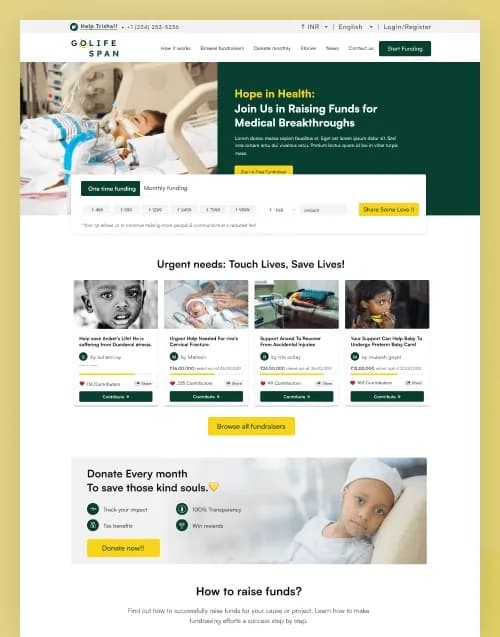
by WebbyCrown Solutions

by WebbyCrown Solutions
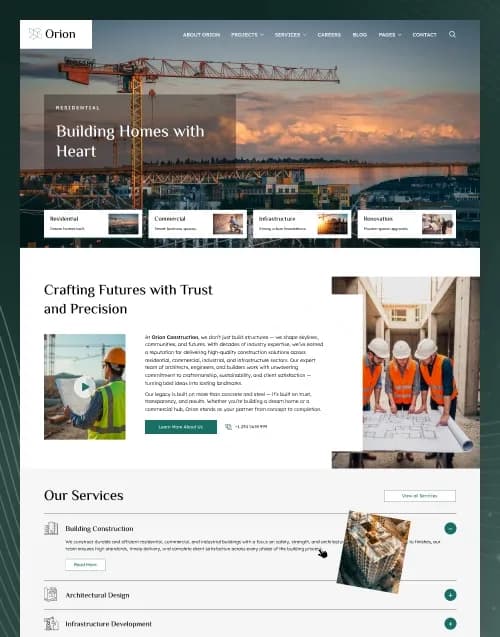
by WebbyCrown Solutions
Newly Added
Discover the most in-demand top-downloaded items trusted by top businesses.
Top Rated
Skyrocket your creativity with our Top rated collection of supreme.
What Are Statamic Themes & Starter Kits?
Statamic's official documentation describes Starter Kits as pre-built site packages designed to jump-start new Statamic websites. They can range from complete pre-built sites to developer-focused boilerplates.
Unlike a simple static HTML template, a Statamic Starter Kit can contain structures designed to work with Statamic's CMS and underlying Laravel environment.
What You Can Find in Statamic Themes & Starter Kits
- Business starter kits
- Agency website starter kits
- Service-business themes
- Blog-focused starter kits
- Portfolio starter kits
- Corporate website kits
- Pet and veterinary website kits
- Content-rich website starters
- Marketing website kits
- Multipurpose Statamic foundations
Who Should Use Statamic Themes & Starter Kits?
- Statamic developers
- Laravel developers
- Digital agencies
- Businesses
- Content teams
- Freelancers
- Marketing teams
- Organizations
- Developers building client sites
How to Choose the Right Statamic Starter Kit
Start with the Statamic version. Starter Kits should be checked against your intended Statamic installation and Laravel environment before purchase or installation.
Next, inspect the content architecture. Statamic projects can use collections, blueprints, globals, navigation, taxonomies, forms, and reusable templates, so a strong starter kit should align with the content editors actually need to manage.
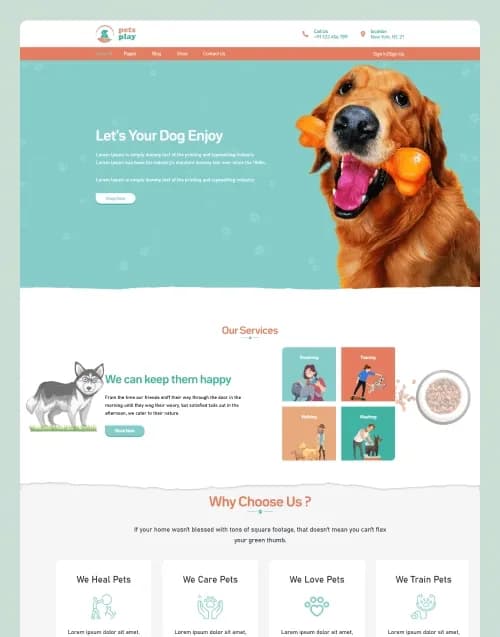
A current WebbyTemplate example is PetsPlay — Pet Care & Veterinary Statamic Starter Kit. Its live listing identifies it as a Statamic 5.x and Laravel product with Antlers templates, dynamic collections, reusable page-builder sections, global settings, forms, Tailwind CSS, and editable content controls.
That listing also demonstrates an important buyer distinction: its Shop and Single Product structures are content layouts, while cart, checkout, payment gateway, stock management, and order-management workflows are not confirmed as included commerce functionality.
Check how templates are built. Statamic templates are views used to render entries or sections, so developers should understand the supplied template architecture and how it fits their desired frontend.
Forms should be reviewed separately. Statamic itself can manage form submissions, but configuration, notifications, spam protection, and project-specific workflows still need proper setup.
Consider installation strategy as well. Statamic notes that many Starter Kits are intended for brand-new sites, so buyers should read product documentation before installing one into an established project.
Long-term updates matter too. Statamic documentation explicitly notes that not all Starter Kits are updatable, so buyers should not assume purchasing a kit guarantees automatic future upgrades.
Finally, review Laravel knowledge requirements, hosting, deployment, package dependencies, content migration, responsive behaviour, documentation, asset licensing, product licensing, and seller support.
Popular Use Cases for Statamic Themes & Starter Kits
- Launching a content-managed business website
- Building an agency website
- Creating a service-business site
- Developing a client CMS project
- Publishing blogs and structured content
- Building a reusable Laravel/Statamic foundation
- Replacing a static website with managed content
Statamic Theme & Starter Kit Quality Notes
- Verify Statamic version compatibility.
- Check Laravel requirements.
- Review collections and blueprints.
- Confirm page-builder structure.
- Shop layouts do not guarantee eCommerce.
- Review included forms.
- Check deployment requirements.
- Confirm whether updates are supported.
- Review documentation.
- Verify licensing and support.
Related Category Ideas
- October CMS
- Drupal
- Joomla!
- Webflow
- CMS Themes
- Laravel
Frequently Asked Questions
What is a Statamic Starter Kit?
Is a Statamic Starter Kit a complete Statamic installation?
Do I need Laravel knowledge?
Can Starter Kits include dynamic collections?
Can Statamic manage forms?
Do Statamic themes include eCommerce?
Can editors manage content without changing templates?
Can I install a Starter Kit into an existing site?
Are Starter Kits automatically updated?
What should I verify before purchasing?
Subscribe Now for Insider Access
Our newsletter is more than just updates it's your pass to the latest news, special promotions, and curated content designed to keep you ahead.