Golife Span — Fundraising & Charity Statamic Starter Kit

0 (0 Reviews)
0 Sales
License Options
View License Policy1 site / project / end product
up to 5 sites / projects / end products
up to 30 sites / projects / end products
Add-on Services
$125.00
$145.00
Technology
No title available : Golife Span — Fundraising & Charity Statamic Starter Kit


Created : 03 July 2026
Updated : 31 August 2026
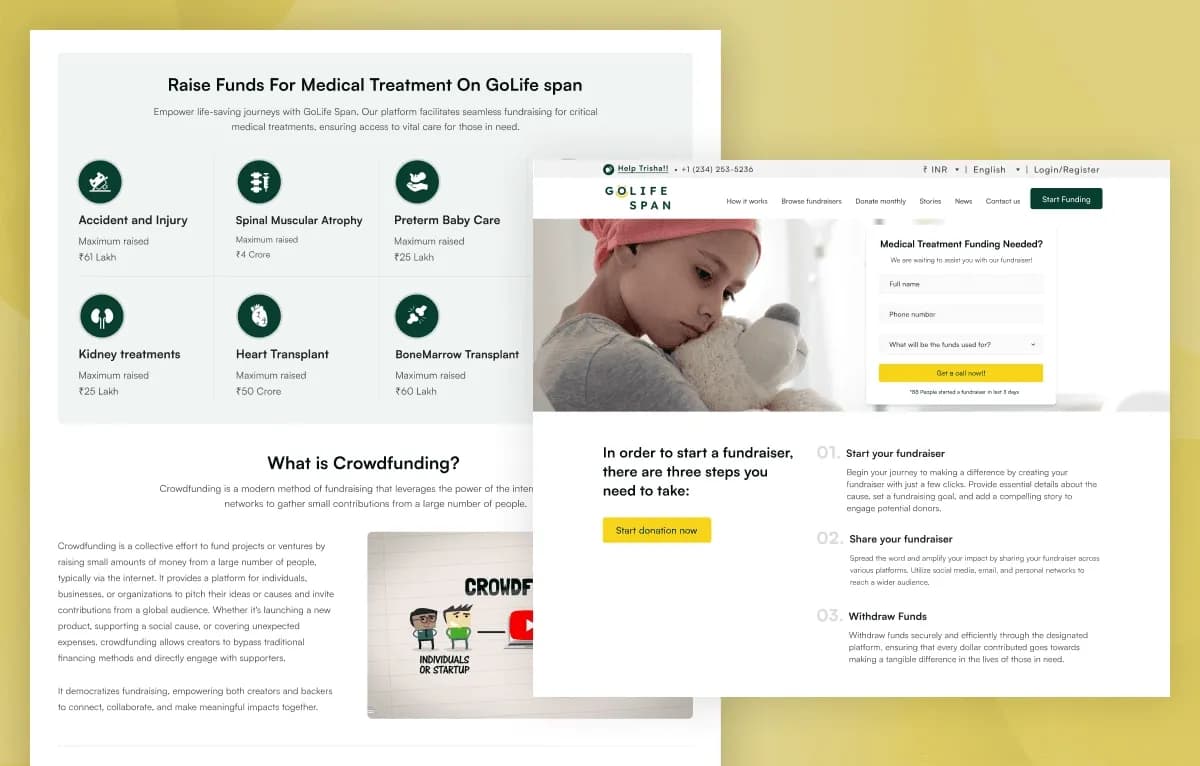
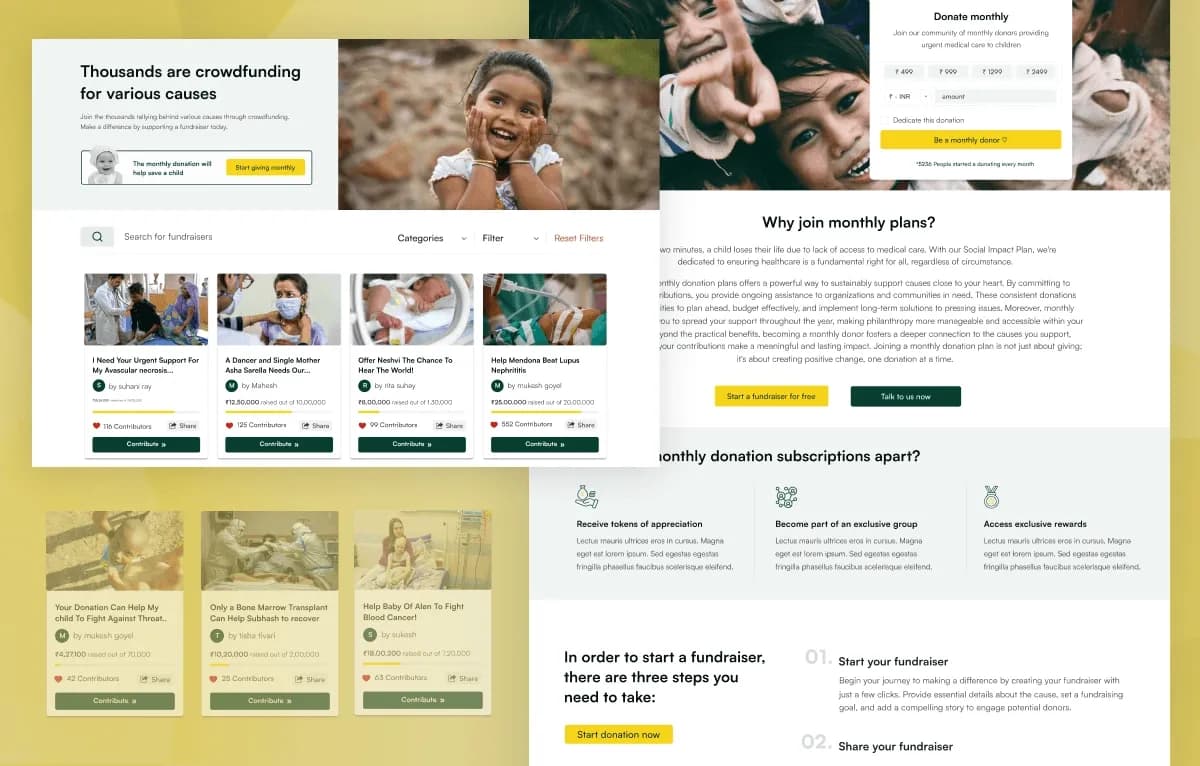
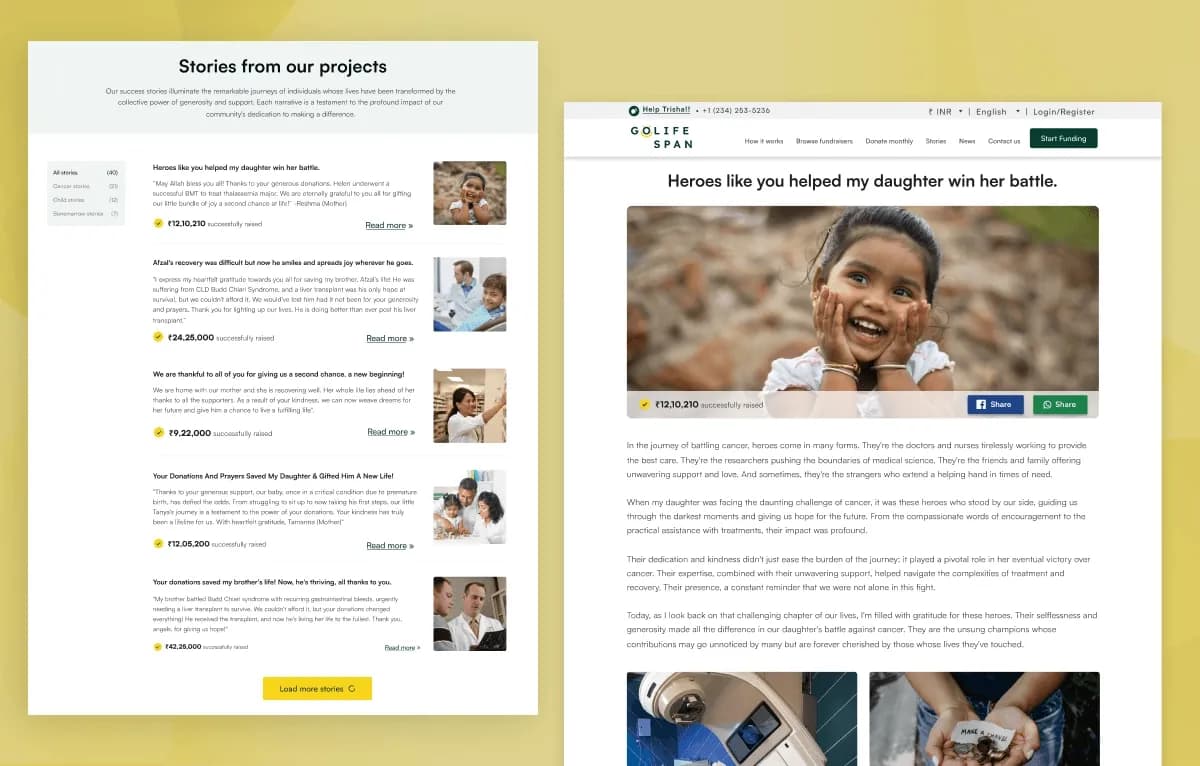
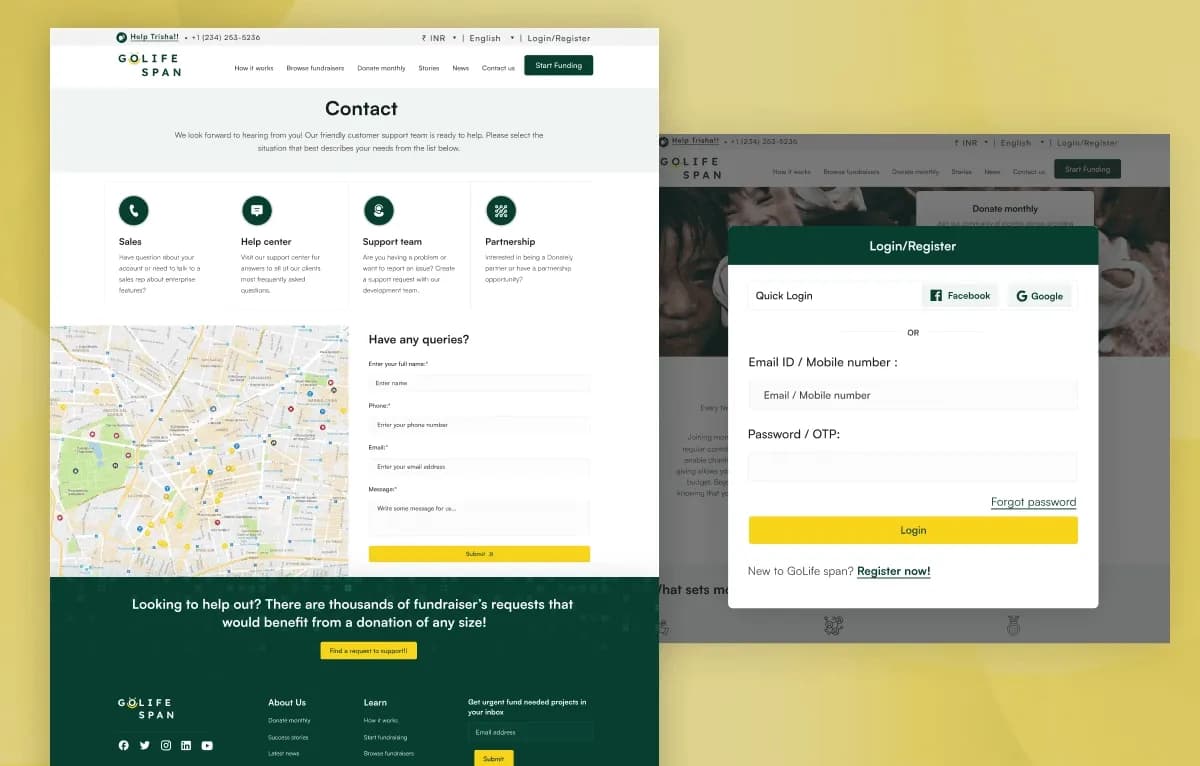
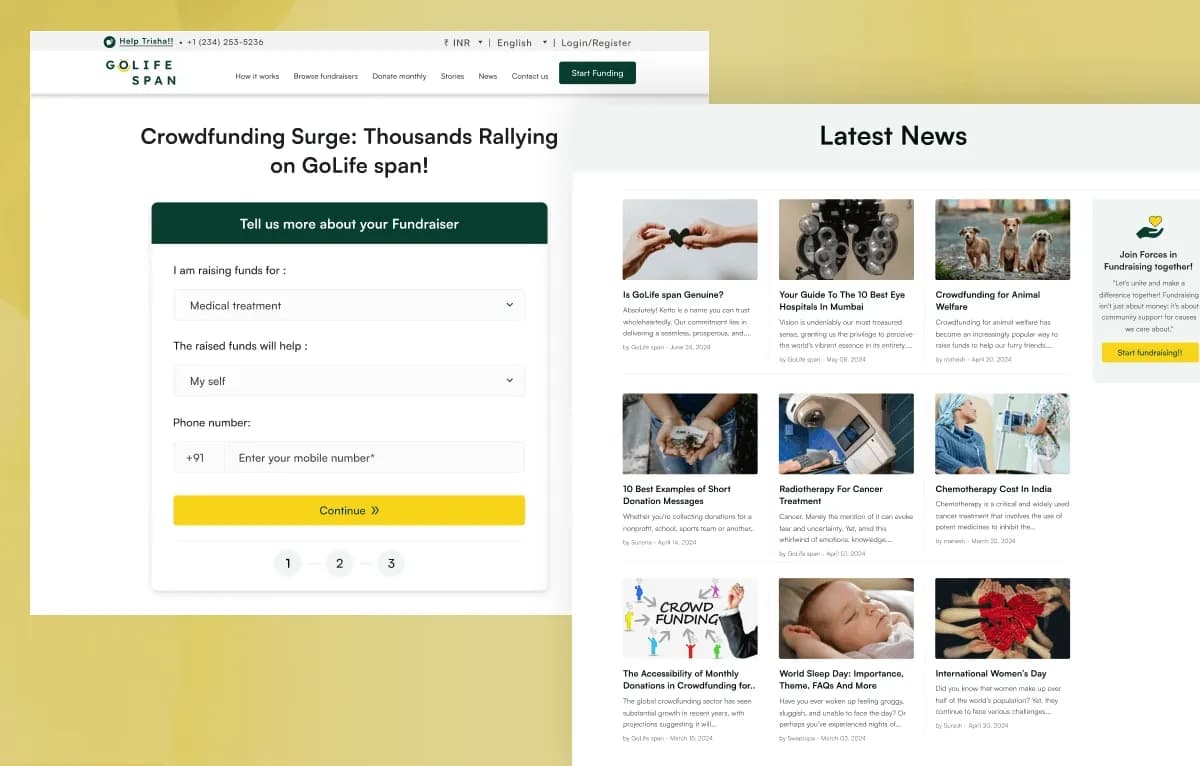
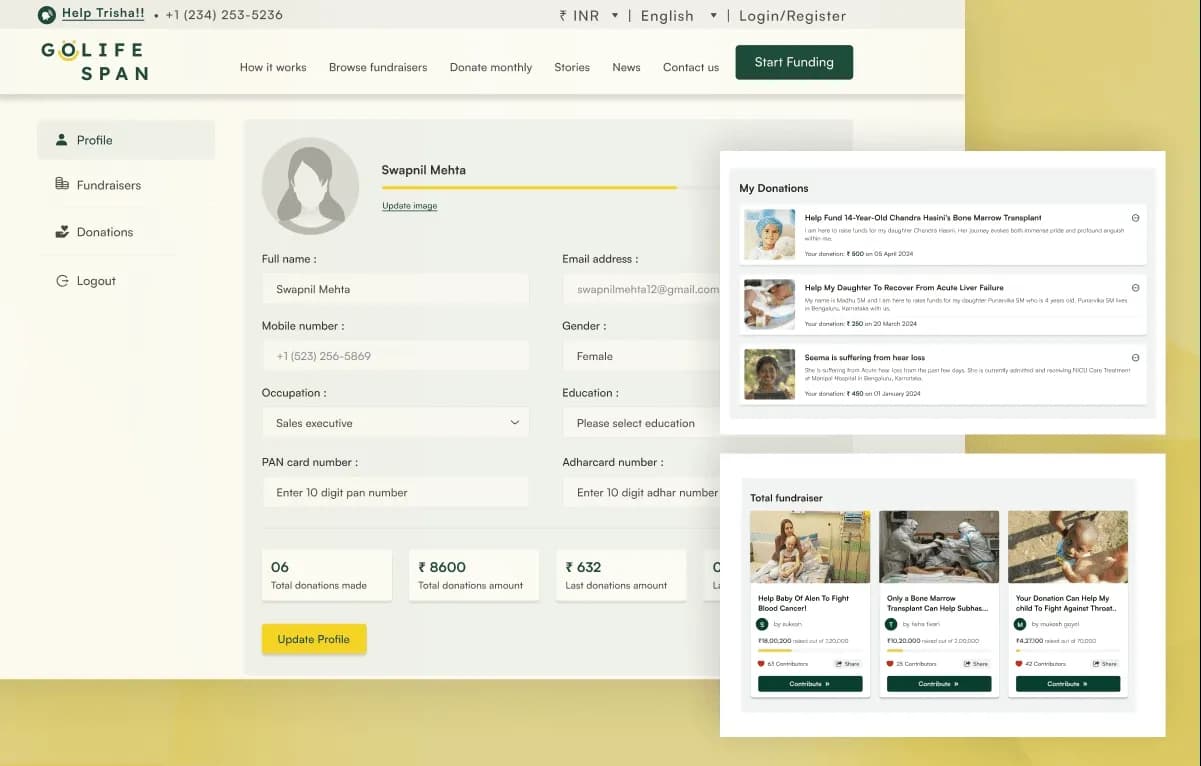
Golife Span is an 11+ page Statamic 5 Fundraising Starter Kit for charities, nonprofit organizations, NGOs, crowdfunding platforms, donation campaigns, community organizations, and social-impact projects. It includes fundraising pages, campaign details, monthly donation layouts, account pages, reusable Statamic sets, global configuration, payment settings, newsletter and contact forms, funding-request forms, and responsive templates.
Built with Statamic 5.x, Laravel, Antlers Templates, PHP, JavaScript, CSS3, and HTML5, it provides a content-managed foundation for presenting causes, campaigns, donation journeys, impact stories, news, and supporter-focused website content.
What Is Golife Span?
Charity organizations, NGOs, nonprofit foundations, crowdfunding platforms, community groups, and social-impact projects need a website that can clearly present fundraising campaigns, donation options, stories, news, supporter journeys, contact details, and funding requests. Building these templates, payment settings, content sections, forms, and responsive layouts from scratch can slow down the launch of an important campaign.
Golife Span is a Statamic 5 Starter Kit designed for fundraising and donation-focused websites. It provides reusable page-builder sets, campaign content layouts, global configuration, payment settings, forms, responsive templates, and an organized project structure for developers and content editors managing a charity or nonprofit website.
Who Is This Starter Kit For?
- Charity organizations launching donation campaigns
- Nonprofit organizations managing fundraising content
- NGOs promoting community initiatives
- Crowdfunding platforms presenting campaigns
- Donation platforms building supporter journeys
- Community organizations sharing local causes
- Social-impact projects publishing updates and stories
- Religious organizations collecting support for causes
- Educational fundraisers promoting scholarship campaigns
- Humanitarian organizations presenting relief initiatives
- Agencies building charity or NGO websites for clients
- Developers needing a Statamic 5 fundraising foundation
Golife Span requires Statamic, Laravel, PHP, Composer, payment-gateway configuration, template customization, and deployment knowledge.
What Is Included?
Main Pages
- Home
- How It Works
- Browse Fundraisers
- Donate Monthly
- Stories
- News
- Contact Us
Authentication and Account Pages
- Login
- Register
- Account Dashboard
Campaign and Utility Pages
- Single Campaign Details
- 404 Error Page
Flexible Content Sections
- Campaigns Section
- Funding Banner
- Banner CTA Section
- Info Cards Grid
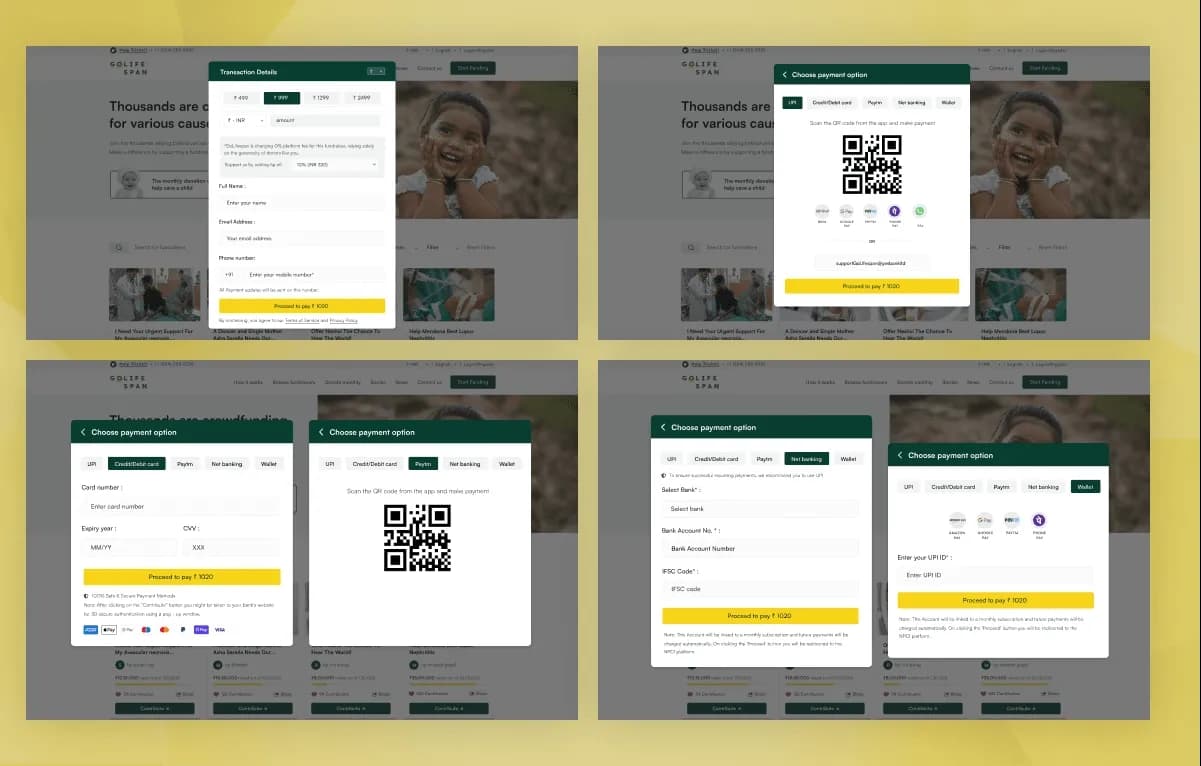
- Payment Details
- Similar Campaigns
- Service Highlight Section
Control Panel Forms
- Newsletter Subscription
- Contact Us
- Funding Needed
Global Settings
- Header Settings
- Footer Settings
- 404 Page Settings
- Payment Configuration
- Exchange Rates
- Common Settings
Payment Gateway Configuration
- Razorpay
- Stripe
- Razorpay Key ID
- Razorpay Secret Key
- Stripe Publishable Key
- Stripe Secret Key
- Payment Settings managed through Statamic Globals
Project Resources
- Complete Statamic Starter Kit
- Collections and Blueprints
- Antlers Templates
- Global Configuration
- Forms
- Assets
- Documentation
How to Use Golife Span
Step 1: Prepare the Requirements
Prepare a compatible environment with Statamic 5.x, PHP 8.2+, Composer, Laravel support, and your planned hosting setup.
Result: Your development environment is ready for the Golife Span fundraising starter kit.
Step 2: Install the Starter Kit
Install Golife Span into a compatible Statamic project by following the supplied documentation.
Result: The page templates, reusable sets, global settings, payment configuration areas, forms, assets, collections, and blueprints are available in your project.
Step 3: Review Global and Payment Settings
Review Header Settings, Footer Settings, 404 Page Settings, Payment Configuration, Exchange Rates, and Common Settings in the Statamic Control Panel.
Result: Your shared website settings and payment configuration areas are ready for project-specific setup.
Step 4: Configure Payment Gateways and Forms
Add the required Razorpay or Stripe configuration, then configure Newsletter Subscription, Contact Us, and Funding Needed form workflows.
Result: Your selected payment and form workflows are prepared for testing in your configured environment.
Step 5: Customize Campaign and Organization Content
Update logos, colours, typography, campaign details, funding goals, donation messaging, stories, news, contact details, call-to-action content, and reusable page-builder sets.
Result: The website begins to match your charity, nonprofit organization, NGO, crowdfunding platform, or community project.
Step 6: Test and Deploy
Test responsive pages, campaign journeys, forms, payment flows, validation, browser compatibility, and server configuration before deploying to a Statamic-compatible hosting environment.
Result: Your charity or fundraising website is ready for launch after your payment and form workflows are validated.
Tags:
Template Features:
Built for Statamic 5
Fundraising & Donation Focused
Flexible Page Builder using Sets
Reusable Content Blocks
Global Website Configuration