Medicare — OctoberCMS Healthcare Theme

0 (0 Reviews)
0 Sales


License Options
View License Policy1 site / project / end product
up to 5 sites / projects / end products
up to 30 sites / projects / end products
Add-on Services
$99.00
$119.00
Technology
No title available : Medicare — OctoberCMS Healthcare Theme


Created : 25 August 2026
Updated : 31 August 2026
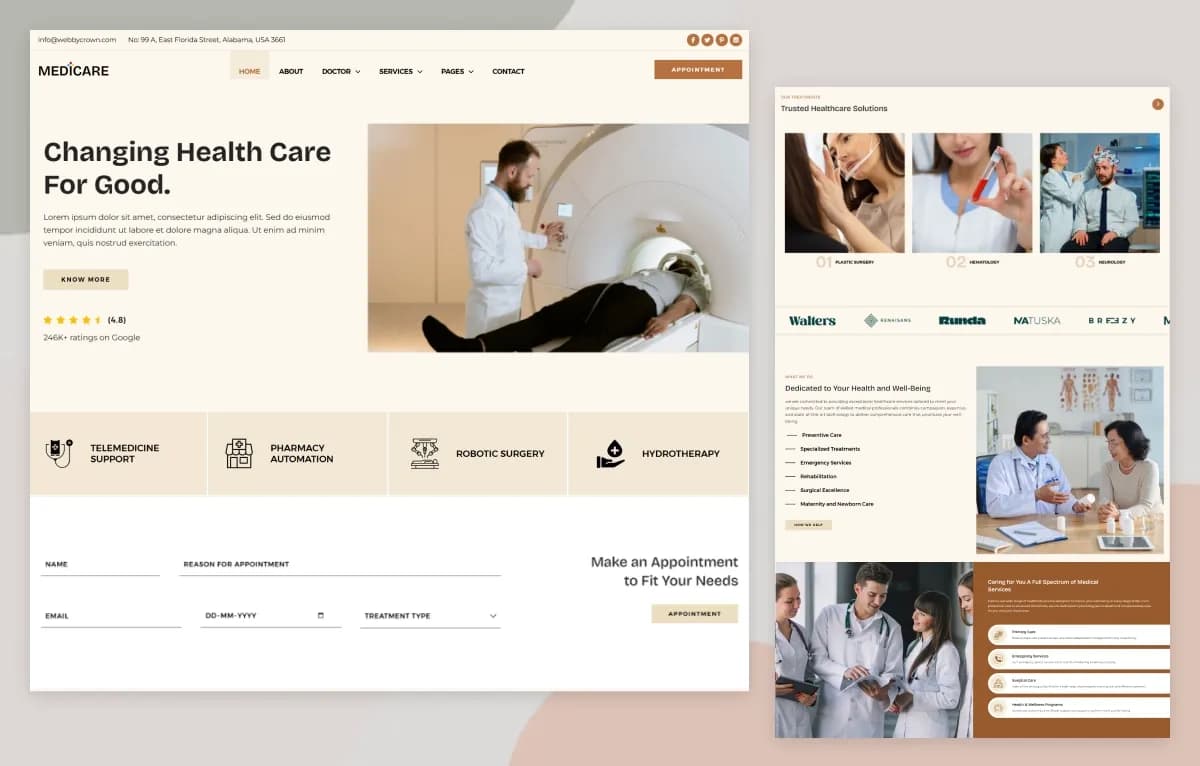
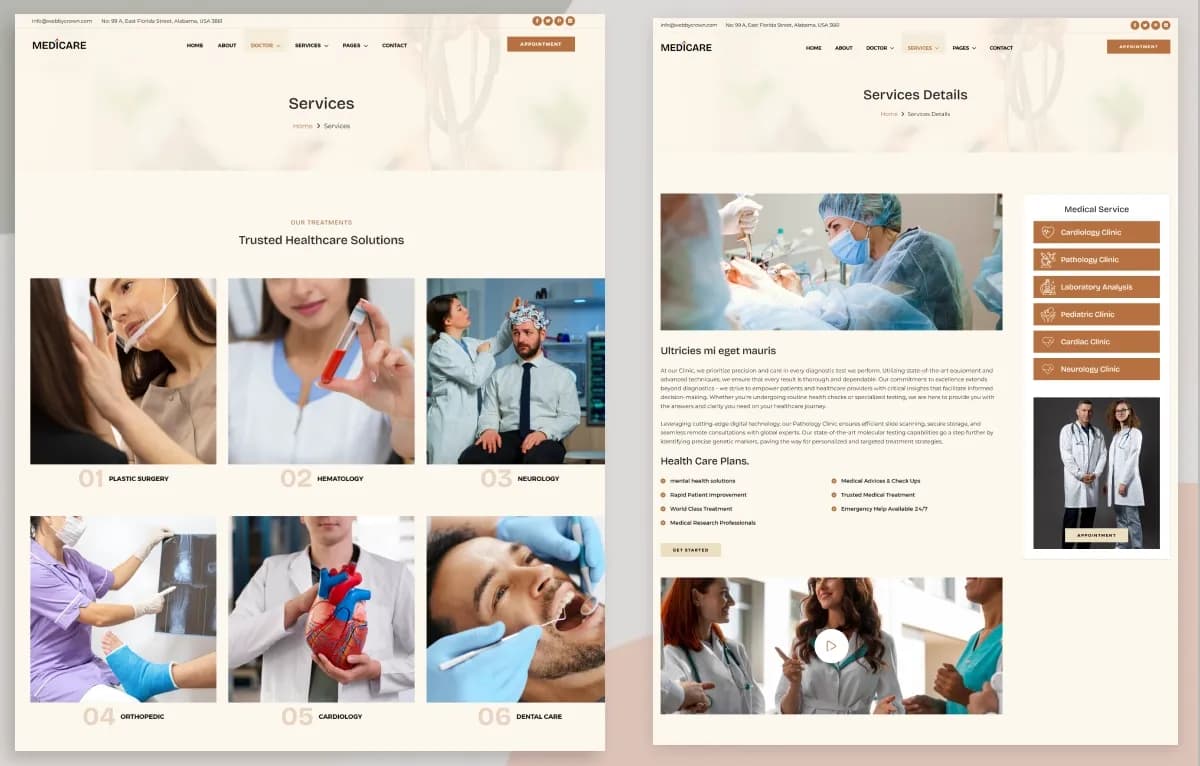
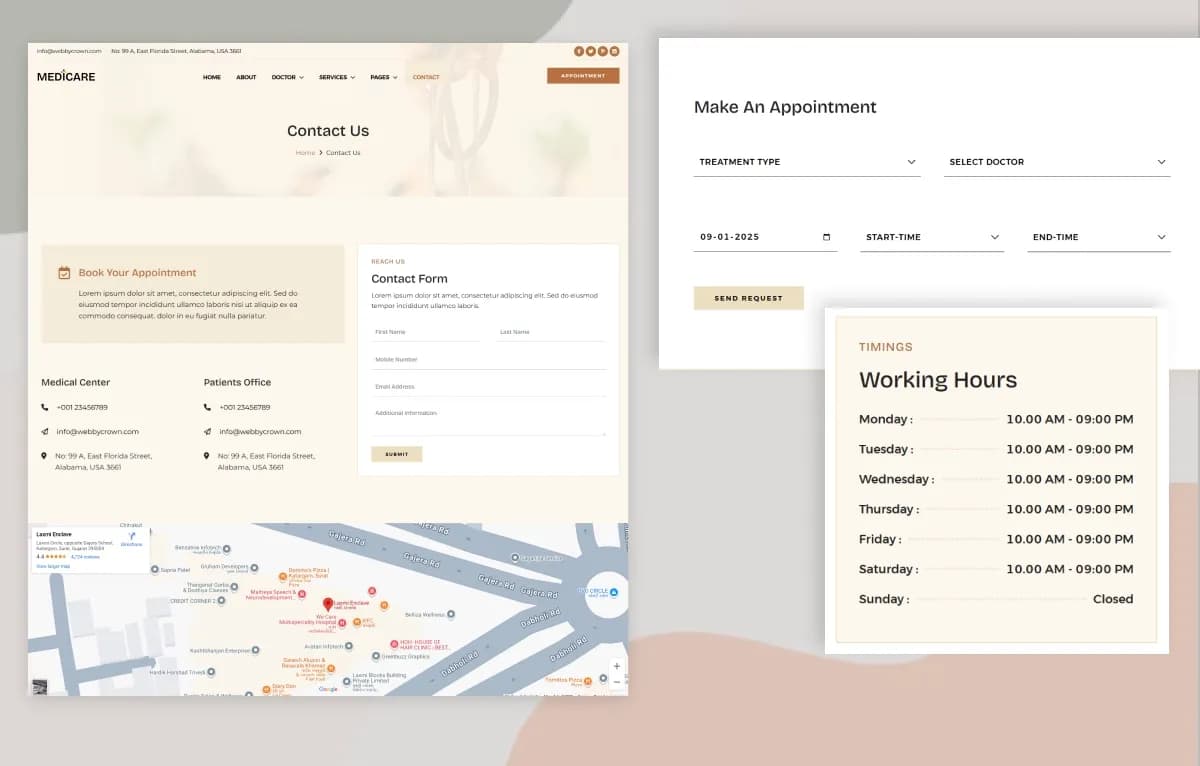
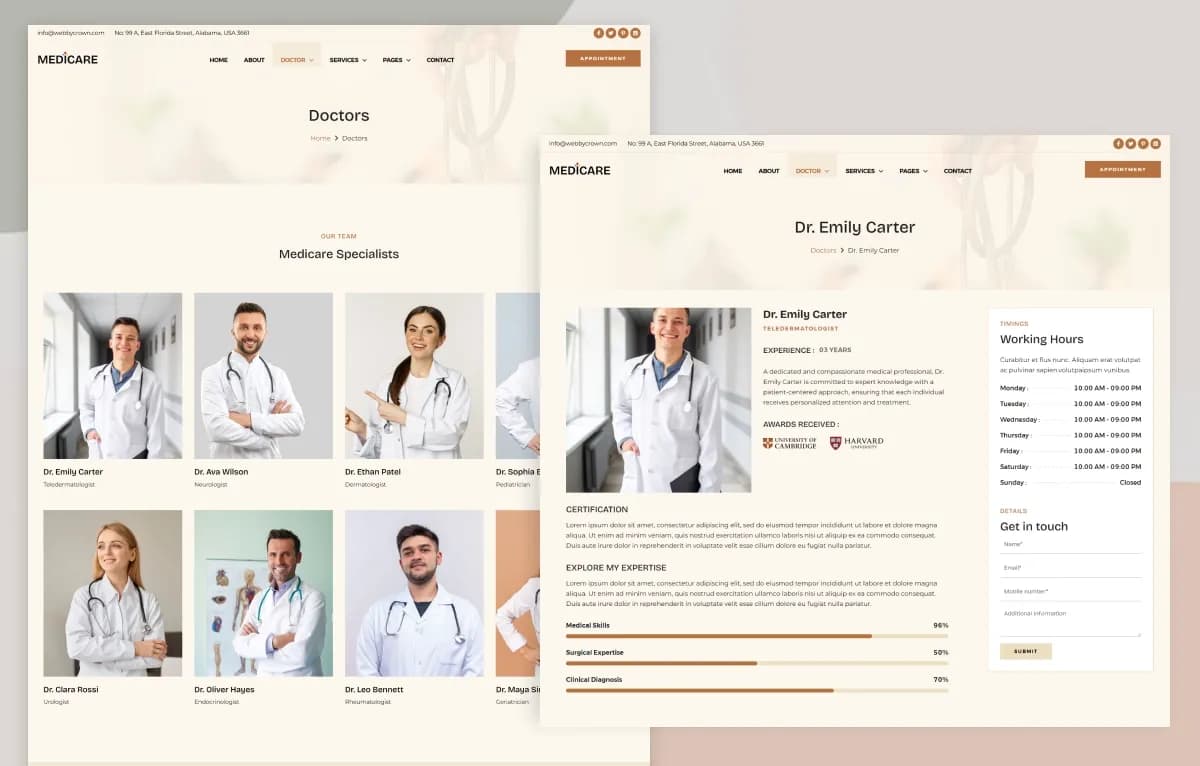
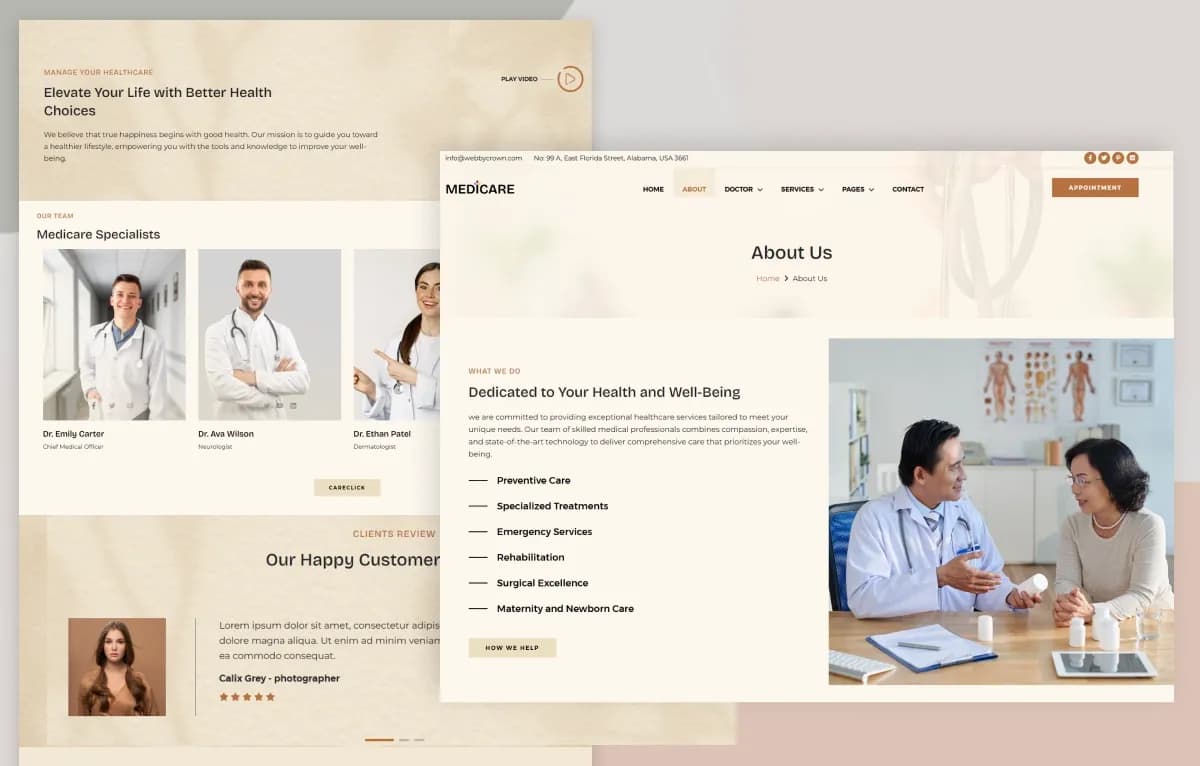
Medicare is a modern OctoberCMS Healthcare Theme for hospitals, clinics, medical practices, doctors, specialists, dental clinics, wellness centers, healthcare providers, medical consultants, and healthcare organizations. It includes 12+ ready-to-use page templates, service listing and detail pages, doctor listing and detail pages, blog pages, appointment page, contact page, awards page, testimonials, tags, global settings, backend forms, Tailor blueprints, reusable page sections, and dynamic content management.
Built with PHP, OctoberCMS, Laravel, Twig templating, JavaScript, YAML configuration, and Tailwind CSS, Medicare gives developers and healthcare teams a CMS-managed foundation for building professional medical websites. It helps organize services, doctors, specializations, blogs, testimonials, awards, appointments, and contact inquiries, but final production setup, form delivery, appointment workflow, privacy review, hosting, and launch testing should be completed before going live.
What Is Medicare?
Healthcare websites need clear service pages, doctor profiles, appointment forms, contact details, educational content, patient testimonials, awards, and structured information that visitors can understand quickly. Clinics, hospitals, wellness centers, and healthcare providers also need a content management system that makes it easier to update services, doctors, articles, specializations, and general website content.
Medicare is an OctoberCMS theme built for healthcare-focused websites. It provides reusable page sections, backend content structures, Tailor blueprints, global settings, dynamic listing and detail pages, medical service management, doctor and team member profiles, blog publishing, testimonials, awards, forms, theme seed data, Tailwind CSS assets, and a responsive frontend structure for developers and content editors.
Who Is This Theme For?
Medicare is suitable for:
- Hospitals
- Clinics
- Medical practices
- Healthcare providers
- Doctors and specialists
- Dental clinics
- Wellness centers
- Healthcare organizations
- Medical consultants
- Health and wellness businesses
- Healthcare content publishers
- Agencies building healthcare websites
- Developers creating OctoberCMS websites for medical brands
Medicare is an OctoberCMS healthcare theme, not a complete hospital management system. Patient records, medical booking databases, patient portals, electronic medical records, insurance workflows, payment systems, and healthcare compliance tools are not included unless separately integrated.
What Is Included?
Page Templates
- Home Page
- Blog Listing
- Blog Details
- Service Listing
- Service Details
- Team Member Listing
- Team Member Details
- About Us
- Contact Us
- Appointment Page
- Appointment Form
- Awards Page
- 404 Page
Number of Pages
- 12+ Ready-to-Use Page Templates
- Fully Responsive Website Layout
- Blog Listing & Detail Pages
- Service Listing & Detail Pages
- Doctor Listing & Detail Pages
- Appointment Page
- Contact Page
- About Us Page
- Awards Page
- Custom 404 Page
- Dynamic Content Archive Pages
Content Management
Medicare provides structured content management through OctoberCMS Tailor and backend content structures.
- Pages
- Services
- Blogs
- Specializations
- Team Members
- Testimonials
- Tags
Backend Forms
- Appointment Form
- Comment Form
- Contact Form
- Get In Touch Form
- Newsletter Form
- Reservation Form
Forms can be managed and customized according to the website’s requirements.
Global Settings
- Header Settings
- Footer Settings
- Theme Settings
- Work Settings
- Form Settings
- Error Page Settings
Healthcare Content Management
- Medical Services
- Doctors & Healthcare Professionals
- Medical Specializations
- Healthcare Articles
- Patient Testimonials
- Awards & Achievements
- Appointment Requests
- Contact Inquiries
- Content Tags
Repository Structure
- app/
- content/
- public/
- resources/
- routes/
- storage/forms/
- starter-kit.yaml
- Readme.md
- composer.json
- package.json
Download Package
- Complete OctoberCMS Theme
- Healthcare Website Templates
- Home Page
- About Us Page
- Services Management
- Service Listing & Detail Pages
- Doctors / Team Members Management
- Doctor Listing & Detail Pages
- Specializations
- Blog Management
- Blog Listing & Detail Pages
- Testimonials
- Awards
- Appointment Form
- Contact Form
- Tags
- Global Site Settings
- Reusable Page Sections
- Tailor Blueprints
- Dynamic Content Management
- Responsive Frontend
- Tailwind CSS Assets
- Theme Seed Data
- Documentation
How to Use Medicare
Step 1: Prepare the OctoberCMS Environment
Set up PHP 8.2+, Composer, Laravel requirements, OctoberCMS, MySQL or a compatible database, and Node.js with npm for frontend asset development.
Result: Your system is ready to install and run the Medicare OctoberCMS Theme.
Step 2: Install the Theme Files
Install the complete OctoberCMS theme package, including app files, content folder, public assets, resources, routes, storage forms, YAML configuration, README, Composer configuration, package files, Tailor blueprints, theme seed data, and documentation.
Result: The healthcare website structure is ready for local setup and development.
Step 3: Configure Global Settings
Update header settings, footer settings, theme settings, form settings, error page settings, branding, navigation, contact information, and shared content.
Result: The theme begins to match your hospital, clinic, healthcare organization, wellness center, dental clinic, or medical brand.
Step 4: Add Healthcare Content
Create and manage services, doctors, team members, specializations, blogs, testimonials, awards, tags, appointment content, and contact information through OctoberCMS backend content structures.
Result: Your CMS-managed healthcare content is organized and ready for review.
Step 5: Test Forms and Content Workflows
Test appointment forms, contact forms, get in touch forms, newsletter forms, comment forms, and reservation forms. Configure email delivery, notifications, spam protection, and storage workflows as needed.
Result: Visitors can submit inquiries through the completed form workflow after production setup.
Step 6: Review, Deploy and Launch
Test responsiveness, browsers, navigation, dynamic pages, service details, doctor profiles, blogs, testimonials, awards, forms, global settings, Tailor content, performance, privacy requirements, and deployment configuration.
Result: Your OctoberCMS healthcare website is ready for launch after final QA and production review.
Tags:
Template Features:
Built for OctoberCMS
Laravel-Based Architecture
Healthcare-Focused Design
Fully Responsive Layout
Mobile-First Design