Glowist — Blog Website Figma Template

5 (1 Review)
0 Sales


License Options
View License Policy1 site / project / end product
up to 5 sites / projects / end products
up to 30 sites / projects / end products
$20.00
$30.00
Technology
No title available : Glowist — Blog Website Figma Template


Created : 19 August 2025
Updated : 01 September 2026
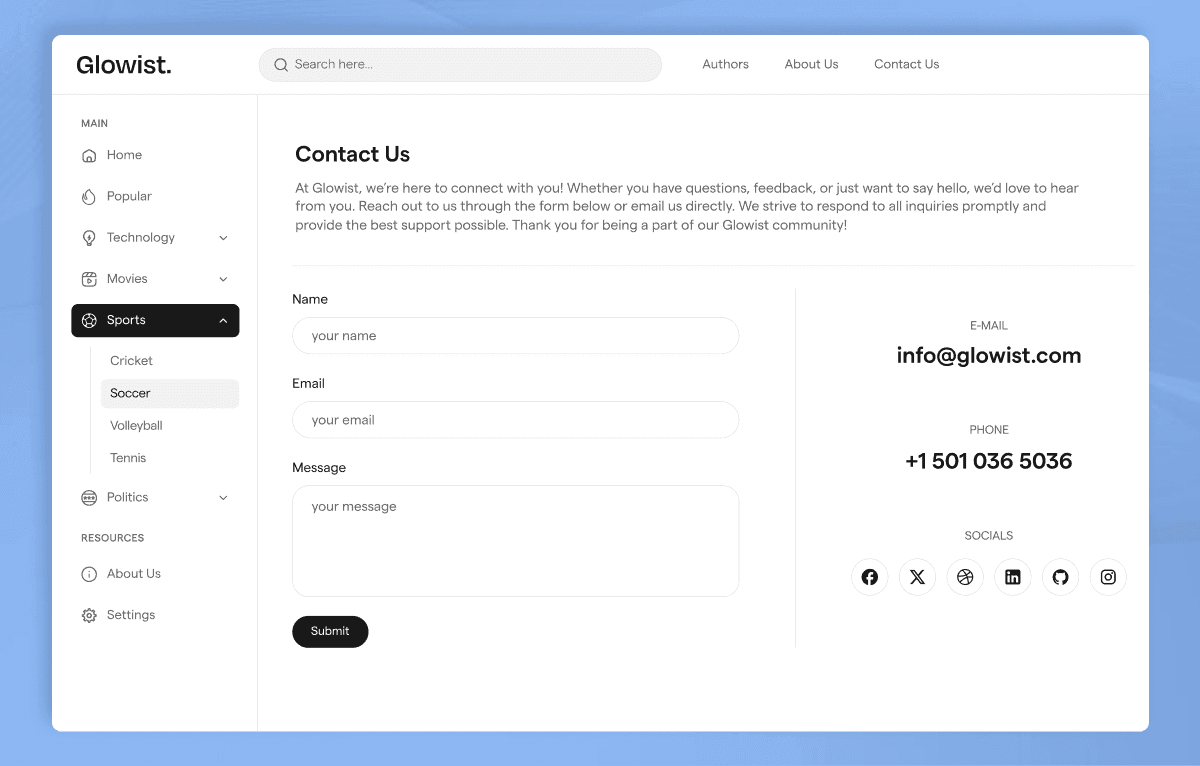
Glowist is a modern blog website Figma template by WebbyTemplate for bloggers, content creators, writers, author websites, publishing platforms, and article-based community websites. It includes 16 website pages, 16 mobile screens, 4+ components, 50+ UI elements, forms, author pages, profile pages, tag pages, notification layouts, login pages, and responsive design structure — available with Personal, Commercial, and Agency license options.
What Is Glowist Blog Website Figma Template?
Bloggers, writers, content creators, and publishing-style websites need a clean design system for articles, authors, profiles, tags, notifications, login pages, contact forms, and legal pages. Designing these blog-focused pages from scratch in Figma takes time, especially when the website needs both desktop and mobile layouts.
Glowist gives you a complete Blog Website Figma Template with 16 desktop pages, 16 mobile screens, 4+ components, 50+ UI elements, author layouts, tag pages, profile pages, notification sections, forms, and responsive design structure. It helps designers, agencies, bloggers, and content brands customize a professional blog website in Figma and prepare it for development handoff.
Who Is This Template For?
- UI/UX designers working on blog website Figma projects
- Freelance designers handling blogger, author, writer, or content creator client work
- Design agencies building websites for blogs, publishing platforms, creator brands, and article-based websites
- Developers who need a Figma-ready blog website design file to build from
- Bloggers and writers who need a clear website design direction before development
- Content creators, niche publishers, newsletter brands, and editorial websites
- Platforms that need pages for blogs, authors, user profiles, tags, notifications, login, and contact forms
This template is not suitable for buyers who need a coded blog website or real publishing platform. Glowist is a Figma design file only — it does not include HTML, CSS, WordPress, Webflow, CMS, user authentication, notification functionality, backend, database, or any coded implementation.
What Is Included in Glowist?
Website Pages
- Homepage
- Single Blog page
- Authors page
- My Profile page
- Tags page
- Single Tag page
- Contact page
- About Us page
- Privacy Policy page
- Terms of Use page
- Notifications page
- User Menu page
- Login pages
- Mobile Screens
- 16 mobile screens
- Responsive mobile layouts for key website pages
- Mobile blog reading layouts
- Mobile author and profile layouts
- Mobile tag page layouts
- Mobile login and form layouts
Design Assets
- 4+ reusable components
- 50+ UI elements
- Forms
- Typography setup
- Icon set
- Responsive design structure
- Organized sections and frames
How to Use Glowist
Step 1: Purchase and Download
Select your license — Personal, Commercial, or Agency. Complete the purchase and download the Figma file.
Result: Glowist Figma file is ready to open.
Step 2: Open in Figma
Open the file in the latest version of Figma. All pages, mobile screens, components, UI elements, forms, and design assets load in the editor.
Result: The full blog website design is ready to review.
Step 3: Review the Page Set
Browse the homepage, single blog page, authors page, profile page, tag pages, notifications page, user menu, login pages, contact page, about page, and legal pages. Remove pages that are not needed for your project.
Result: You have a focused website structure for your blog, creator platform, or publishing project.
Step 4: Customize Branding
Update logo, typography, colors, article content, author details, profile content, tag names, notification text, forms, and contact details.
Result: The design matches your blog brand, content creator website, or publishing platform.
Step 5: Check Mobile Screens
Review the mobile screens for important flows such as article reading, author browsing, profile viewing, tag browsing, login, notifications, and contact forms.
Result: Desktop and mobile experiences are consistent before development.
Step 6: Export or Hand Off
Export assets or share the organized Figma file with your developer or development team.
Result: Your blog website design is ready for development or client presentation.
Tags:
Template Features:
Web Fonts
Icons
Components
Responsive Design Structure
Organized Layers