Graphic Design
Graphic design blends creativity and strategy to visually communicate a brand’s message, crafting compelling logos, images, and layouts that capture attention. Strong design builds trust and recognition, making it easier for businesses to connect with audiences. Through thoughtful use of colour, typography, and composition, graphic design enhances user experience while supporting marketing goals across digital and print platforms.
Top Rated
Skyrocket your creativity with our Top rated collection of supreme.


by Ira Kadir
Best Downloads
Discover the most in-demand top-downloaded items trusted by top businesses.
Newly Added
Discover the most in-demand top-downloaded items trusted by top businesses.
Graphic Design Templates and Digital Assets
Graphic design templates provide a prepared layout for creating visual materials, while individual design assets supply elements that can be incorporated into a larger design. Templates are useful when you need a complete starting layout; standalone graphics can be useful when you already have a design and need additional visual elements.
On WebbyTemplate, browse the available products to find resources that match your project and preferred design software. File formats and editing options depend on the individual product.
Design Resources for Different Projects
Graphic design resources can support brand communications, promotional campaigns, presentations, workbooks and other digital or print materials. Choose based on the final deliverable rather than appearance alone.
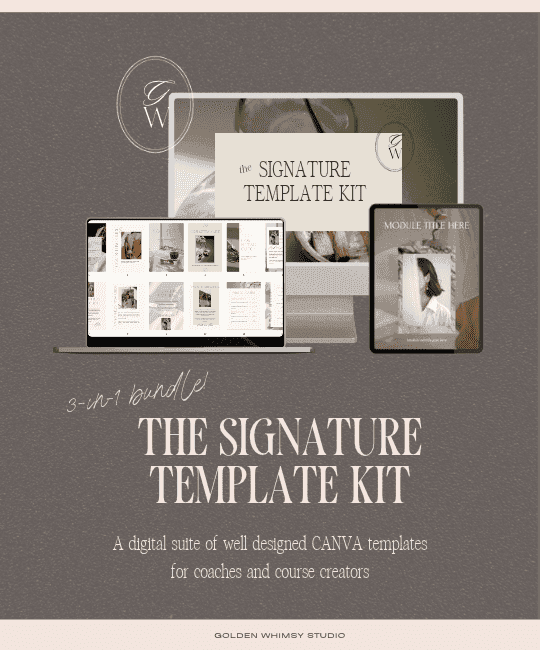
For example, the Signature Template Kit for Canva course creators includes a workbook, guidebook and slide deck for building coordinated course materials. For website or app interface layouts, explore UI Templates instead.
How to Choose a Graphic Design Template
- Design purpose: Decide whether you need a digital graphic, printable document, presentation or another visual deliverable.
- Software and file format: Check whether the product requires Canva, a desktop design application or another tool. An access PDF is not the same as an editable source file.
- Customization: Review the preview and product details to see which text, colours, images and layout elements can be changed.
- Output requirements: For print, check dimensions, resolution, bleed and colour settings. For digital publishing, check export formats and target platform dimensions.
- Included assets: Confirm whether fonts, photos, illustrations and other preview elements are supplied or need separate access or licensing.
Licensing and Product Access
Choose the license that covers the number of projects or finished designs you intend to create. Purchased design resources are not intended for resale or redistribution as reusable templates or source files. See the WebbyTemplate License Policy for permitted uses and restrictions.
Check the product page for delivery details, including any access links or software requirements. For download access and updates, refer to the Download & Updates Policy.
Frequently Asked Questions
What are graphic design templates?
Can I edit a graphic design template?
Do I need Canva Pro or paid design software?
Can I use a template for client or commercial projects?
Are fonts and images shown in previews included?
Subscribe Now for Insider Access
Our newsletter is more than just updates it's your pass to the latest news, special promotions, and curated content designed to keep you ahead.