Craft CMS Templates, Themes & Starter Kits
Browse ready-made Craft CMS templates and website foundations for businesses, agencies, portfolios, publishers, organizations, professional services, and other content-driven projects.
Compare products by website purpose, included layouts, content structure, frontend technology, Craft compatibility, customization requirements, dependencies, documentation, and seller terms before selecting a starting point.
Buyers often search for “Craft CMS themes,” but Craft uses a flexible template-based approach rather than a traditional interchangeable theme system. Website output is created with templates, and developers can structure those templates around the specific content model and requirements of each project.
Best Downloads
Discover the most in-demand top-downloaded items trusted by top businesses.
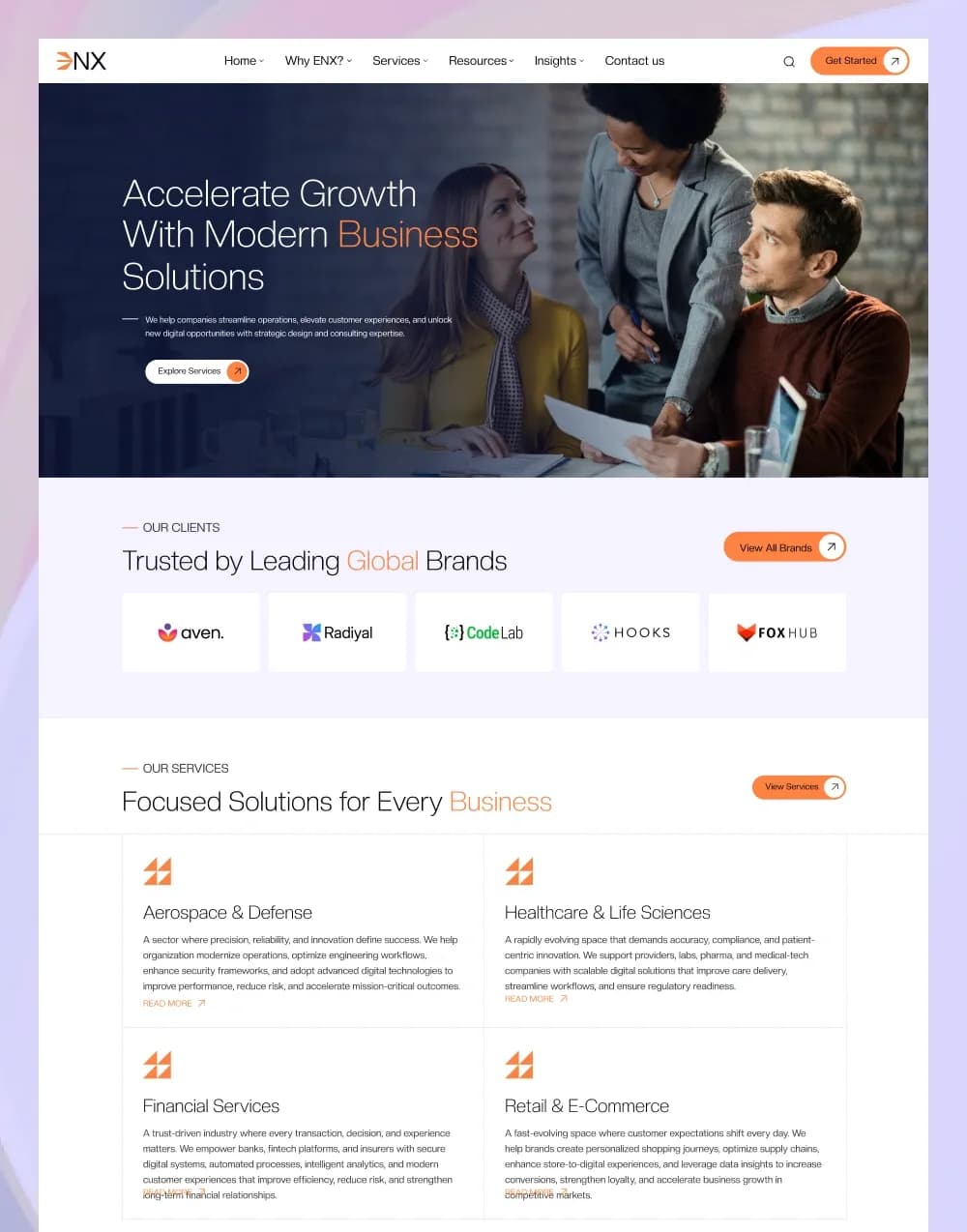


by WebbyCrown Solutions
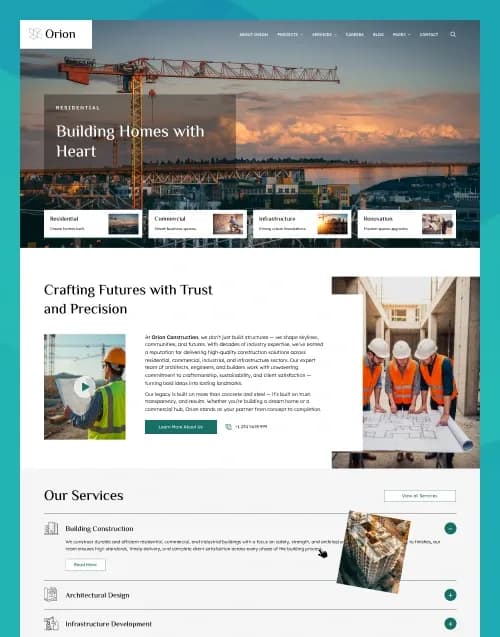
by WebbyCrown Solutions
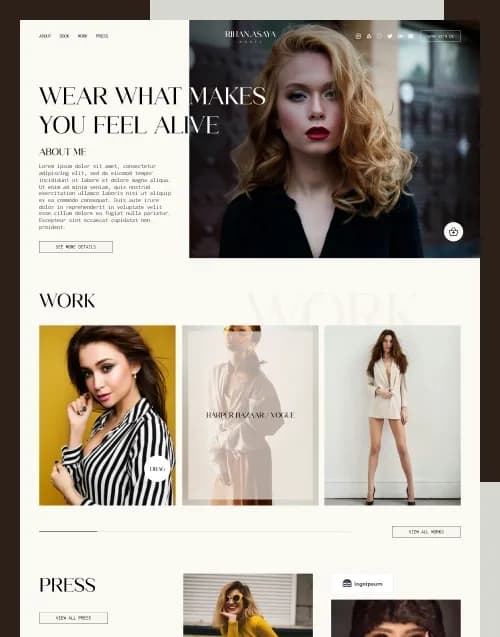
by WebbyCrown Solutions
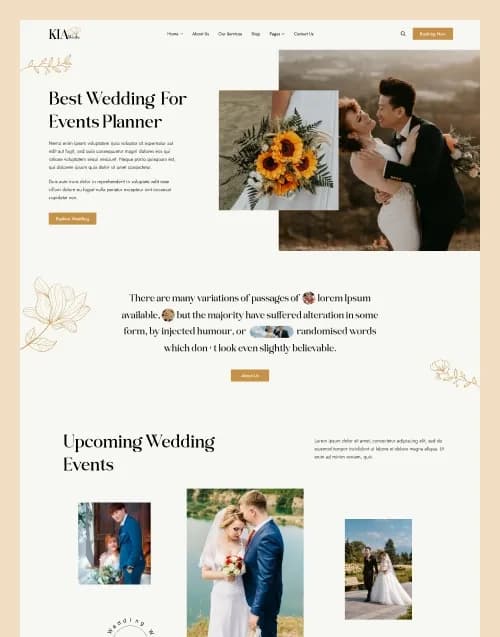
by WebbyCrown Solutions
Newly Added
Discover the most in-demand top-downloaded items trusted by top businesses.
Top Rated
Skyrocket your creativity with our Top rated collection of supreme.
What Are Craft CMS Templates?
Craft CMS templates are frontend template files and related project resources used to control how content is presented on a Craft-powered website.
Craft CMS uses templates to generate website HTML, with Twig commonly used as the templating language. The exact template directory structure can be organized according to the needs of the individual project.
Unlike platforms built around interchangeable themes, Craft does not inherently treat website presentation as a conventional theme system. This gives developers flexibility to create custom frontend architectures around each website’s content model.
Buyers comparing Craft with other content-management products can also browse the broader CMS themes collection.
If your project does not require Craft CMS specifically, the wider website themes category can help you compare alternative website foundations.
What You Can Find in Craft CMS
Depending on marketplace inventory, this category can include:
- Business website templates
- Corporate website templates
- Agency website templates
- Portfolio templates
- Blog and publishing templates
- Service-business website templates
- Restaurant and hospitality templates
- Healthcare website templates
- Nonprofit and organization templates
- Developer-focused Craft CMS starter projects
- Who Should Use Craft CMS Templates?
- Craft CMS products can be suitable for:
- Craft CMS developers
- PHP developers
- Digital agencies
- Freelance web developers
- Businesses requiring custom content structures
- Publishers and editorial teams
- Marketing teams working with developers
- Organizations building content-heavy websites
How to Choose the Right Craft CMS Template
Check Craft CMS compatibility.
Confirm the Craft CMS version supported by the product. Compatibility can vary, so do not assume an older template will work unchanged with a newer Craft installation.
Review the page inventory.
Check whether the product includes the homepage, services, blog, portfolio, team, contact, product, landing, article, or other page layouts required by your project.
Understand the content structure.
Determine how entries, sections, fields, assets, categories, reusable content, navigation, and other CMS-managed information are organized.
Review the template architecture.
Craft allows developers to organize frontend templates according to project requirements. Check how layouts, reusable includes, pages, and other Twig files are structured.
Check Twig requirements.
Craft 5 uses Twig to parse frontend templates, so developers customizing the presentation layer should be comfortable working with Twig syntax and the supplied template structure.
Identify plugins and dependencies.
Some products may depend on Craft plugins, Composer packages, frontend libraries, JavaScript packages, CSS frameworks, APIs, or other services. Verify these individually.
Separate design from functionality.
A checkout page does not guarantee working payments. A login interface does not guarantee authentication. A search field does not guarantee working search, and a booking form does not automatically provide booking logic.
Review server requirements.
Craft is a PHP application and uses a relational database for content storage. Requirements vary by Craft version, so confirm the product’s supported environment before deployment. Current Craft 5 documentation specifies modern PHP, Composer, and supported MySQL, MariaDB, or PostgreSQL environments.
Check responsive behaviour.
Review important layouts on desktop, tablet, and mobile rather than assuming every supplied page behaves identically across screen sizes.
Review documentation and licensing.
Confirm installation instructions, customization guidance, asset rights, permitted projects, update terms, and seller support before purchasing.
If you are still choosing between CMS products, static templates, and other development approaches, read the WebbyTemplate guide on how to choose the right website template.
Projects designed around API-driven or decoupled architectures may also be worth comparing with available headless templates.
Popular Use Cases for Craft CMS Templates
- Building a custom content-managed corporate website
- Creating an agency or professional-service website
- Launching a structured portfolio or case-study website
- Building an editorial or publishing platform
- Creating a marketing website with flexible content structures
- Developing a client website that requires a custom CMS editing experience
- Craft CMS Quality Notes
- Confirm the supported Craft CMS version.
- Verify PHP, Composer, and database requirements.
- Check the complete page and template inventory.
- Review Twig template organization.
- Verify required plugins and Composer packages.
- Check frontend libraries and build dependencies.
- Do not assume forms include CRM or email integrations.
- Do not assume commerce layouts provide complete commerce functionality.
- Verify responsive behaviour across important pages.
- Review documentation, asset licensing, product licensing, and seller support.
Related Category Ideas
- CMS Themes
- Statamic
- October CMS
- Ghost Themes
- Headless Templates
- Business Themes
- Portfolio Themes
- Blogging Themes
- Site Templates
Frequently Asked Questions
What is a Craft CMS template?
Does Craft CMS have themes like WordPress?
What templating language does Craft CMS use?
Do I need coding knowledge to customize a Craft CMS template?
Can Craft CMS templates use plugins?
Does a Craft CMS template include a working backend?
Can Craft CMS templates include eCommerce layouts?
What should I check before purchasing?
Are Craft CMS templates responsive?
Are all Craft CMS products built the same way?
Subscribe Now for Insider Access
Our newsletter is more than just updates it's your pass to the latest news, special promotions, and curated content designed to keep you ahead.