On this page
Where to Buy Website Templates in 2026: 6 Marketplaces Compared by Platform, Licensing & Use Case

WebbyCrown Solutions-
August 17, 2026-15 min read
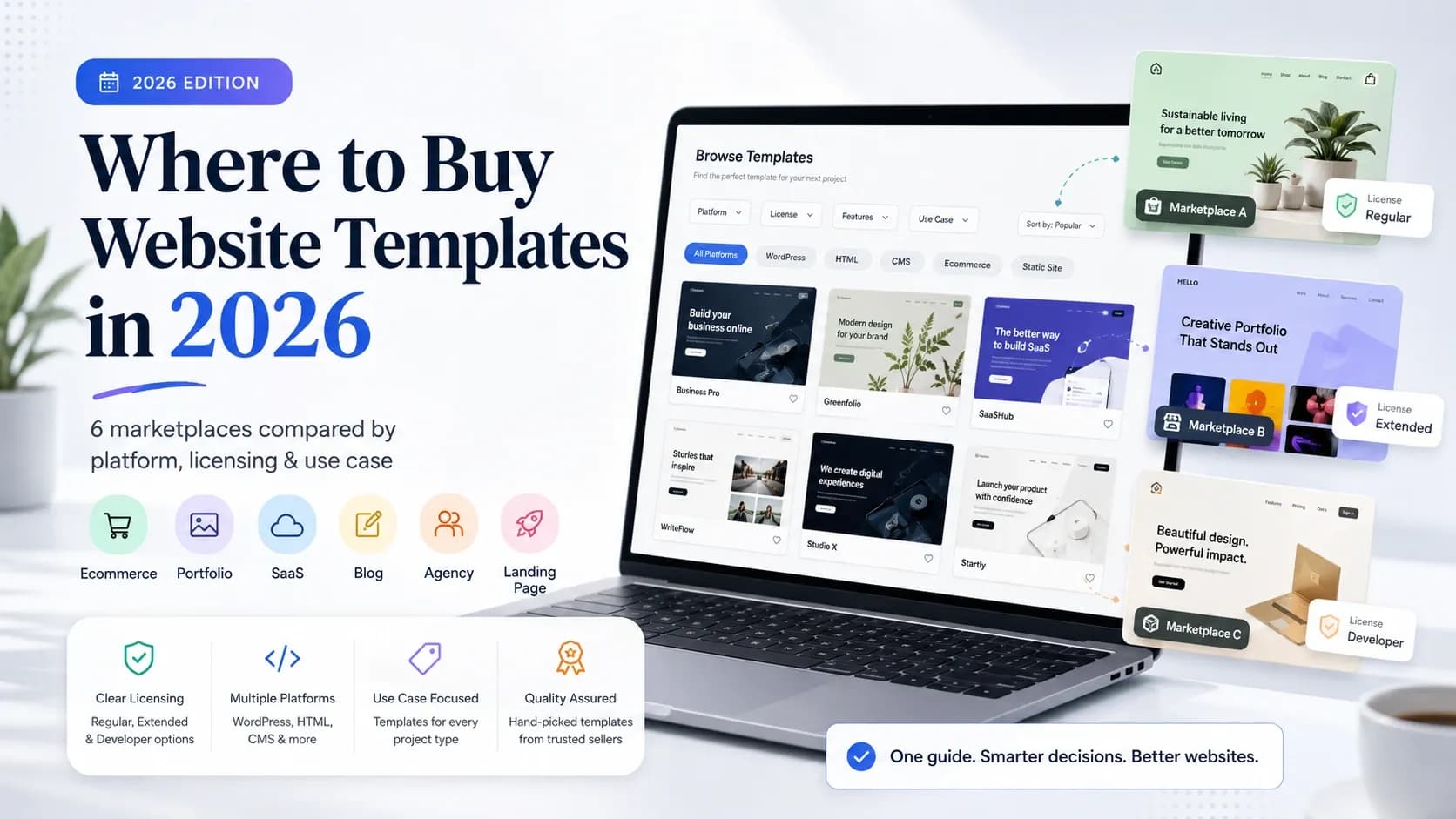
There is no single best website template marketplace for every project. The right place depends on what you are actually buying. Choose a downloadable marketplace when you need source files such as HTML, Next.js, Figma, WordPress, or CMS themes. Choose a platform-specific marketplace when you want to build and publish inside Webflow or Framer. Choose a broader creative marketplace when website templates are only one part of a larger design-asset workflow.
For most buyers, the safest comparison is not “Which marketplace has the most templates?” but “Which marketplace has the right format, licensing model, support structure, and level of technical control for this project?”
Disclosure: WebbyTemplate publishes this comparison and is one of the marketplaces evaluated. We use the same decision criteria for every platform and do not claim that WebbyTemplate is the best choice for every buyer.
Quick Comparison: 6 Website Template Marketplaces
| Marketplace | Marketplace type | Best fit | Typical access model | Main consideration |
|---|---|---|---|---|
| WebbyTemplate | Digital product marketplace | Buyers comparing modern web formats such as Figma, Next.js, HTML, CMS themes, UI kits, and plugins | Downloadable product/source files where included | Smaller catalog than long-established marketplaces; verify each product’s exact deliverables |
| ThemeForest | Large theme and template marketplace | Buyers who want a very large selection of HTML, WordPress, ecommerce, admin, and other template types | Downloadable item files | Quality, maintenance history, dependencies, and support vary by item |
| TemplateMonster | Broad website and digital-product marketplace | Buyers comparing WordPress, HTML, ecommerce, CMS, landing-page, and other web products | Downloadable item files and marketplace services | Broad taxonomy means buyers should compare like-for-like products carefully |
| Webflow | Platform-specific template marketplace | No-code and visual-development buyers planning to build in Webflow | Template added to the Webflow project ecosystem | Paid template cost is separate from any Webflow plan required for publishing or advanced features |
| Framer | Platform-specific community marketplace | Design-led landing pages, portfolios, agencies, startups, and no-code sites built in Framer | Template remixed into the Framer ecosystem | Best when you intend to stay in Framer rather than move to a different stack |
| Creative Market | Broad creative-asset marketplace | Designers who want website templates alongside fonts, graphics, mockups, and other creative assets | Downloadable digital files; format depends on product | Website products sit inside a much broader asset marketplace, so implementation requirements vary widely |
This table compares the purchasing model and likely use case, not design quality. Individual products can be stronger or weaker than the marketplace average.
How We Compared the Marketplaces
We rechecked official marketplace and licensing pages on August 13, 2026. The comparison uses six buyer-focused criteria: product format, technical ecosystem, customization model, licensing, support responsibility, and total cost structure. We intentionally do not assign one universal score because a downloadable Next.js project, a Webflow template, a Figma design, and a WordPress theme are different products.
- Product format: What files or platform access does the buyer receive?
- Technical fit: Does the marketplace serve code-first, CMS, design-only, or no-code workflows?
- Customization: Can the buyer edit source code, use a visual builder, or only modify a design file?
- Licensing: Is the purchase limited by project, site, client, end product, or another usage rule?
- Support: Is support provided by the marketplace, the individual author, or the platform?
- Total cost: Does the template price stand alone, or does the final site also require hosting, a platform plan, apps, plugins, or development work?
For broader market context, WebbyTemplate’s Website Template Statistics 2026 report documents a separate first-party inventory study and exploratory pricing snapshots. That research is useful for market context; this article focuses on the buyer’s marketplace-selection decision.
1. WebbyTemplate: Best Fit for Buyers Comparing Multiple Modern Web Formats
WebbyTemplate is a digital marketplace for website templates, themes, UI kits, plugins, headless assets, and other digital products. Its current marketplace positioning spans technologies and formats such as HTML, Next.js, WordPress, Ghost, Tailwind CSS, Figma, CMS themes, and related web products.
In WebbyTemplate’s August 2026 first-party template study, 100 eligible listings were analyzed. Figma represented 30% of that dataset, Next.js 27%, and HTML 22%, which makes those three formats the clearest concentration in the current analyzed inventory.
What Can You Actually Buy on WebbyTemplate?
The audited August 2026 snapshot gives a more useful answer than a generic claim that the marketplace offers “many technologies.” It shows where the current analyzed inventory is concentrated and where coverage is still smaller. These figures describe WebbyTemplate’s own eligible inventory, not worldwide market share.
| Primary listed format | Listings in audited snapshot | Share | What that format usually means for a buyer |
|---|---|---|---|
| Figma | 30 | 30% | Editable design files for interface customization and developer handoff; not automatically a coded website |
| Next.js | 27 | 27% | Code-first React/Next.js website projects where framework version, components, routing, and integrations should be verified |
| HTML | 22 | 22% | Downloadable front-end source suitable for static sites or later backend/CMS integration |
| Statamic | 10 | 10% | Laravel/Statamic starter kits or themes intended for a CMS-based implementation |
| OctoberCMS | 8 | 8% | Laravel/October CMS products for buyers already choosing that CMS ecosystem |
| Astro | 1 | 1% | A specialist code-first option in the current snapshot |
| Ghost | 1 | 1% | A specialist publishing/CMS option in the current snapshot |
| Tailwind-coded template | 1 | 1% | A standalone Tailwind-coded template classified separately in the audited dataset |
Two current listings illustrate why buyers should verify the deliverable rather than infer it from the visual style. The Studio Unit Next.js IT Agency Template is listed as a Next.js 14+ project with 20+ pages and reusable sections for agency and portfolio sites. The Design Studio Creative Agency HTML Template is a 21-page Bootstrap-based HTML product; its product information also makes clear that contact and newsletter interfaces require connection to a backend, CRM, API, or form provider for real submissions.
These examples are not a “best products” ranking. They show how two products sold in the same marketplace can have different implementation requirements. A buyer should compare the individual package, framework, documentation, and missing backend functionality before treating two visually similar templates as interchangeable.
Choose WebbyTemplate when
- You want to compare design-only and coded formats in the same marketplace.
- You are looking specifically for modern frontend or headless-oriented products such as Next.js alongside HTML, Figma, or CMS products.
- You value product pages that explain what is included, what is not included, and which license applies.
- You may need Personal, Commercial, or Agency usage rather than one identical license model for every buyer scenario.
Consider another option when
- Your first priority is the largest possible catalog in an established ecosystem.
- You need a template that is deeply tied to a visual builder such as Webflow or Framer.
- You want a creative-asset subscription or a broad library that extends far beyond web products.
WebbyTemplate currently offers Personal, Commercial, and Agency license tiers with different project limits. Buyers should use the current License Policy as the source of truth rather than assuming that every marketplace uses the same definition of “commercial use.”
2. ThemeForest: Best Fit for Buyers Who Prioritize Catalog Depth
ThemeForest remains one of the largest established marketplaces for themes and website templates. Its official Site Templates category currently advertises more than 24,800 HTML templates and HTML website templates, and the broader marketplace also covers WordPress themes and other web-product categories.
Choose ThemeForest when
- You want a very large pool of products and authors to compare.
- You are shopping for HTML, WordPress, admin, ecommerce, or established template categories.
- You are comfortable evaluating product-specific reviews, sales history, update history, dependencies, and support information.
Main trade-off
A large marketplace creates more choice, but it also makes product-level evaluation more important. The marketplace cannot make every item equally suitable for your project. Check the demo, source technology, last update, documentation, dependencies, author support, and actual license before buying.
ThemeForest’s standard licensing distinguishes Regular and Extended use, but both standard license types are tied to one end product. That model is different from WebbyTemplate’s site/project tier limits, so headline template prices should not be compared without reading the usage terms.
3. TemplateMonster: Best Fit for Broad CMS and eCommerce Comparison
TemplateMonster operates as a broad digital design marketplace with WordPress themes, HTML templates, WooCommerce themes, Shopify themes, landing-page templates, CMS templates, graphics, and other product types. Its range makes it useful when a buyer has not yet narrowed the project to one CMS or ecommerce platform.
Choose TemplateMonster when
- You want to compare multiple CMS and ecommerce ecosystems in one place.
- Your shortlist includes WordPress, WooCommerce, Shopify, HTML, landing pages, or other platform-specific products.
- You want marketplace products plus optional setup or service pathways available from the same broader ecosystem.
Main trade-off
The catalog spans many technologies and product types, so a buyer should avoid treating every listing as directly comparable. A Shopify theme, an HTML template, an Elementor kit, and a landing-page template have different technical requirements and different levels of included functionality.
4. Webflow: Best Fit for Visual Development Inside One Platform
Webflow’s template marketplace is different from a downloadable multi-stack marketplace. The official template library offers more than 1,000 free and premium templates designed for the Webflow ecosystem. Buyers can visually customize layouts in the Webflow Designer, while publishing to a custom domain or using higher platform limits may require a separate Webflow Site Plan.
Choose Webflow when
- You want visual control without starting from source code.
- Your team already uses Webflow CMS, ecommerce, components, and interactions.
- You prefer a platform-specific workflow over moving files between unrelated tools.
Main trade-off
A Webflow template makes the most sense when Webflow itself is part of the implementation decision. Paid templates use a Single-Use License for one end product, and the template purchase is separate from platform-plan costs. If you need a reusable downloadable codebase for multiple frameworks, another marketplace model may fit better.
5. Framer: Best Fit for Design-Led No-Code Sites
Framer’s community marketplace currently describes a library of more than 2,000 website templates. It is especially strong for modern landing pages, portfolios, agency sites, startup sites, and other design-led experiences that will be edited and published within Framer.
Choose Framer when
- You want a fast design-to-live-site workflow.
- Your project is visually led and does not require a separate code-first template package.
- Your team already prefers Framer for layout, interaction, and publishing.
Main trade-off
Like Webflow, Framer is best evaluated as a platform ecosystem, not simply as a downloadable template shop. If your developer needs a Next.js source package, a traditional HTML archive, or a CMS theme for another platform, confirm that the product format matches that requirement before purchasing.
6. Creative Market: Best Fit for Buyers Who Also Need Broader Design Assets
Creative Market is a broad marketplace for digital creative assets. Its website-template section includes products for WordPress, Shopify, Wix, Squarespace, HTML, Bootstrap, Webflow, Framer, UI kits, landing pages, and other formats, while the wider marketplace also covers fonts, graphics, photos, illustrations, mockups, and presentation assets.
Choose Creative Market when
- Your web project also needs fonts, graphics, mockups, presentation assets, or other design resources.
- You want to browse website templates across several hosted platforms and design ecosystems.
- You are comfortable checking each product’s format and implementation requirements individually.
Main trade-off
Because website templates are only one part of a very large creative marketplace, the term “template” can describe very different deliverables. Creative Market’s license guidance allows a purchased website template to be converted into a website or theme for yourself or a client under the applicable Standard License, but it does not permit converting the purchased template into a theme for resale or redistribution.
Marketplace vs Website Builder: Do Not Compare the Wrong Product
One of the easiest ways to buy the wrong template is to compare a downloadable marketplace with a hosted website builder as though they sell the same thing.
| Model | What you usually receive | Examples | Best for |
|---|---|---|---|
| Downloadable marketplace | Source files, theme files, design files, plugins, or packaged digital products depending on the listing | WebbyTemplate, ThemeForest, TemplateMonster, Creative Market | Developers, designers, agencies, CMS users, buyers who need downloadable assets |
| Platform-specific marketplace | A template that works inside one website-building platform | Webflow, Framer | Visual development and no-code workflows |
| Hosted builder template library | Designs available inside an all-in-one hosted builder | Wix, Squarespace | Beginners and businesses prioritizing integrated hosting and visual editing |
Wix, for example, currently offers more than 2,000 designer-made templates inside its hosted website-building ecosystem. Squarespace also provides its own customizable template library across industries. These can be excellent options, but they solve a different problem from buying a portable HTML, Next.js, Figma, or CMS product.
Which Marketplace Should You Choose by Technology?
| Need | Start with | Why |
|---|---|---|
| HTML source templates | ThemeForest, WebbyTemplate, TemplateMonster, Creative Market | These marketplaces offer downloadable web-template products; inspect the exact framework and files |
| Next.js templates | WebbyTemplate plus specialist Next.js marketplaces | Modern code-first projects need actual framework/source compatibility, not only a similar visual design |
| WordPress themes | ThemeForest, TemplateMonster, Creative Market | All have established WordPress product coverage |
| Figma website designs | WebbyTemplate, Creative Market | Useful when you need editable design files before development |
| Webflow sites | Webflow Marketplace | The template is designed for Webflow’s visual development ecosystem |
| Framer sites | Framer Marketplace | Best when the site will remain in the Framer workflow |
| Mixed creative assets + web templates | Creative Market | Useful when templates are part of a larger brand/design asset purchase |
The point is not to force every buyer into one marketplace. It is to narrow the marketplace after the technical format is clear.
10 Checks Before You Buy From Any Template Marketplace
- Confirm the exact product format. Is it Figma, HTML, Next.js, WordPress, Webflow, Framer, Shopify, or something else?
- Open the live demo. Check more than the homepage.
- Verify included files and functionality. A checkout screen does not automatically include payment processing or a backend.
- Check platform and version compatibility. Confirm framework, CMS, builder, plugin, and dependency requirements.
- Review mobile behavior. Test menus, forms, tables, galleries, and important CTAs.
- Inspect accessibility and performance. Do not rely on “optimized” claims without testing.
- Read the license. Confirm site, project, client, resale, and redistribution rules.
- Check support and updates. Find out who supports the item and for how long.
- Calculate total cost. Include hosting, builder plans, plugins, apps, integrations, and developer time.
- Review the source or documentation where possible. Look for outdated dependencies, unclear installation steps, and missing requirements.
For a practical pre-purchase process, use WebbyTemplate’s website template testing checklist. If you have not chosen the product format yet, start with the website template selection guide.
Our Recommendation by Buyer Type
| Buyer type | Best starting point |
|---|---|
| Developer who wants downloadable code | Start with a marketplace that clearly exposes the framework and source deliverables, then compare the individual product |
| Designer who wants a Figma starting point | Use a marketplace with explicit design-file listings and verify desktop/mobile screens, components, and handoff details |
| No-code business owner | Start with Webflow, Framer, Wix, or Squarespace depending on the publishing ecosystem you want to use |
| WordPress or ecommerce buyer | Start with marketplaces that specialize deeply in the target CMS/platform, then compare maintenance and plugin requirements |
| Agency handling multiple clients | Check license reuse limits before comparing template price; one-project and multi-project licensing can change total cost |
| Buyer unsure which stack to choose | Choose the technical approach first; do not let a polished demo decide the platform for you |
FAQs
Q1.
Where is the best place to buy website templates?
Q2.
What is a good ThemeForest alternative?
Q3.
Can I buy a Next.js website template from a marketplace?
Q4.
Is a website template marketplace the same as a website builder?
Q5.
Do website templates include hosting and backend functionality?
Q6.
How do I know whether a template marketplace is trustworthy?
Conclusion
Where you buy a website template should follow the project’s technical requirements, not the other way around. Start by deciding whether you need downloadable source files, a CMS theme, a design file, or a platform-specific no-code template. Then compare marketplaces by licensing, support, customization, implementation cost, and product-level quality.
WebbyTemplate is one option within that landscape, particularly for buyers comparing modern web-development and design formats. ThemeForest and TemplateMonster offer broader established catalogs, Webflow and Framer are stronger when the publishing platform is already chosen, and Creative Market is useful when the website template is part of a wider creative-asset workflow.
Whichever marketplace you choose, test the actual product before you commit. The marketplace helps you discover options; the product files, documentation, compatibility, license, and support determine whether the template is truly right for your project.
Sources and Verification
- WebbyTemplate marketplace overview
- WebbyTemplate License Policy
- ThemeForest Site Templates
- ThemeForest Standard Licenses
- TemplateMonster marketplace
- Webflow Templates
- Webflow Template Licenses
- Framer Marketplace Templates
- Creative Market Website Templates
- Creative Market License FAQ
- Wix Website Templates
- Squarespace Templates
Research note: Marketplace catalogs, prices, product availability, policies, and platform plans can change. This comparison was rechecked on August 13, 2026. Revalidate time-sensitive figures before future major updates.