Notion Templates
Notion templates are pre-built pages, databases and dashboards that provide a starting point for organizing your work and personal life in Notion.
Top Rated
Skyrocket your creativity with our Top rated collection of supreme.
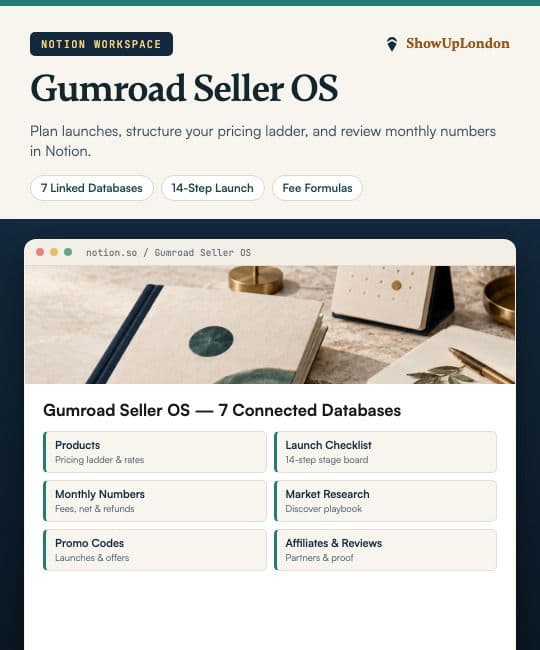


by ShowUpLondon
Newly Added
Discover the most in-demand top-downloaded items trusted by top businesses.
Best Downloads
Discover the most in-demand top-downloaded items trusted by top businesses.
What Are Notion Templates?
A Notion template is a prepared page or collection of pages designed for the Notion workspace. It may include databases, calendar views, task boards, formulas, linked records and dashboards. The included components depend on the individual template.
Unlike a standalone productivity application, a Notion template relies on Notion and its supported features.
Types of Notion Templates
Common use cases include daily planners and habit trackers, project and task dashboards, student workspaces, content calendars, business documentation, client trackers and budgeting layouts. These are examples of template types, not a statement that every type is currently listed.
If you prefer another application or file format, explore the broader Productivity Templates category.
How to Choose a Notion Template
Identify the workflow you want to manage and review the template preview. Check which pages, databases and views are included, how they relate to one another, and whether setup instructions are provided.
Consider your familiarity with Notion, supported devices, subscription requirements and any external integrations. A simpler layout may be a better fit than a complex system with features you do not need.
How to Use a Notion Template
Open the access link provided with the product, sign in to Notion and select Duplicate if the template supports that option. Choose your destination workspace and then customize the duplicated pages, properties and views. Follow the author’s instructions for any additional configuration.
Before adding personal or business information, review sharing permissions and confirm that connected databases and integrations work in your own workspace.
Notion Template Compatibility and Licensing
Some templates work with a free Notion account; others may require paid features or third-party services. Check the product description rather than assuming all features are available on every plan.
Review the WebbyTemplate License Policy for permitted usage and the WebbyTemplate Download & Updates Policy for applicable access and update conditions. Product-specific instructions and support details may vary.
Frequently Asked Questions
What is a Notion template?
Do I need a paid Notion account?
How do I add a template to my Notion workspace?
Can I customize Notion templates?
Can beginners use Notion templates?
Can I use Notion templates on mobile?
Do Notion templates include automatic updates?
Can I use a Notion template for my business or clients?
Subscribe Now for Insider Access
Our newsletter is more than just updates it's your pass to the latest news, special promotions, and curated content designed to keep you ahead.