On this page
Complete Guide to the Best AI Tools for 2026

WebbyCrown Solutions-
February 16, 2026-20 min read
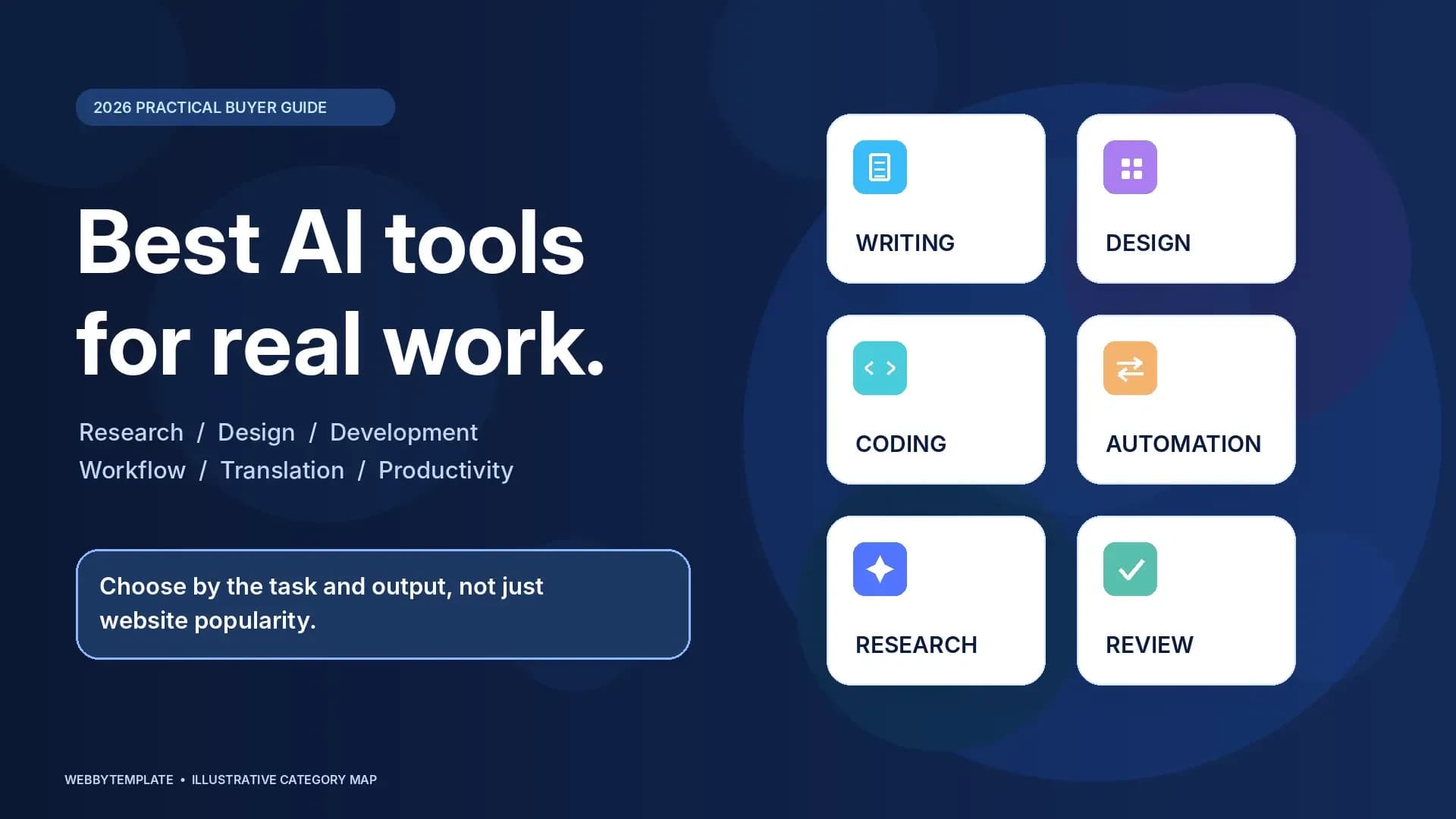
The best AI tool is the one that reliably helps you complete a specific task—not necessarily the one with the most website traffic. For broad writing, research, and everyday assistance, ChatGPT, Gemini, and Claude are useful starting points. Canva and Adobe Firefly serve visual-creation workflows; GitHub Copilot and Cursor focus on software development; and Zapier helps connect AI to business processes. The right choice depends on your required output, existing software, privacy needs, and the time needed to review results.
AI-tool popularity is also a legitimate question. In a published comparison of 74 AI tools using estimated global website visits for June 2026, ChatGPT ranked first, followed by Gemini, Claude, and Canva. But website visits are not daily active users, and popularity does not prove that one product is better for your project.
This guide compares AI tools by practical use case, explains what the available 2026 traffic data can and cannot tell us, and gives website owners, designers, developers, marketers, and small businesses a repeatable way to select software. The sources and traffic figures were reviewed on October 27, 2026. Feature availability can vary by plan, region, and product update.
Best AI Tools at a Glance
| Tool | Primary use case | Good starting point for | What to check before choosing |
|---|---|---|---|
| ChatGPT | General assistance, writing, analysis, coding support | Individuals and cross-functional teams | Source verification, file handling, privacy settings |
| Google Gemini | General AI assistance and Google-related workflows | Teams working across Google services | Supported integrations, access controls, output review |
| Claude | Long-form documents, explanation, code assistance | Researchers, analysts, developers | Document support, output reliability, workflow fit |
| Perplexity | Research-oriented answers with source references | People exploring unfamiliar topics | Source quality and whether citations support each claim |
| Canva AI | Social graphics, presentations, brand assets | Marketers, designers, small businesses | Export formats, brand control, plan restrictions |
| Adobe Firefly | AI image generation and creative editing | Creative professionals using Adobe tools | Asset rights, editing capabilities, downstream production |
| PicLumen | AI images, promotional video, visual editing | Ecommerce and social-content teams | Consistency, licensing, export and review process |
| Runway | AI-generated and edited video | Video teams and campaign creators | Shot continuity, credits, output quality and controls |
| GitHub Copilot | Coding assistance within developer workflows | Engineers working in supported environments | Repository policy, tests, security and code review |
| Cursor | AI-assisted codebase edits and development | Developers editing multi-file projects | Change review, execution permissions and test coverage |
| Notion AI | Knowledge work and connected workspace assistance | Documentation and operations teams | Source access, permissions and workspace structure |
| Zapier AI | Workflow automation across connected apps | Operations and marketing teams | Trigger conditions, approvals and error handling |
| DeepL | Translation and multilingual business content | Localization and customer-facing teams | Language quality, terminology and human review |
This is a use-case guide, not a claim that WebbyTemplate ran identical benchmarks on every product. No universal performance score is assigned because these tools solve different problems.
Which AI Tools Are Used Most in 2026?
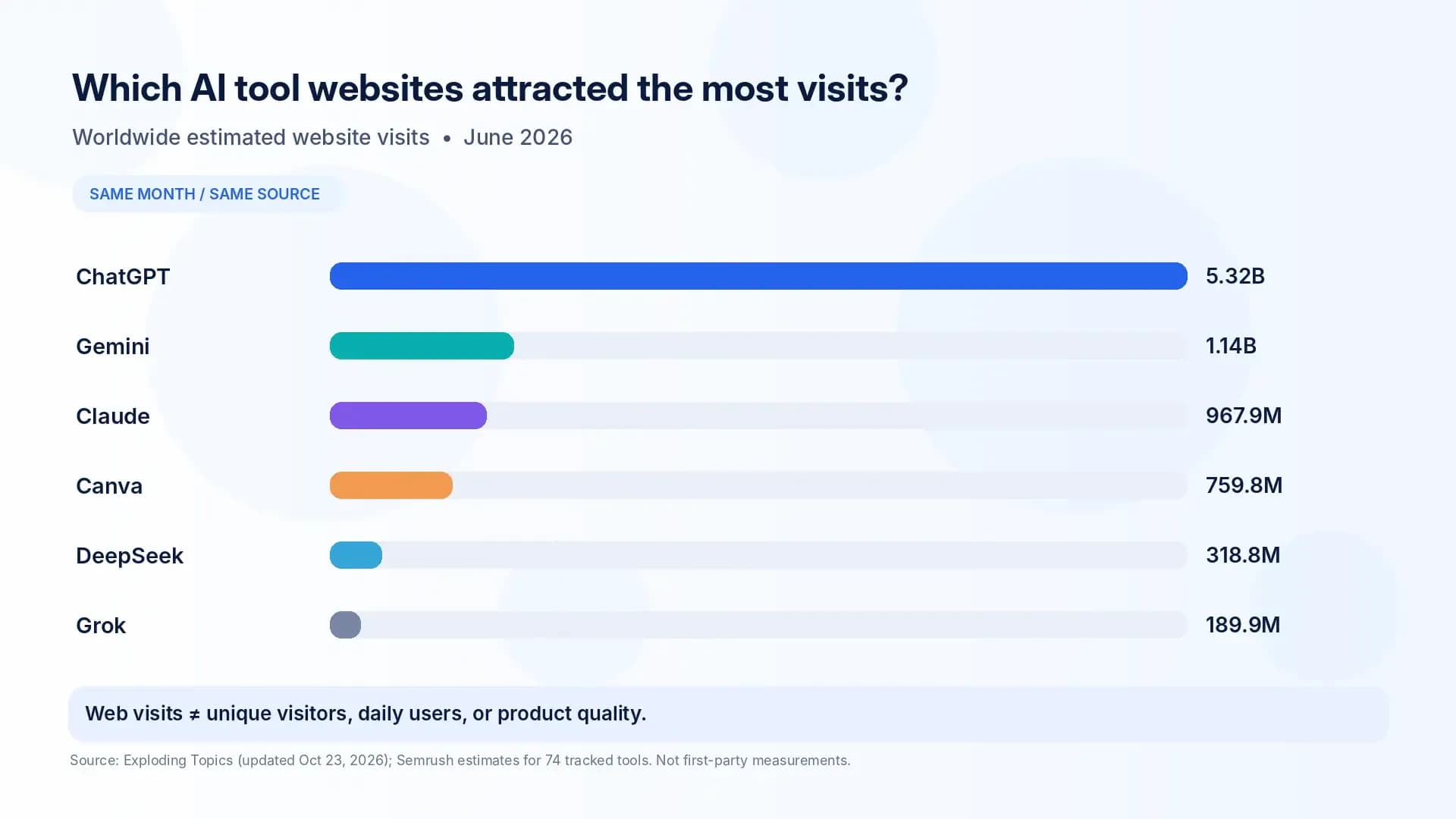
ChatGPT is the most visited product in the cited broad AI-tool comparison. Exploding Topics' October 23, 2026 update uses Semrush estimates for worldwide desktop and mobile website visits in June 2026. It tracks 74 selected AI-tool websites rather than all forms of AI usage.
Most-visited AI tools: comparable website-traffic figures
| Rank in the cited dataset | AI tool | Estimated website visits, June 2026 |
|---|---|---|
| 1 | ChatGPT | 5.32 billion |
| 2 | Gemini | 1.14 billion |
| 3 | Claude | 967.9 million |
| 4 | Canva | 759.8 million |
| 5 | DeepSeek | 318.8 million |
| 6 | Grok | 189.9 million |
Source: Exploding Topics, 74 Most Popular AI Tools Ranked, updated October 23, 2026; underlying traffic estimates attributed to Semrush, measurement month June 2026.
These are estimates of visits to websites, not monthly unique users, daily active users, app users, API requests, paid subscribers, or the quality of AI-generated work. Canva's overall website traffic, for example, does not isolate visits made specifically to its AI features. Embedded assistants used inside editors or office applications may have substantial usage that a standalone website ranking misses.
Does another source show the same leaders?
Similarweb's September 2026 AI Chatbots and Tools website ranking places chatgpt.com first, gemini.google.com second, and claude.ai third in its category. The ordering offers supporting context for their web prominence. It is not the same category or measurement period as the broader June comparison, so the two datasets should not be added together or presented as a single ranking.
A tool can also be heavily used through mobile applications, APIs, workplace integrations, or browser features that are not represented by its public website visits. No defensible universal list of “most-used AI tools every day” can be inferred from these web-traffic rankings alone.
Best AI Tools for Writing, Research, and Everyday Work
1. ChatGPT — Flexible general-purpose assistant
ChatGPT supports tasks such as drafting and revising text, explaining technical concepts, brainstorming, working with documents, and assisting with code. Depending on the plan and available features, it can also search the web, analyze data, and work with images. That versatility makes it a reasonable first tool for people who need one assistant across several types of work.
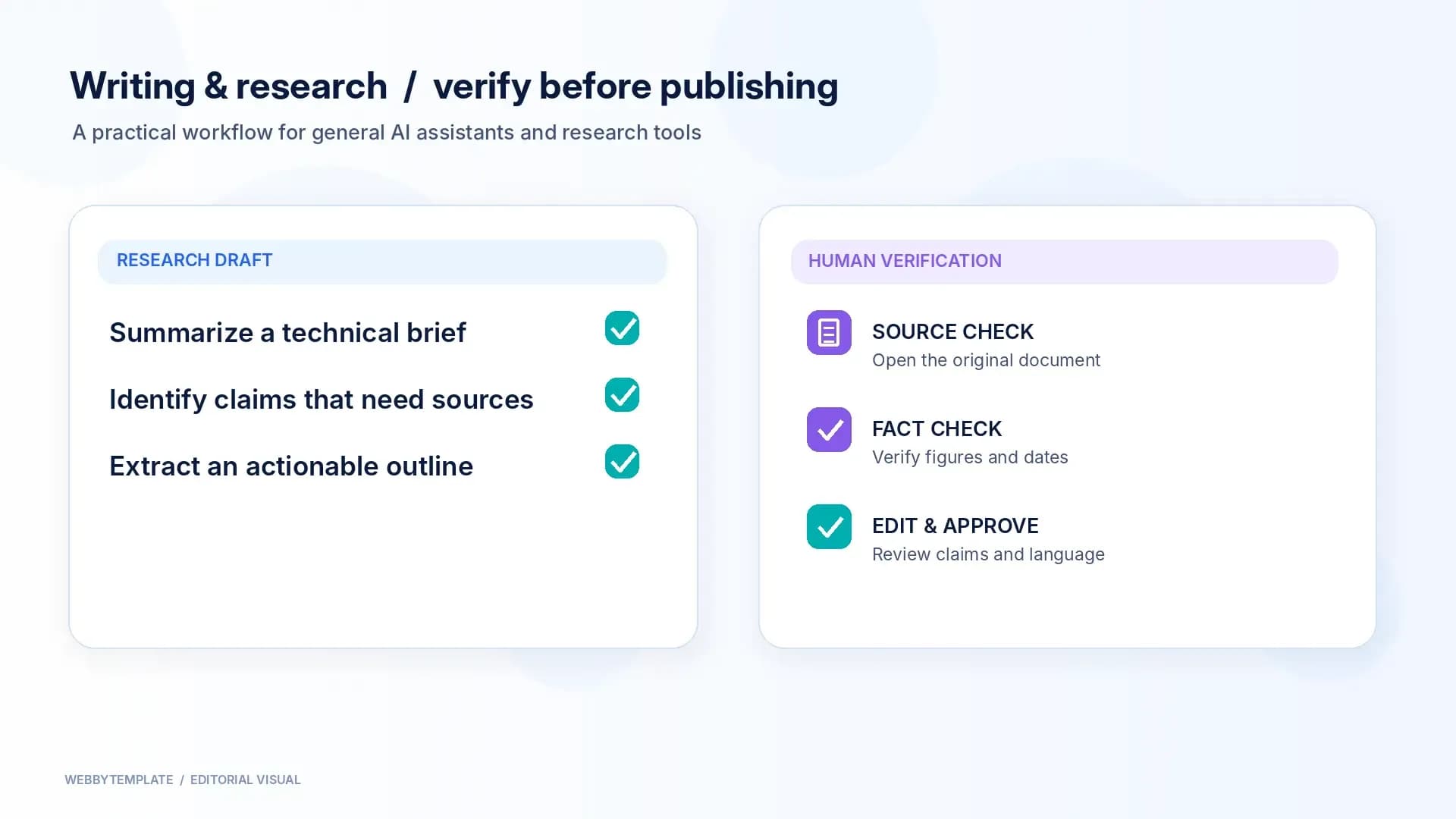
A website owner might use ChatGPT to turn a rough page brief into a content outline, prepare alternative button copy, explain a JavaScript error, or organize customer questions. A developer can use it to discuss possible fixes, but should test any code in the real project. A marketer should verify quoted facts and avoid publishing AI-generated claims without sources.
Best for: General writing, ideation, research support, data explanation, and cross-functional assistance.
Important limitation: Fluent answers are not evidence of correctness. Check changing facts against primary sources, and never paste confidential customer information without understanding the applicable data controls. OpenAI's capabilities overview explains the available types of work.
2. Google Gemini — General assistance in Google-oriented workflows
Gemini is Google's AI assistant. It can help with explanation, drafting, brainstorming, document-oriented work, and coding questions. Google's Gemini environment also offers tools for developing and reviewing documents or code, with features depending on the product and account.
For teams that already use Google services, Gemini may be worth evaluating alongside other assistants. Rather than assuming an integration exists in every plan, confirm the specific account permissions and the workflow you expect to use—for example, whether your team can work with approved documents without exposing restricted information.
Best for: People who want an AI assistant alongside existing Google workflows.
Important limitation: The availability of connected-app actions, enterprise controls, and model features changes. A general Gemini answer should not replace review of original documents or production code.
3. Claude — Document understanding and code assistance
Claude is Anthropic's AI assistant, relevant to reading documents, drafting and revising material, explaining complex information, and supporting programming tasks. It can be a useful alternative when a project involves lengthy specifications, content revisions, or reasoning through several implementation choices.
A freelance developer, for example, could provide a non-sensitive project specification and ask for a checklist of unanswered questions, possible architecture risks, or test cases. The result can speed up planning, but cannot confirm that the real application is secure or functional.
Best for: Document-heavy work, structured explanations, drafting, and development assistance.
Important limitation: Supported file types and limits depend on the product. Review Anthropic's document-upload guidance before designing a file-heavy workflow.
4. Perplexity — Research starting points with source references
Perplexity is positioned around AI-assisted information discovery and answers that reference web sources. It is useful for forming an initial view of an unfamiliar subject, discovering relevant documents, and building a shortlist of sources that merit closer reading.
The presence of a citation does not guarantee that the cited page supports the exact sentence. For a technical comparison, follow the referenced link, check the date, and confirm that the information applies to the current version of the product or standard.
Best for: Early-stage research, topic exploration, and discovering source material.
Important limitation: Treat answer-engine summaries as research leads rather than final verification. They may omit important qualifications or refer to outdated pages.
Best AI Tools for Design, Images, and Video
5. Canva AI — Fast marketing and presentation assets
Canva combines templates, a visual editor, brand-oriented workflows, and AI-assisted creative features. Canva's own AI help documentation describes features for generating or revising designs, text, images, and other visual content, with plan-dependent availability.
It is useful when a small business needs campaign graphics, presentation slides, social posts, or a visual direction that a team can still edit after generation. A designer can use it for early exploration while preserving manual decisions about typography, accessibility, visual hierarchy, and brand consistency.
Best for: Social media graphics, presentations, marketing content, and editable visual assets.
Important limitation: AI-generated layout suggestions should be checked for readable text, correct dimensions, export requirements, and brand consistency. Canva's overall popularity does not measure the performance of its AI tools alone.
6. Adobe Firefly — Generative visuals within creative production
Adobe Firefly offers AI-assisted image generation and creative editing workflows. Adobe documents capabilities including image generation, background changes, and related image and video tools, although individual features may depend on the chosen application or plan.
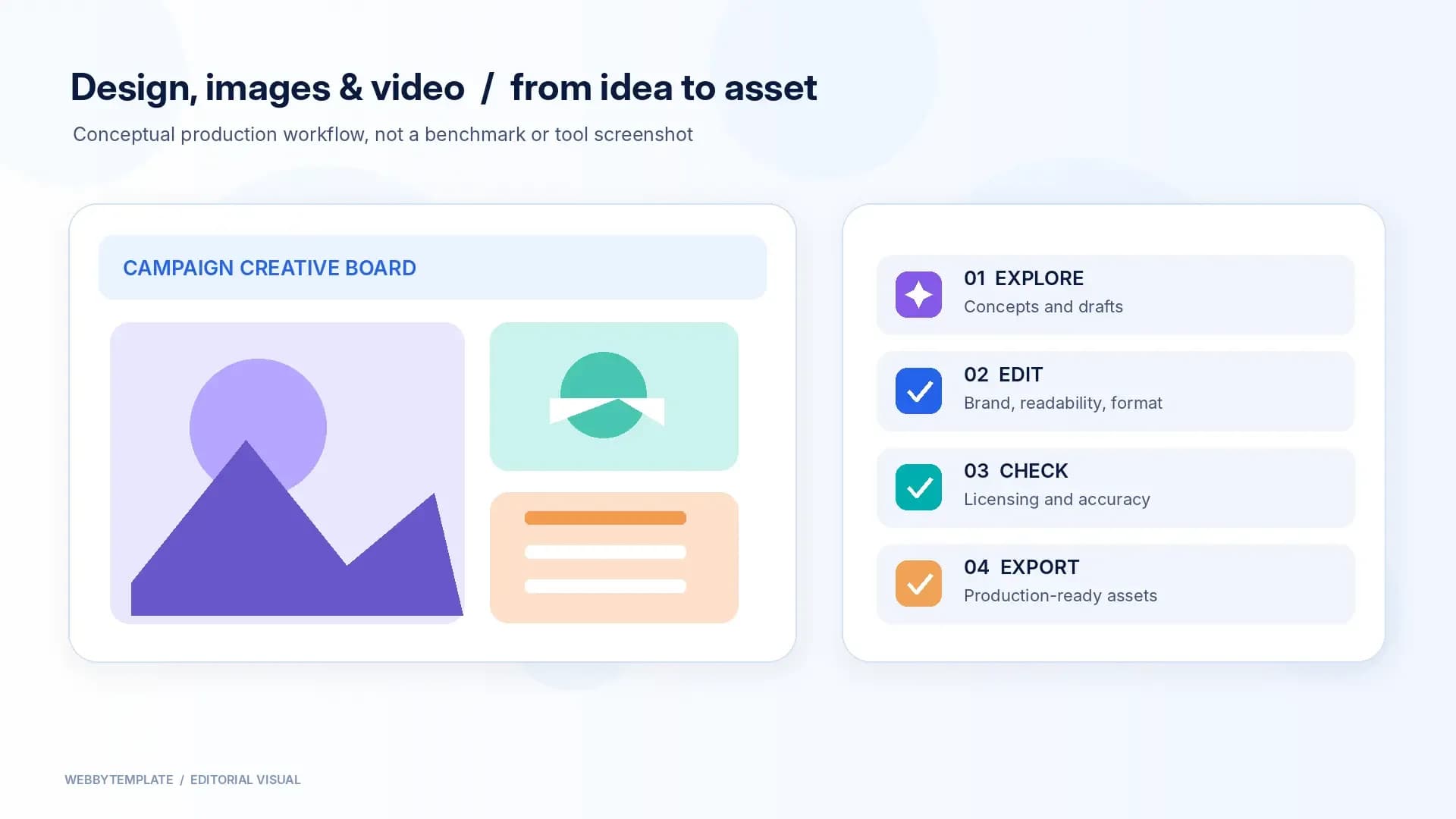
Firefly is worth evaluating when the creative team already works in an Adobe environment or needs more control over how generated material moves into an established production process. Its generated output should still be reviewed for accuracy, subject consistency, and appropriate usage rights before it appears in a commercial campaign.
Best for: Creative concepting, visual variations, and image-editing workflows.
Important limitation: Do not assume every generated asset has the same commercial rights or provenance. Check the applicable terms and review the final artwork.
7. PicLumen — Images and promotional video for campaigns
PicLumen combines AI image generation, video generation, and visual-editing tools. Its official product page lists image and video creation, upscaling, background removal, and ecommerce-oriented image workflows.
For an ecommerce merchant or small marketing team, the useful task is not simply making a striking picture. It is producing a product or campaign visual that accurately represents the item, matches the brand, and can be edited to the dimensions required by the website or ad placement. Keep genuine product characteristics intact and clearly distinguish conceptual artwork from actual product photography.
Best for: Campaign concepts, promotional visuals, image editing, and exploratory video production.
Important limitation: Generated people, products, motion, and text can contain errors. Review the output and licensing conditions before publication. PicLumen is not a substitute for verifying a product's real appearance.
8. Runway — AI-generated video and motion concepts
Runway provides AI video creation and editing workflows. Its Gen-4.5 documentation describes text-to-video and image-to-video generation, as well as input, duration, aspect-ratio, and plan-related constraints.
Video creators may use Runway to develop a short visual concept, storyboard an advertisement, or create experimental footage. For a commercial website, the final video must also work as a web asset: it should be compressed appropriately, support captions when needed, avoid distracting motion, and not harm page loading or accessibility.
Best for: Motion ideas, short-form creative tests, and AI-assisted video production.
Important limitation: A convincing demonstration does not ensure continuity, accurate text, or suitable output quality. Verify the current export options and costs before committing to a production workflow.
Best AI Tools for Coding and Website Development
9. GitHub Copilot — Assistance inside development workflows
GitHub Copilot provides AI assistance for coding-related tasks within supported development environments and GitHub workflows. Developers can use it to draft code, consider tests, explain unfamiliar patterns, and support review or implementation tasks.
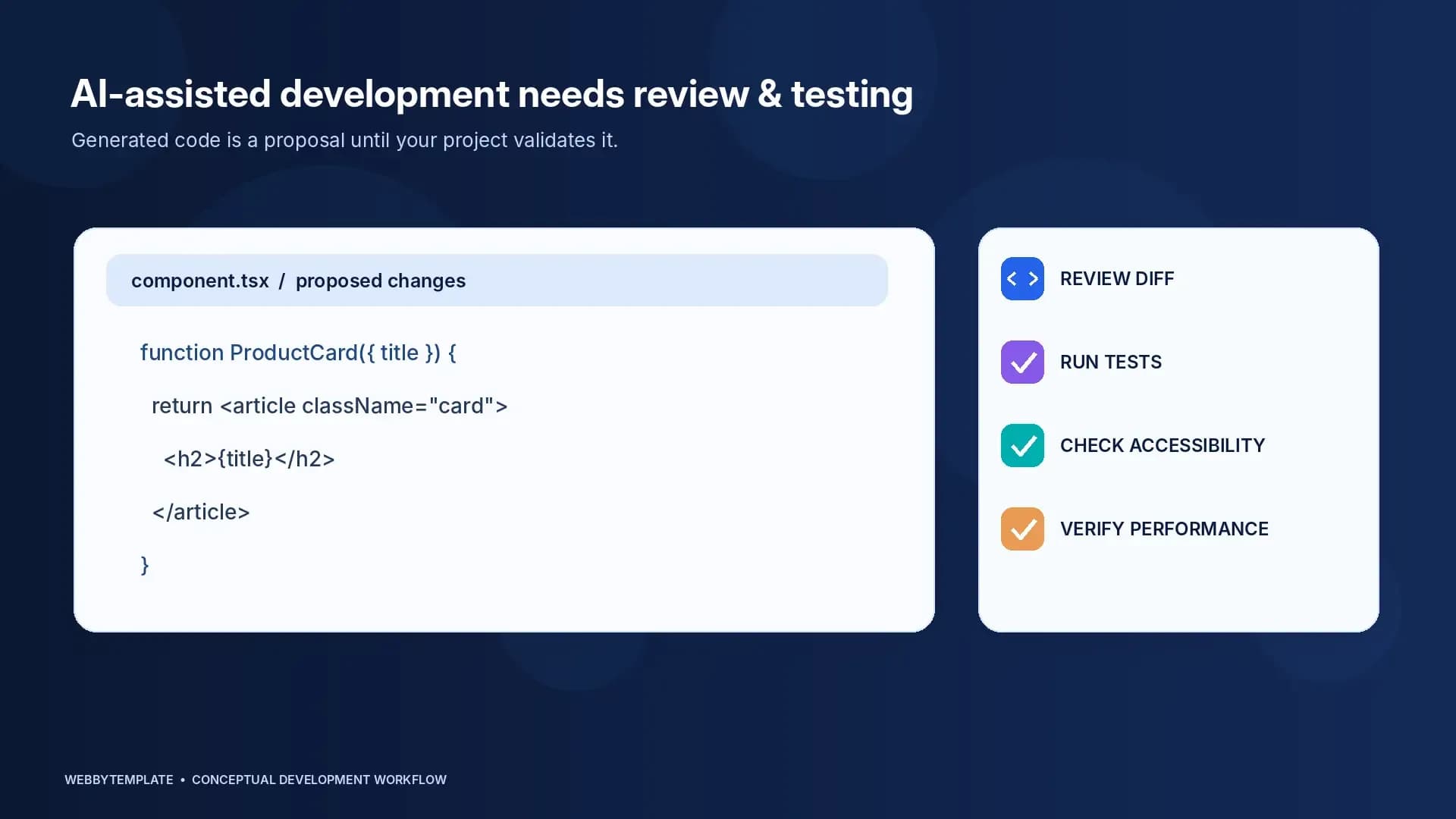
Its value depends on the team's actual stack and repository practices. Code suggestions should follow the same pull-request, testing, security, and accessibility rules that apply to code written without AI. A generated component is not complete until it behaves correctly across devices and integrates with the project's data and design systems.
Best for: Developers who want AI support alongside established repositories and review processes.
Important limitation: Confirm which Copilot functions are available in your editor, subscription, and organization. Never merge generated changes solely because a tool labels them complete.
10. Cursor — Codebase-aware editing and multi-file changes
Cursor is an AI-focused development environment. Its agent documentation describes searching a codebase, editing multiple files, running commands, and supporting tasks such as refactoring, bug fixes, and test creation.
This makes Cursor especially relevant when a developer is modifying an existing codebase rather than generating a standalone code snippet. For example, adapting a downloaded website template might involve a navigation component, CSS files, a contact form, and responsive behavior. An AI-assisted editor can propose connected changes, but the developer must inspect diffs and verify that none introduces regressions.
Best for: Developers working on real repositories, multi-file edits, and iterative code changes.
Important limitation: Tool execution and cross-file edits carry more operational risk than a text-only answer. Review permissions, backups, changes, tests, and security implications.
A developer workflow example: customizing a website template
Suppose an agency purchases an HTML or React website template and needs to adapt it for a client. A sensible workflow separates tasks rather than asking one tool to do everything:
1. Define requirements: Use a general assistant to organize page content, supported browsers, integrations, and acceptance criteria.
2. Prepare visual assets: Use an editable design tool for campaign graphics and real image assets with the necessary permissions.
3. Edit the project: Use the team's preferred developer environment, optionally with Copilot or Cursor, to modify actual components and styles.
4. Review generated changes: Test links, navigation, forms, responsiveness, accessibility, build output, and browser errors.
5. Verify performance: Measure the deployed website rather than assuming generated code is fast because it looks clean.
AI can assist with the work, but the template's actual deliverables still matter: a design file is not a working backend, and a polished preview is not proof that forms or checkout flows operate correctly. For a related implementation decision, see AI Website Builder vs. Website Template: When Is a Paid Template Worth It?.
For teams moving from design files into implementation, the separate Figma to HTML AI tools guide covers export choices and the code-quality checks needed before launch.
Best AI Tools for Productivity, Automation, and Translation
11. Notion AI — Workspace knowledge and documentation
Notion AI operates within Notion's workspace and connected information workflows. Notion describes AI support for finding information, preparing documents, meeting notes, and agent-driven tasks, depending on the plan and configuration.
It can be useful when a team has a reliable internal knowledge structure and wants help turning notes, requirements, or project updates into organized information. If the underlying workspace is outdated or poorly permissioned, however, AI-assisted retrieval can still produce incomplete or inappropriate answers.
Best for: Documentation, team knowledge, project coordination, and information retrieval.
Important limitation: Review connected sources, workspace permissions, access scope, and the distinction between draft output and an approved company policy.
12. Zapier AI — Connecting repetitive business tasks
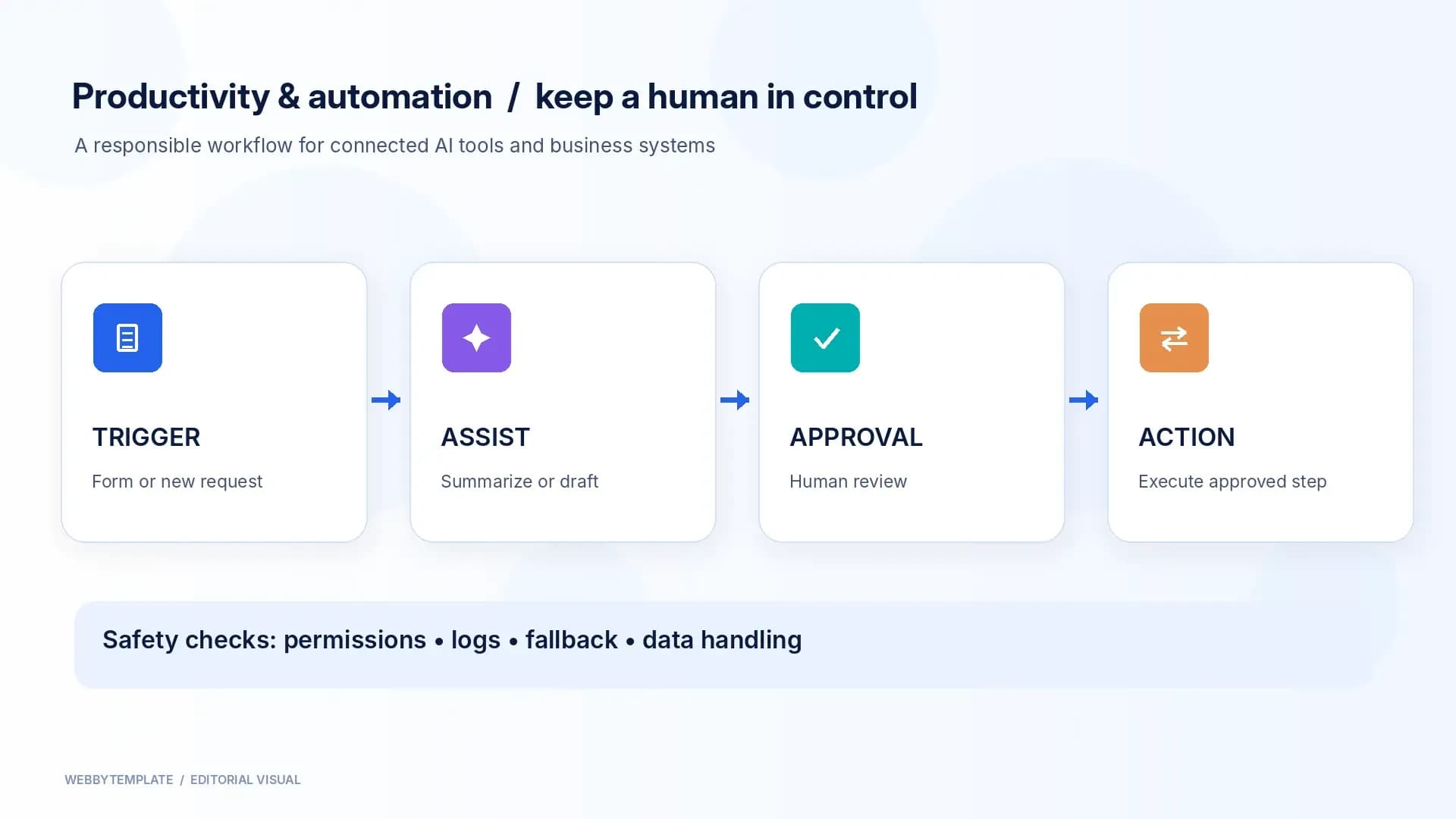
Zapier offers automation across connected software, including AI-assisted steps and agent-related workflows. A useful application might route a qualified website enquiry into an approved sales process, summarize a support request, or send an internal notification after human-approved conditions are met.
Automations should be built around an explicit trigger, allowed data access, a predictable output, and a fallback when information is missing. Not every task benefits from an autonomous agent; a simple rule-based workflow may be cheaper, safer, and easier to maintain.
Best for: Repetitive operations and integrations between business applications.
Important limitation: Define failure handling, access permissions, approval requirements, and logs before connecting AI to customer or financial records.
13. DeepL — Translation and localization support
DeepL provides AI-based translation and related language workflows. Its official documentation covers text and document translation, with options such as glossaries or terminology support depending on the plan and product.
For a website expanding beyond English, translation is only one part of localization. The team still needs to review industry terminology, button length, cultural appropriateness, legal text, currency formatting, and whether the site can technically support additional languages.
Best for: Multilingual content drafts, translation workflows, and terminology consistency.
Important limitation: Use qualified human review for high-impact customer, legal, medical, or contractual text. A translated page also needs proper technical and editorial localization.
How to Choose the Best AI Tool for Your Task
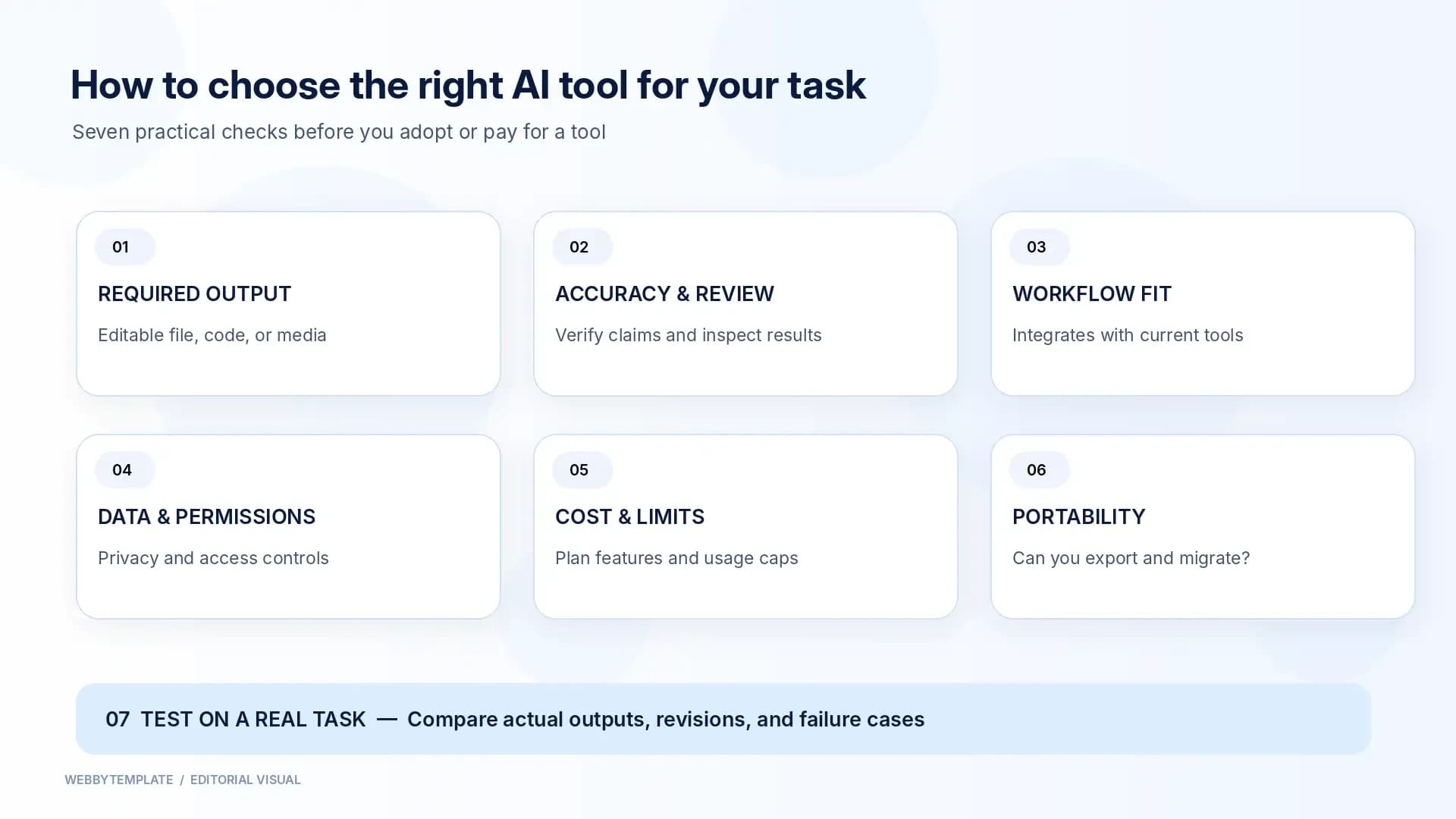
Start with the work, not the brand name. A popular general-purpose assistant might be excellent for drafting a brief but less suitable than a dedicated video editor for finishing motion content or a coding environment for changing a production repository.
Use the following questions to create a practical shortlist.
| Decision factor | What to check | Why it matters |
|---|---|---|
| Required output | Do you need text, an editable design, a source-code change, a video, or a working integration? | Attractive previews are not equivalent to usable deliverables. |
| Accuracy and review | Can a person verify factual claims, inspect code, or edit the design? | AI output can appear convincing while containing errors. |
| Existing workflow | Does it fit the tools and files the team already uses? | Integration effort can outweigh the time saved. |
| Data and permissions | What information can the product access, store, or send to other services? | Client and business data require appropriate controls. |
| Usage limits and total cost | Are required features available at the intended plan, and how much staff review is needed? | The listed subscription price is only part of the cost. |
| Portability | Can your team export files, inspect code, and move work elsewhere? | Avoids expensive rework or dependence on inaccessible formats. |
| Results on a real task | Did the tool solve a representative problem with acceptable revisions? | Marketing examples cannot replace task-specific evaluation. |
A simple test before committing to a subscription
Choose one realistic task and create an acceptance checklist before opening the AI tool. For a marketing team, that could be a landing-page hero with a fixed brand palette, two mobile sizes, and accurate product claims. For a developer, it could be a documented component change with tests. For a translation team, it could be a short product page containing approved terms.
Evaluate each candidate on the same input, review the output, and note how much editing it takes to make the result usable. Record limitations, file formats, costs, and concerns. This method is more meaningful than treating website traffic as a product quality score.
Are Free AI Tools Good Enough?
Sometimes. A free tier or trial can be appropriate for learning a product, exploring an idea, or evaluating whether it fits a workflow. Teams may need paid access for higher usage, selected integrations, administrative controls, different model capabilities, or production-oriented exports.
Before upgrading, verify the product's current official plan details rather than relying on an old comparison chart. Check whether the feature you want is included, whether a credit limit applies, what happens after reaching that limit, and whether your organization needs additional permissions or security controls.
For infrequent work, several free or limited tools may be sufficient. For shared client projects, dependable administration, access, review and export controls can matter more than the largest list of generated features.
Common Mistakes When Choosing AI Tools
- Confusing popularity with quality. A site with billions of visits is not automatically the best coding assistant, design tool, or translator.
- Treating traffic as daily users. Monthly visits, unique monthly visitors, daily users, paid seats, and API calls measure different things.
- Comparing unrelated categories. A general assistant and a video generator should be evaluated against their different tasks.
- Publishing unverified output. Product specifications, source claims, generated code, and image accuracy still need review.
- Ignoring control over deliverables. A screenshot or exported picture may not replace source code, editable design layers, or a functioning workflow.
- Automating before defining safeguards. Approval steps and failure handling are essential when tools can edit repositories or update business records.
- Paying for overlapping subscriptions without a use case. Start with the outcome you need and eliminate tools that duplicate existing capabilities without added value.
What AI Tool Popularity Means for Website Owners
Growing use of AI assistants creates operational opportunities, but it does not guarantee organic traffic or sales. Website owners still need helpful pages, accurate product descriptions, trustworthy documentation, clear offers, and an experience that works after visitors arrive.
For a template marketplace, the relevant question is whether AI helps people choose, customize, and launch websites—not whether a chatbot receives more visits than a design tool. Useful content might explain how to check the HTML and CSS delivered with a template, what a website builder includes, or how to review generated components before deploying a project.
Teams assessing the broader market can use WebbyTemplate's AI Chatbot Usage Statistics 2026 for adoption measures. That article answers who uses AI chatbots and how often; this guide remains focused on which tools fit a task and what their popularity data actually measures. Keeping those purposes separate makes both articles more useful.
FAQs
Q1.
What is the best AI tool overall in 2026?
Q2.
Which AI tool is used the most?
Q3.
Which AI tools are most popular for writing and research?
Q4.
Which AI tools are useful for web developers?
Q5.
Which AI tools are useful for graphic design and marketing?
Q6.
Are website visits the same as active users?
Q7.
Does a more popular AI tool produce better work?
Q8.
Can AI tools build a complete production website?
Q9.
Are free AI tools safe to use for client projects?
Q10.
How often should an AI tools comparison be updated?
Methodology, Sources, and Limitations
This guide was revised using publicly accessible information reviewed on October 27, 2026. Tool descriptions draw on publicly available provider documentation; the web-traffic comparison comes from independently published third-party estimates. WebbyTemplate has not conducted a controlled, hands-on performance test of every tool listed, so the recommendations are based on documented capabilities, task fit, and evaluation criteria rather than invented benchmark scores.
The popularity ranking cited above comes from Exploding Topics' October 2026 report, which attributes June 2026 global website-visit estimates to Semrush for 74 tracked AI-tool destinations. Similarweb's September 2026 category ranking provides a separate comparison of AI chatbot website rankings. The sources use different categories and reporting periods and should not be treated as interchangeable.
For feature verification, relevant primary sources include OpenAI's ChatGPT capabilities overview, Canva AI documentation, Adobe Firefly, PicLumen, Runway's video guidance, GitHub Copilot, Cursor documentation, Notion AI, Zapier AI, and DeepL Translator. Vendor documentation describes product functionality; it does not establish independent superiority over competitors.
Final Takeaway
The most popular AI tool by the cited June 2026 website-traffic measure was ChatGPT, but the best tool for a business depends on the work it needs to complete. Start with the actual task, select two or three relevant candidates, compare their output on a realistic assignment, and review correctness, security, costs, and portability before scaling usage.
For website owners and development teams, the strongest approach is practical: use AI where it reduces genuine work, keep human review where errors matter, and judge success by a functioning website, reliable content, and measurable customer outcomes—not by a popularity ranking alone.