WooCommerce Quick Reorder Plugin — Previous Orders, Bulk Reorder & My Account Reorder Table

0 (0 Reviews)
0 Sales

License Options
View License Policy1 site / project / end product
up to 5 sites / projects / end products
up to 30 sites / projects / end products
Add-on Services
$79.00
$159.00
Technology
No title available : WooCommerce Quick Reorder Plugin — Previous Orders, Bulk Reorder & My Account Reorder Table

Created : 21 August 2025
Updated : 22 July 2026
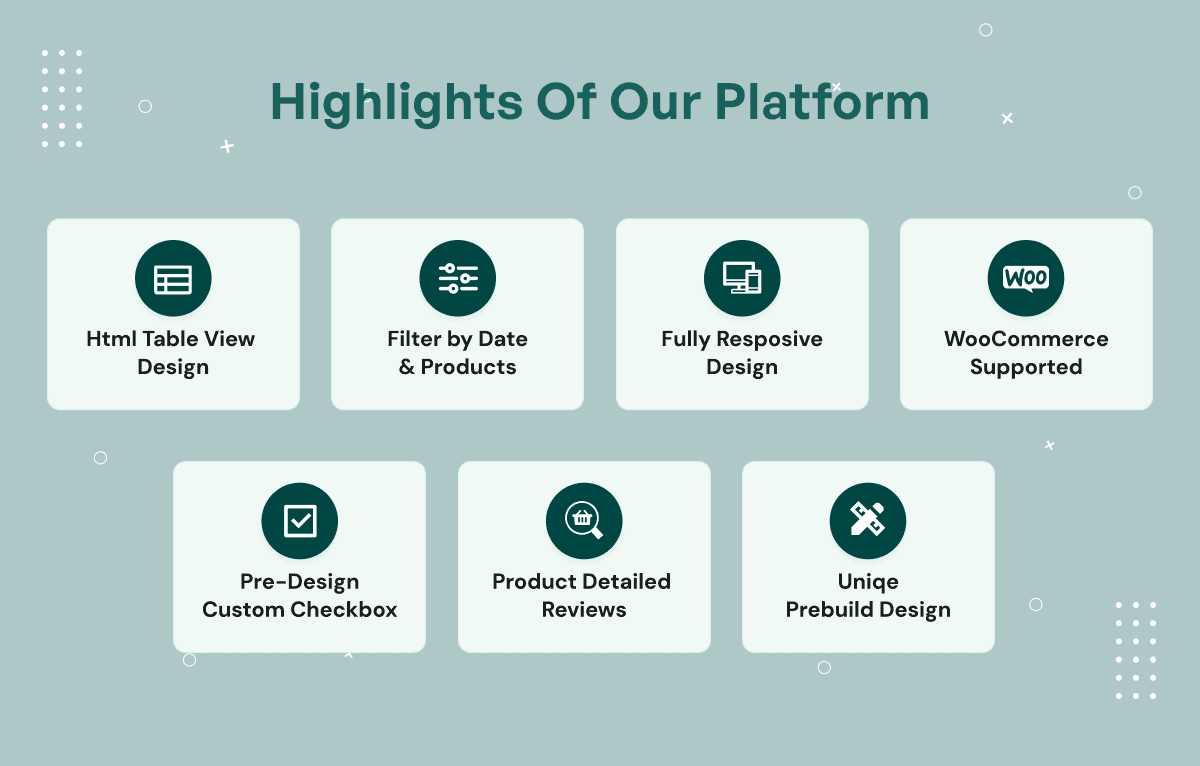
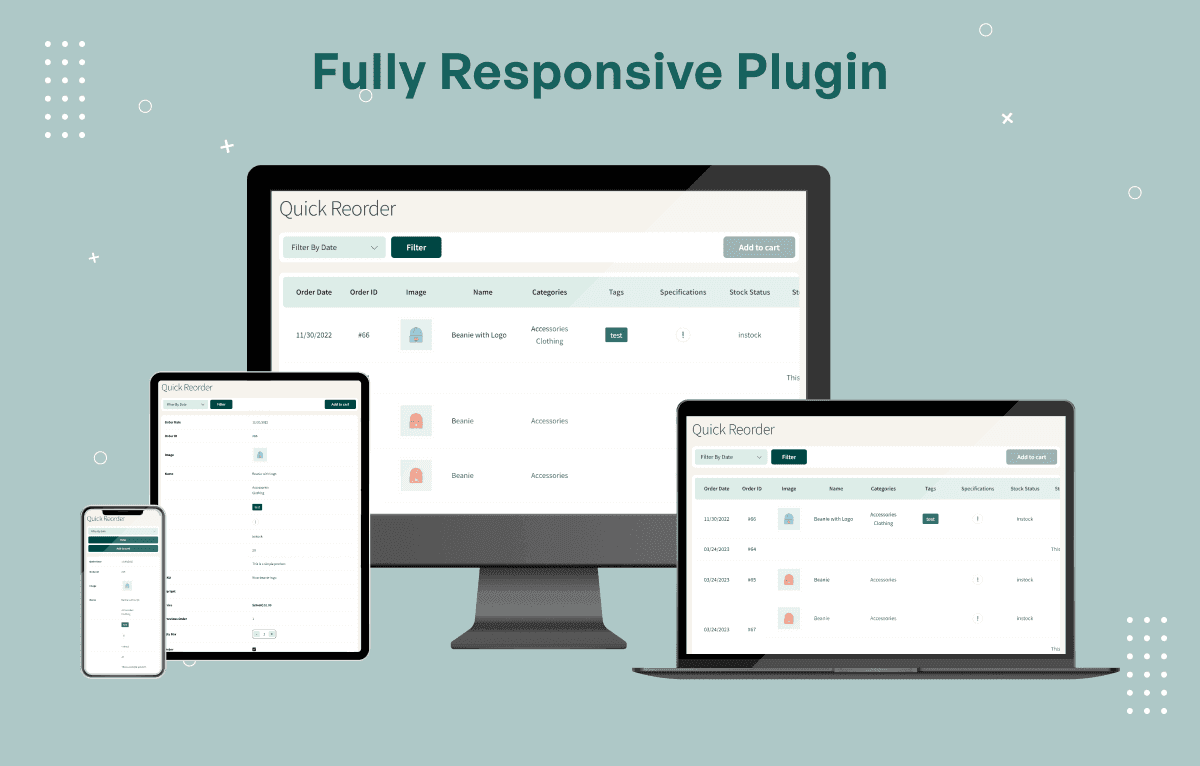
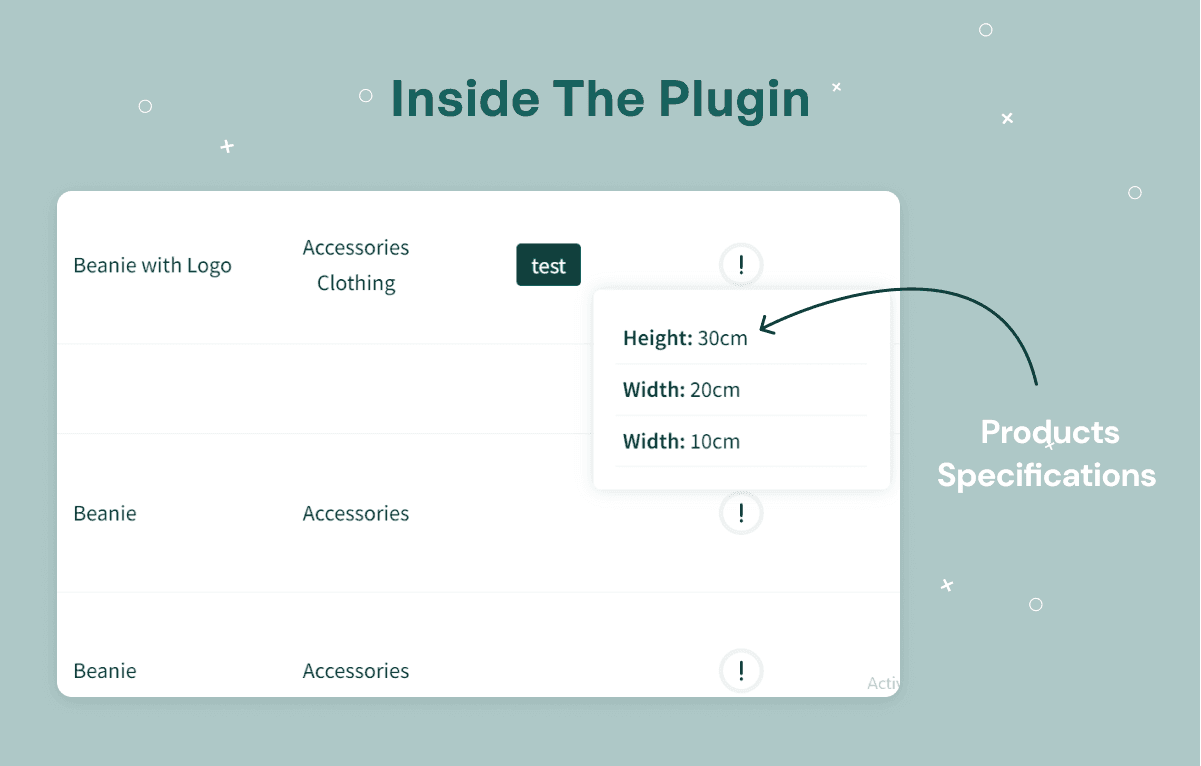
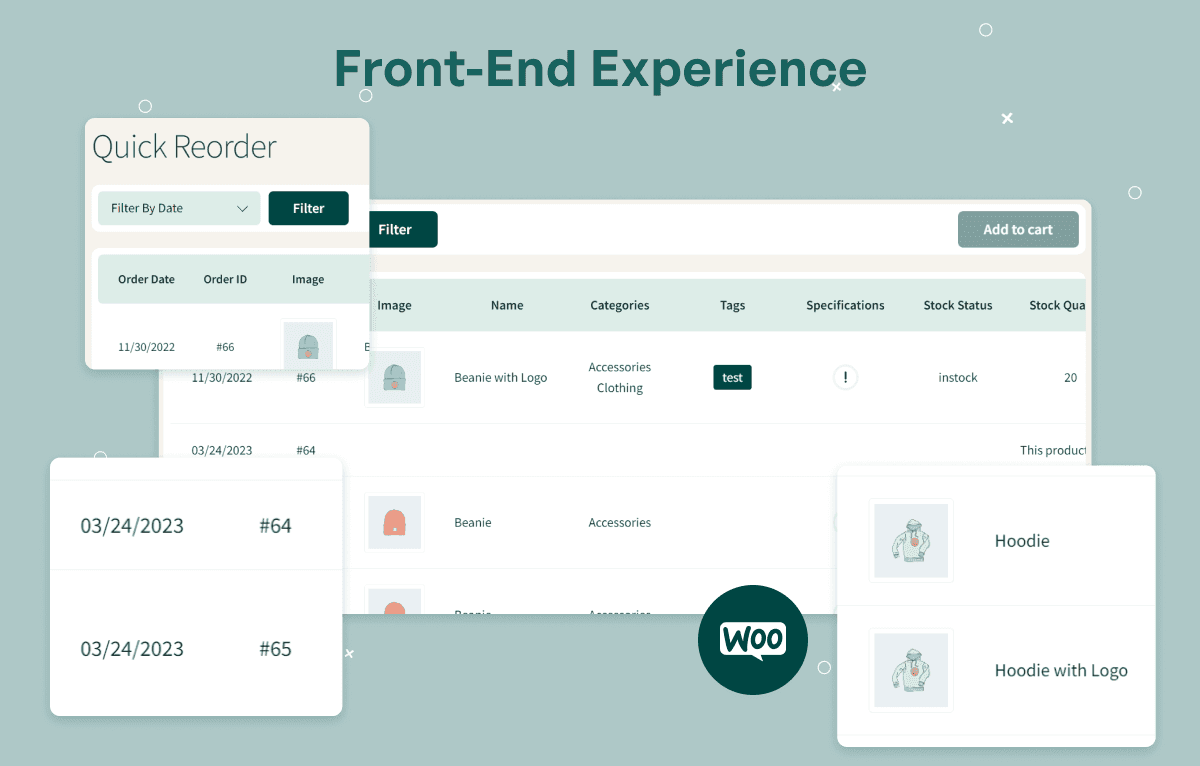
WooCommerce Quick Reorder Plugin helps customers reorder previously purchased products from their WooCommerce account in just a few clicks. Customers can view purchase history, check product images, names, SKUs, variations, prices, stock status, available quantity, and previously ordered quantity, then adjust quantities and add multiple products to the cart from one reorder table.
The plugin supports AJAX Add to Cart, bulk product reordering, quantity selectors with plus/minus controls, customizable table columns, filters, sorting, pagination, AJAX Load More, My Account integration, shortcode support, Elementor, Gutenberg, Classic Editor, WooCommerce HPOS compatibility, simple products, variable products, and responsive mobile-friendly layouts.
What Is WooCommerce Quick Reorder Plugin?
Repeat customers often want to buy the same products again without browsing the full store, searching product pages, or rebuilding a cart from scratch. This is especially important for wholesale stores, B2B buyers, grocery stores, medical suppliers, office supply stores, restaurant suppliers, industrial equipment sellers, membership stores, and any WooCommerce business with returning customers.
WooCommerce Quick Reorder Plugin gives customers a clean reorder table inside their WooCommerce account. Customers can view previously purchased products, adjust quantities, select multiple items, and add them to cart in one action, while store admins can control table columns, filters, sorting, pagination, shortcode placement, and reorder table layout.
Who Is This Plugin For?
- Wholesale stores
- B2B WooCommerce stores
- Grocery stores
- Medical suppliers
- Office supply stores
- Industrial equipment stores
- Restaurant suppliers
- Membership stores
- Repeat purchase businesses
- High-volume WooCommerce stores
- Stores with returning customers
- WooCommerce businesses that want faster repeat checkout
- Agencies building repeat-order workflows for clients
- Store owners who want reorder options inside My Account
- Businesses that need bulk reorder functionality
This plugin is designed for customer-driven repeat ordering from previous WooCommerce purchases. It does not automatically place recurring orders, create subscription renewals, manage supplier purchasing, or replace WooCommerce checkout, inventory, shipping, payment, or account systems.
What Is Included?
Previous Order Reorder Table
- Display previous WooCommerce orders
- View purchased products
- Display product images
- Show product names
- Display SKU
- Display product variations
- Show prices
- Display stock status
- Show available stock quantity
- View previously ordered quantity
- Responsive mobile-friendly layout
Bulk Reorder & Quantity Management
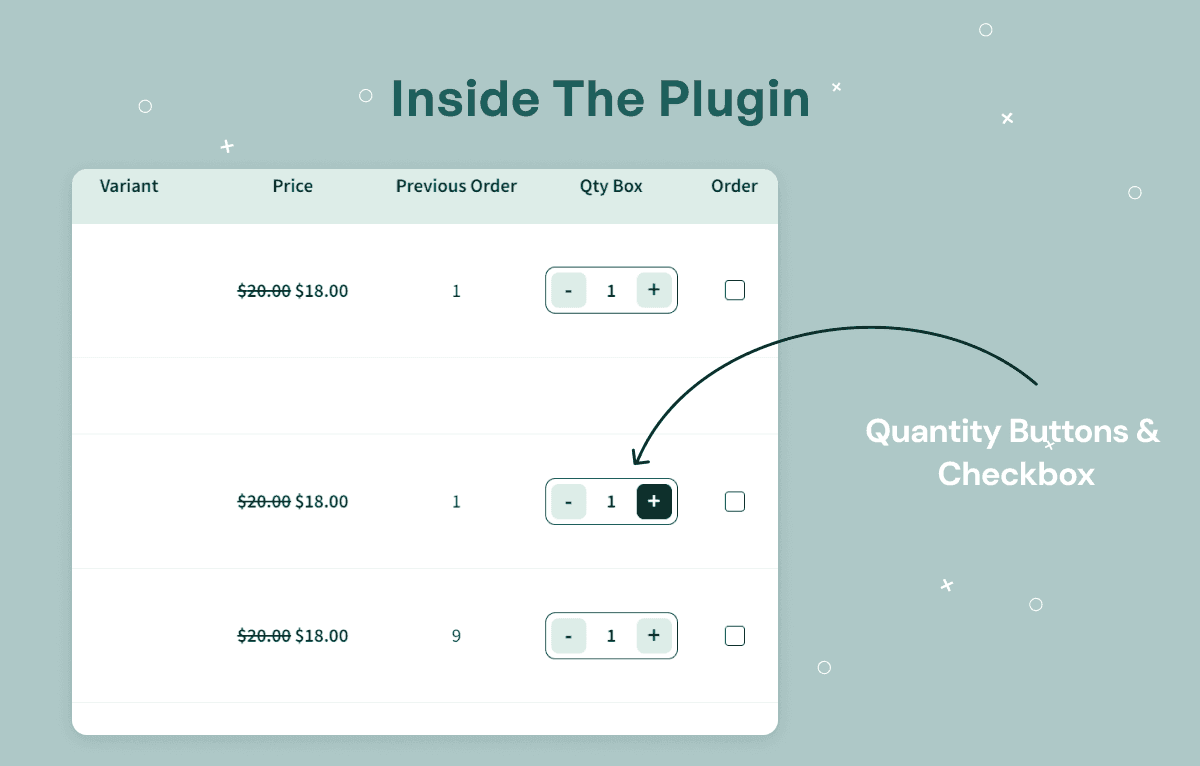
- Reorder multiple products simultaneously
- Quantity selector with plus/minus controls
- Bulk Add to Cart
- AJAX Add to Cart support
- Update quantities before checkout
- Select individual products
- Fast repeat purchasing workflow
Smart Filtering & Pagination
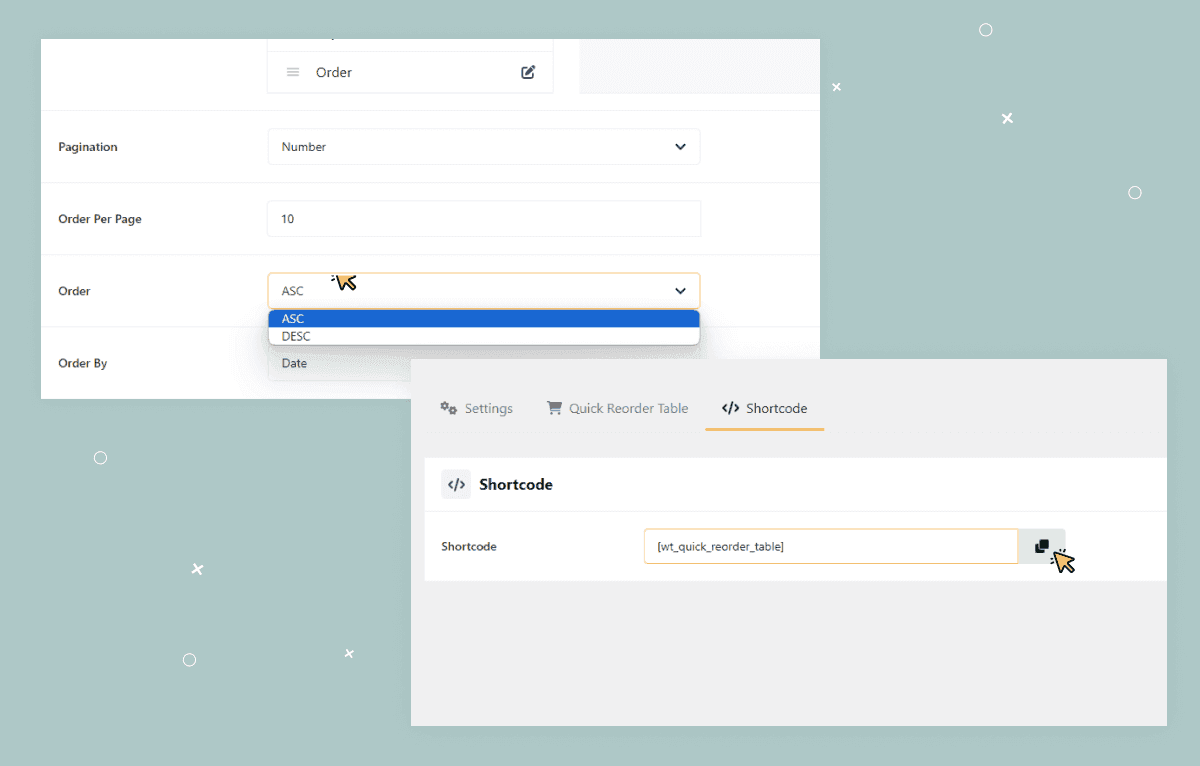
- Filter previous orders by date
- Sort orders
- ASC / DESC ordering
- Pagination support
- AJAX Load More pagination
- Configure items per page
- Responsive navigation
WooCommerce My Account Integration
- Add Quick Reorder tab to My Account
- View purchase history
- Logged-in customer support
- WooCommerce HPOS compatible
- Variable product support
- Simple product support
- Easy repeat ordering
Customizable Reorder Table
- Enable or disable reorder functionality
- Show or hide filters
- Customize table columns
- Drag-and-drop column ordering
- Configure pagination
- Choose sorting options
- Set default order
- Save settings
- Reset settings
Shortcode & Page Builder Support
- Built-in shortcode support
- Works on any WordPress page
- Compatible with Elementor
- Compatible with Gutenberg
- Compatible with Classic Editor
- Easy shortcode integration
How to Use WooCommerce Quick Reorder Plugin
Step 1: Install the Plugin
Upload and activate WooCommerce Quick Reorder Plugin in your WordPress website.
Result: Quick reorder settings and reorder table options become available for your WooCommerce store.
Step 2: Enable the Reorder Experience
Enable reorder functionality and choose where the reorder table should appear, such as My Account or a shortcode-based page.
Result: Customers can access previous purchase reorder options from the configured location.
Step 3: Customize the Reorder Table
Choose visible columns, drag-and-drop column order, filters, sorting, default order, pagination, and items per page.
Result: The reorder table matches your store’s customer experience and product data needs.
Step 4: Configure Quantity and Add-to-Cart Options
Review quantity controls, bulk selection, AJAX Add to Cart, and product selection settings.
Result: Customers can adjust quantities and add multiple previous purchases to cart quickly.
Step 5: Test Customer Reorder Flow
Log in as a customer with previous orders and test product images, SKUs, variations, prices, stock status, filters, pagination, quantity controls, and bulk add to cart.
Result: You confirm that customers can reorder previous purchases smoothly.
Step 6: Publish and Monitor Repeat Orders
Make the reorder table available to customers and monitor how returning buyers use repeat ordering.
Result: Your WooCommerce store can support faster repeat purchases and better customer convenience.
Modules and Features
Previous Order Reorder Table
Display customers’ previous purchases in a clean and organized reorder table.
- Display previous WooCommerce orders
- View purchased products
- Display product images
- Show product names
- Display SKU
- Display product variations
- Show prices
- Display stock status
- Show available stock quantity
- View previously ordered quantity
- Responsive mobile-friendly layout
Bulk Reorder & Quantity Management
Allow customers to quickly reorder multiple products from previous purchases.
- Reorder multiple products simultaneously
- Quantity selector with plus/minus controls
- Bulk Add to Cart
- AJAX Add to Cart support
- Update quantities before checkout
- Select individual products
- Fast repeat purchasing workflow
Smart Filtering & Pagination
Help customers quickly locate previous purchases using built-in filtering and pagination.
- Filter previous orders by date
- Sort orders
- ASC / DESC ordering
- Pagination support
- AJAX Load More pagination
- Configure items per page
- Responsive navigation
WooCommerce My Account Integration
Integrate Quick Reorder directly inside the WooCommerce customer account.
- Add Quick Reorder tab to My Account
- View purchase history
- Logged-in customer support
- WooCommerce HPOS compatible
- Variable product support
- Simple product support
- Easy repeat ordering
Customizable Reorder Table
Control exactly how the reorder table appears for customers.
- Enable or disable reorder functionality
- Show or hide filters
- Customize table columns
- Drag-and-drop column ordering
- Configure pagination
- Choose sorting options
- Set default order
- Save settings
- Reset settings
Shortcode & Page Builder Support
Display the reorder table anywhere on your WooCommerce website.
- Built-in shortcode support
- Works on any WordPress page
- Compatible with Elementor
- Compatible with Gutenberg
- Compatible with Classic Editor
- Easy shortcode integration
Admin & Advanced Settings
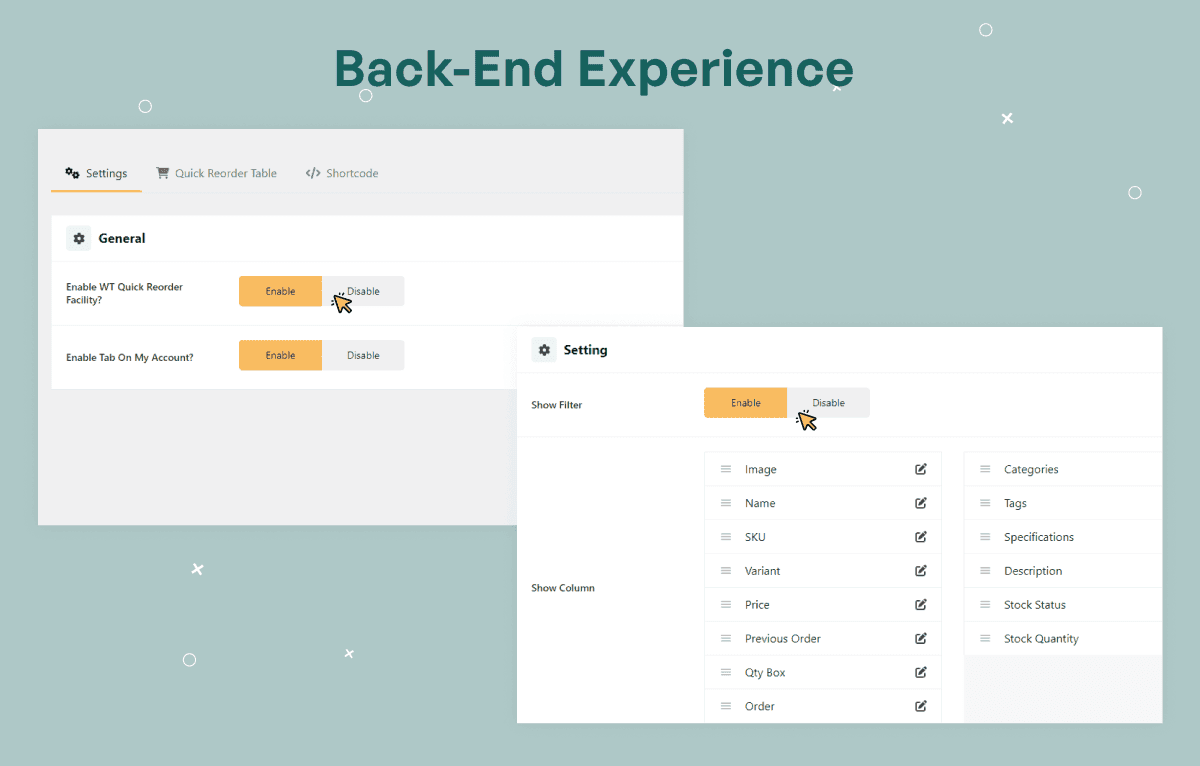
WooCommerce Quick Reorder Plugin gives store admins control over the reorder table, customer display options, filters, sorting, pagination, columns, shortcode placement, and reorder availability.
Admins can decide which product and order details should appear, how customers can browse previous purchases, how many items appear per page, whether filters should be shown, and where the reorder table should be displayed.
The admin configuration covers:
- Enable reorder functionality
- Disable reorder functionality
- Show filters
- Hide filters
- Customize table columns
- Reorder columns with drag-and-drop controls
- Configure pagination
- Configure AJAX Load More pagination
- Configure items per page
- Choose sorting options
- Set default order
- Save settings
- Reset settings
- Add Quick Reorder tab to My Account
- Use shortcode on WordPress pages
- Use shortcode with Elementor
- Use shortcode with Gutenberg
- Use shortcode with Classic Editor
-
Why Choose WooCommerce Quick Reorder Plugin?
- Faster repeat purchases
- Bulk reorder functionality
- My Account integration
- Responsive reorder table
- AJAX Add to Cart
- Customizable columns
- Flexible sorting and pagination
- WooCommerce HPOS compatible
- Elementor compatible
- Gutenberg compatible
- Classic Editor compatible
- Easy shortcode implementation
- Improved customer experience
- Designed for high-volume WooCommerce stores
Product Compatibility
Availability
- WordPress
- WooCommerce
Product Type
- WooCommerce Quick Reorder Plugin / Repeat Order Plugin
Supported Experience
- Previous purchase reorder table
- Bulk product reorder workflow
- Customer My Account reorder tab
- AJAX Add to Cart
- Quantity update before checkout
- Shortcode-based reorder table display
- Page builder-compatible reorder placement
Tags:
Template Features:
Faster Repeat Ordering
Bulk Product Reordering
Better Shopping Experience
Flexible Reorder Table
Previous Order Reorder Table