WooCommerce Ring Builder Plugin — Diamond & Gemstone Search, Custom Engagement Ring Builder & Jewelry Configurator

0 (0 Reviews)
0 Sales
License Options
View License Policy1 site / project / end product
up to 5 sites / projects / end products
up to 30 sites / projects / end products
Add-on Services
$199.00
$399.00
Technology
No title available : WooCommerce Ring Builder Plugin — Diamond & Gemstone Search, Custom Engagement Ring Builder & Jewelry Configurator

Created : 16 July 2026
Updated : 31 August 2026
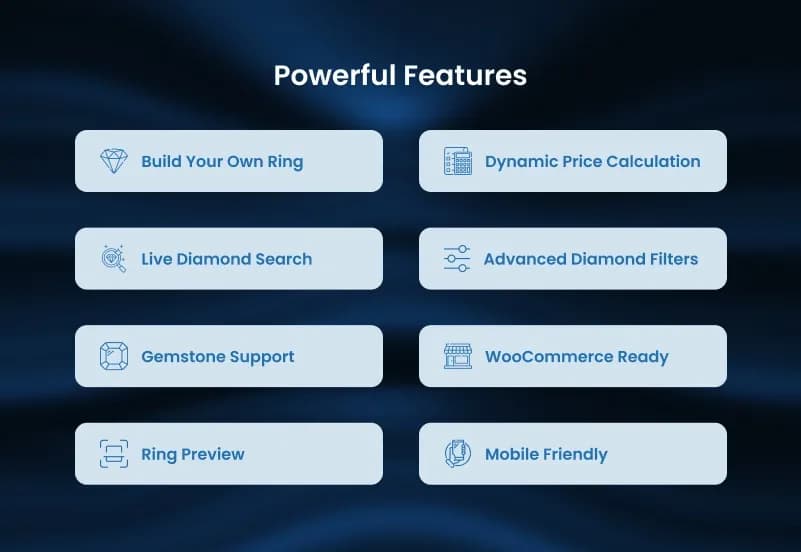
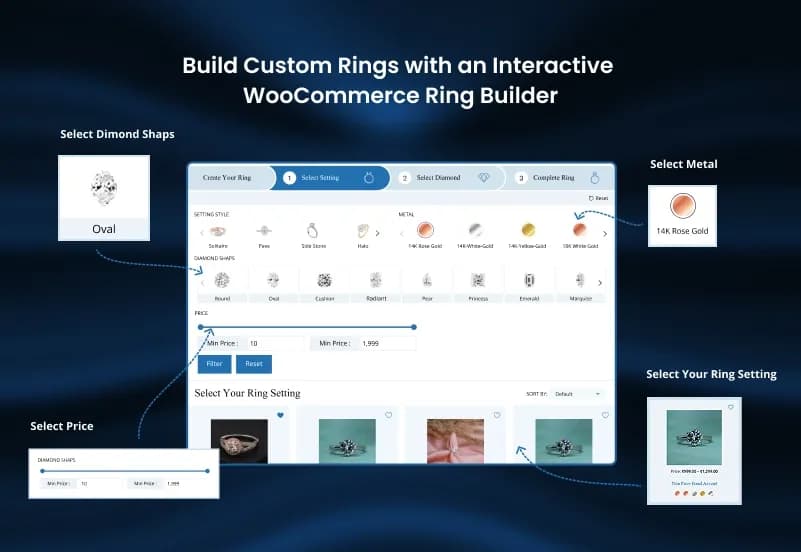
WooCommerce Ring Builder Plugin is a WooCommerce jewelry configurator that helps jewelry stores create a complete custom ring shopping experience. It allows customers to build their own engagement ring by selecting ring settings, diamonds, gemstones, metal types, ring sizes, and product configurations through an interactive ring builder workflow.
The plugin supports diamond and gemstone search, advanced filters, stone comparison, RapNet integration workflows, inventory management, dynamic pricing, WooCommerce cart integration, and custom jewelry configuration, making it suitable for engagement ring sellers, diamond retailers, gemstone businesses, and online jewelry stores.
What Is WooCommerce Ring Builder Plugin?
Jewelry stores often need more than a normal WooCommerce product page when selling engagement rings, diamonds, gemstones, and custom jewelry. Customers usually want to compare stones, choose ring settings, select metals, review size options, understand pricing, and preview the complete ring before making a purchase.
WooCommerce Ring Builder Plugin gives jewelry businesses a structured way to offer that custom shopping experience inside WooCommerce. It combines ring settings, diamond search, gemstone search, inventory workflows, product configuration, pricing rules, and cart integration so customers can build and purchase personalized ring designs through a guided configurator.
Who Is This Plugin For?
- Jewelry stores selling engagement rings
- Diamond retailers using WooCommerce
- Gemstone businesses
- Online jewelry shops
- Custom ring sellers
- Luxury jewelry brands
- Bridal jewelry businesses
- WooCommerce stores selling configurable jewelry
- Businesses needing diamond and gemstone search
- Jewelry companies using RapNet inventory workflows
- Agencies building WooCommerce jewelry stores for clients
- Developers needing a jewelry configurator for WooCommerce
This plugin is not a complete ERP, POS, accounting system, shipping system, or standalone jewelry marketplace. It is a WooCommerce plugin for custom ring configuration, diamond and gemstone search, jewelry product setup, and WooCommerce cart-based purchasing workflows.
What Is Included?
Ring Builder Storefront
- Ring setting selection
- Diamond selection
- Gemstone selection
- Metal type selection
- Ring size selection
- Custom ring configuration
- Final design preview
- Add configured ring to cart
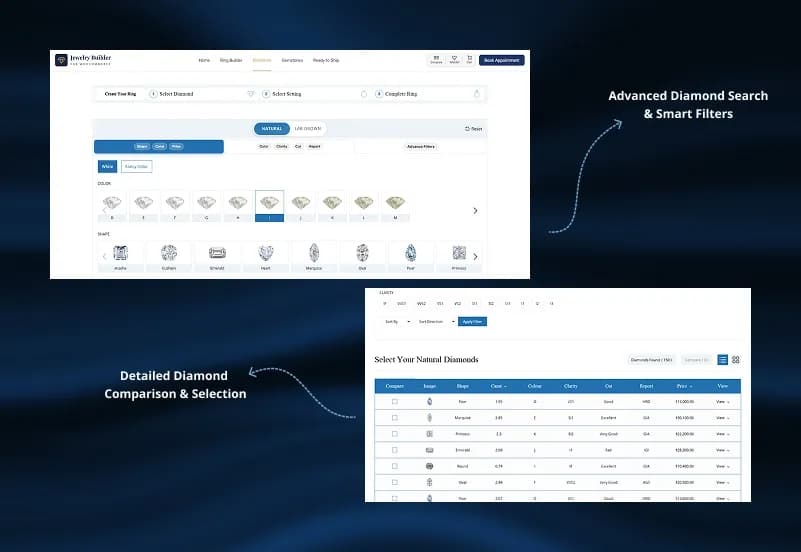
Diamond and Gemstone Search
- Diamond inventory search
- Gemstone inventory search
- Shape filters
- Carat filters
- Color filters
- Clarity filters
- Cut filters
- Price filters
- Certification filters
- Stone detail view
- Stone comparison workflow
Jewelry Configuration
- Diamond and ring setting combination
- Gemstone and ring setting combination
- Metal selection
- Ring size configuration
- Product variation handling
- Dynamic pricing support
- Personalized jewelry combinations
Inventory and Integration
- RapNet integration workflows
- Diamond inventory workflows
- Gemstone data management
- Stone availability display
- WooCommerce product connection
- Inventory management support
Customer Experience
- Save ring designs
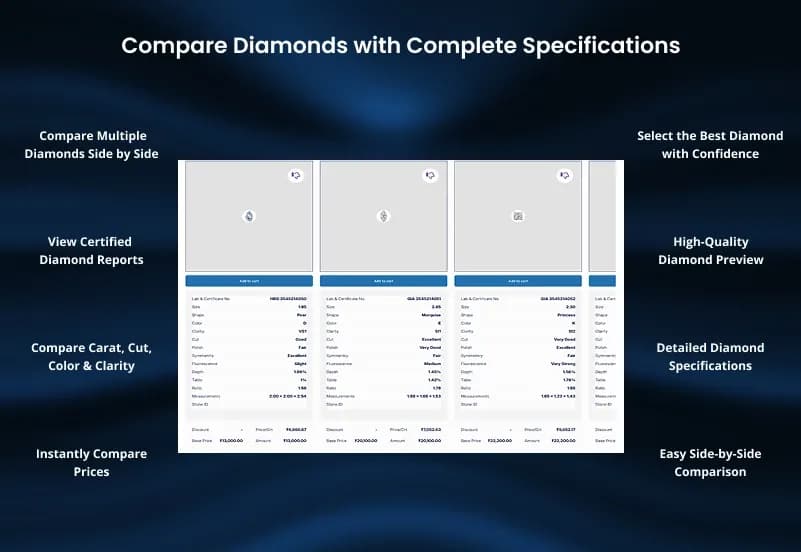
- Compare diamonds and gemstones
- View complete stone details
- Add custom rings to cart
- Continue with normal WooCommerce checkout
- Personalized engagement ring buying journey
Admin Management
- Ring builder workflow settings
- Diamond search filter settings
- Gemstone search filter settings
- Ring product management
- Stone product management
- Jewelry configurator layout controls
- Product variation settings
- Pricing rule settings
- RapNet integration settings
- Inventory workflow settings
How to Use WooCommerce Ring Builder Plugin
Step 1: Install the Plugin
Upload and activate the WooCommerce Ring Builder Plugin in your WordPress website.
Result: Ring builder and jewelry configurator settings become available for your WooCommerce store.
Step 2: Configure Ring Builder Workflow
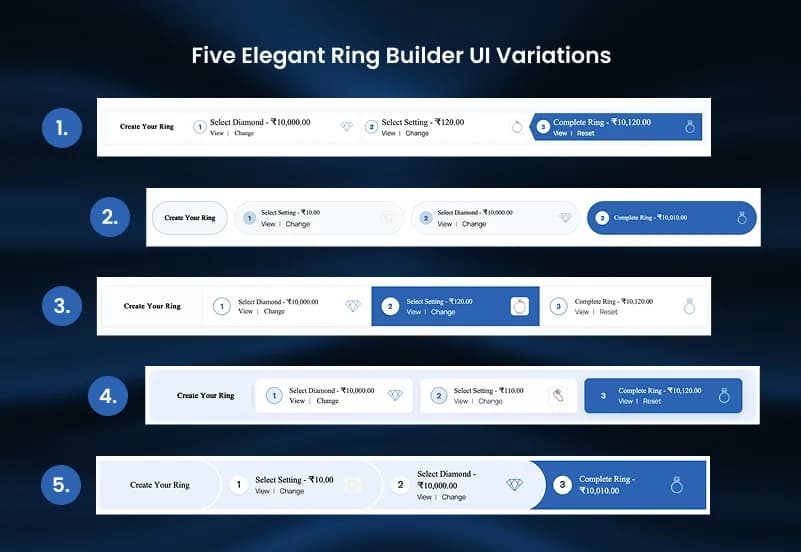
Set up the ring builder steps for selecting ring settings, diamonds, gemstones, metals, sizes, and final configuration.
Result: Customers can follow a guided ring-building process inside your store.
Step 3: Add Ring Settings and Jewelry Products
Create or connect ring settings, product variations, metal types, sizes, and related WooCommerce jewelry products.
Result: Your ring builder has the product options needed for custom configuration.
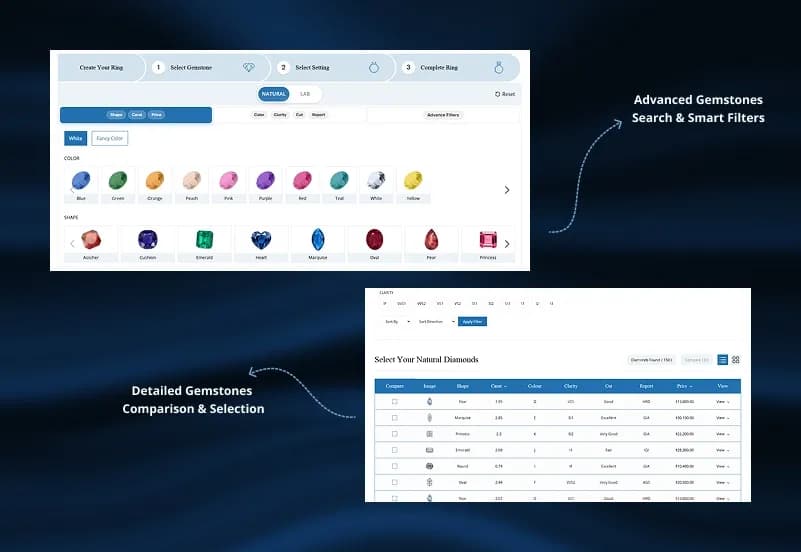
Step 4: Configure Diamond and Gemstone Search
Set up diamond and gemstone filters such as shape, carat, color, clarity, cut, price, and certification.
Result: Customers can search and compare stones before choosing one for their custom ring.
Step 5: Connect Inventory and Pricing Workflows
Configure inventory data, RapNet integration workflows, stone availability, product combinations, and dynamic pricing rules.
Result: Ring pricing and availability can update based on selected stones, settings, and configurations.
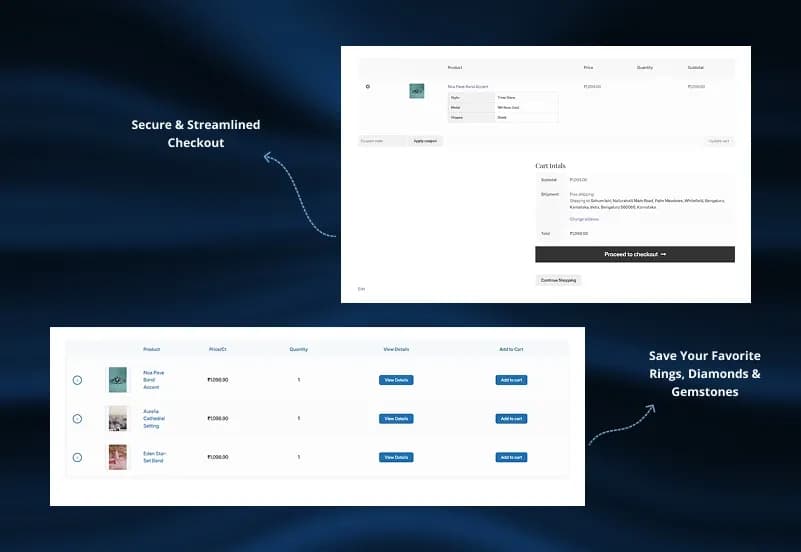
Step 6: Test Cart and Checkout Flow
Test ring configuration, stone selection, price calculation, cart display, saved designs, and WooCommerce checkout before launch.
Result: Customers can build, review, add, and purchase custom rings through the WooCommerce shopping flow.
Modules and Features
Ring Builder Storefront
Create a complete build-your-own-ring WooCommerce experience for customers.
- Select ring settings
- Choose diamonds or gemstones
- Select metal types
- Pick ring sizes
- Preview final ring design
- Add configured ring to cart
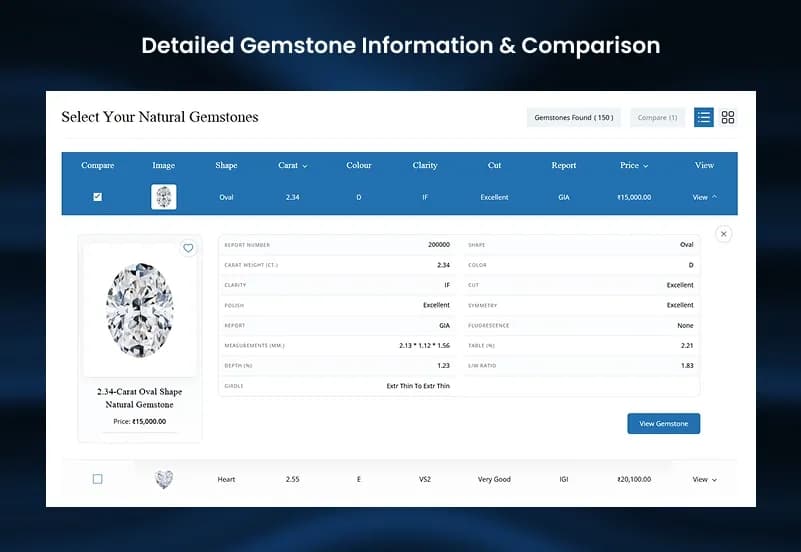
Diamond & Gemstone Search
Provide an advanced search experience for diamonds and gemstones.
- Search diamond and gemstone inventory
- Filter by shape, carat, color, clarity, and cut
- Filter by price and certification
- View stone details
- Compare available options
Custom Ring Configuration
Combine jewelry components into personalized products.
- Combine diamond, gemstone, and ring settings
- Support custom jewelry configuration
- Manage product variations
- Handle dynamic pricing
- Create personalized ring designs
Diamond & Gemstone Inventory Management
Manage stone availability and WooCommerce inventory workflows.
- Support RapNet integration WooCommerce workflows
- Sync diamond inventory workflows
- Manage diamond and gemstone data
- Show stone availability
- Connect inventory with WooCommerce products
Customer Ring Experience
Provide customers with a smooth jewelry buying journey.
- Save ring designs
- Add custom rings to cart
- Compare diamonds and gemstones
- View complete stone details
- Continue with normal WooCommerce checkout
Admin & Advanced Settings
WooCommerce Ring Builder Plugin provides centralized administration for managing the complete jewelry customization workflow.
Store owners can configure ring builder steps, manage diamonds and gemstones, control filters, customize layouts, manage product combinations, set pricing rules, and configure integrations directly from WooCommerce settings.
The admin configuration covers:
- Manage ring builder workflow
- Configure diamond search filters
- Configure gemstone search filters
- Manage ring and stone products
- Customize jewelry configurator layout
- Control product variations
- Manage pricing rules
- Configure RapNet integration
- Manage inventory workflows
- Control WooCommerce product configuration
Product Compatibility
Availability
- WordPress
- WooCommerce
Product Type
WooCommerce Jewelry Plugin / Ring Builder Extension
Supported Experience
- Custom engagement ring builder
- Diamond and gemstone shopping workflow
- Jewelry configurator
- WooCommerce checkout integration
Template Features:
Build Custom Rings Easily
Diamond & Gemstone Search
Interactive Jewelry Configurator
Ring Builder Storefront
Custom Engagement Ring Builder