Rove - Beauty and Skincare WooCommerce WordPress Theme

License Options
View License Policy1 site / project / end product
up to 5 sites / projects / end products
up to 30 sites / projects / end products
Add-on Services
$59.00
$69.00
Technology
WooCommerce : Rove - Beauty and Skincare WooCommerce WordPress Theme

Created : 01 November 2026
Updated : 05 November 2026
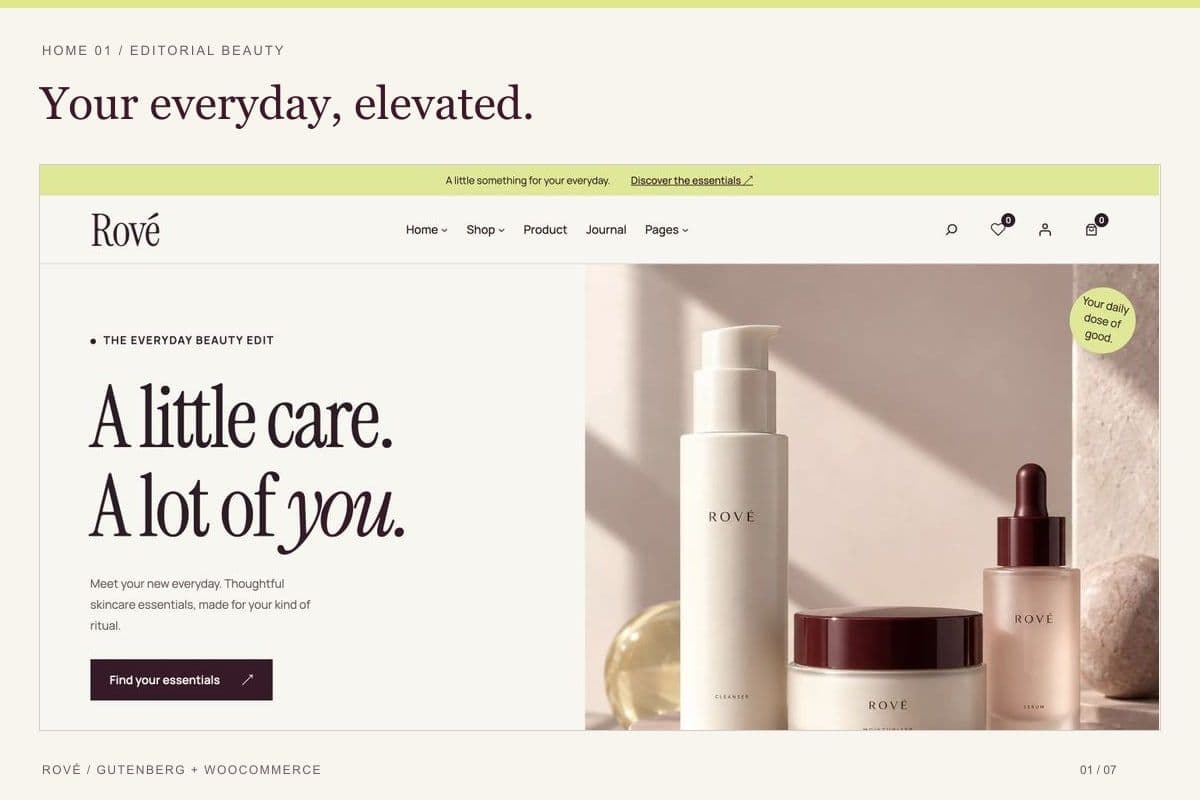
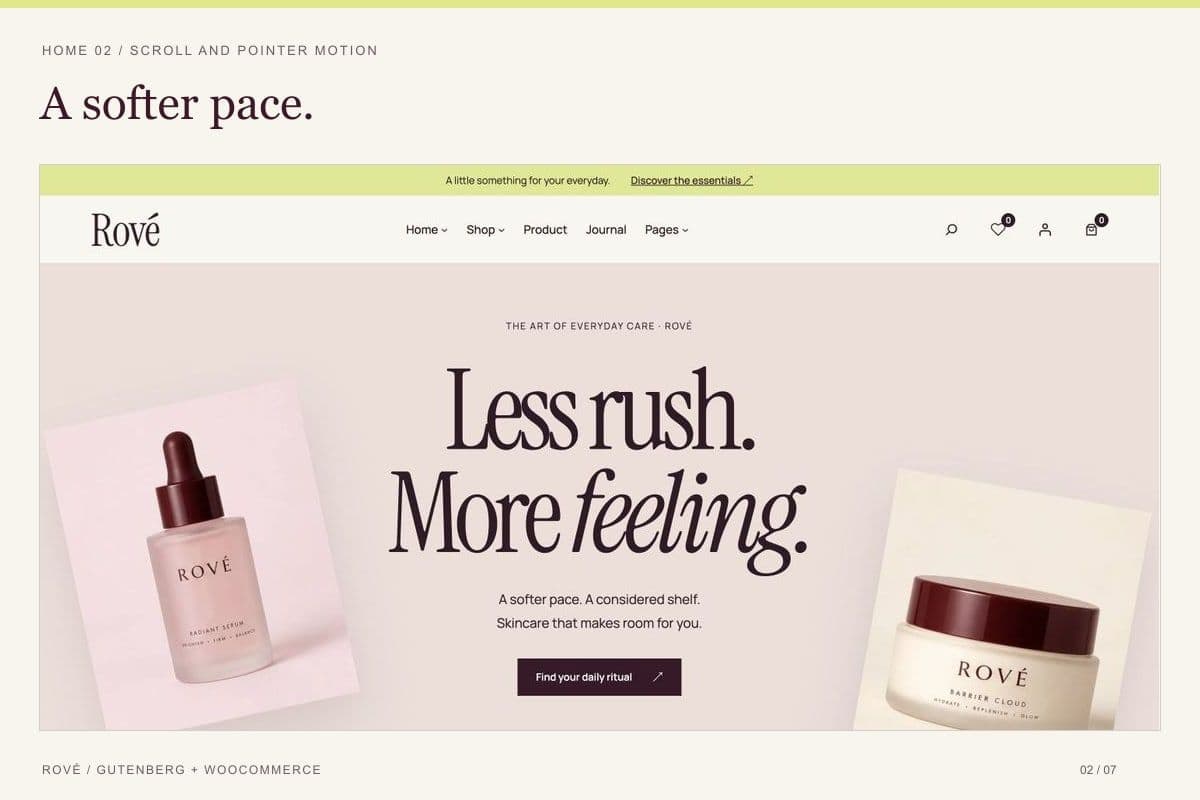
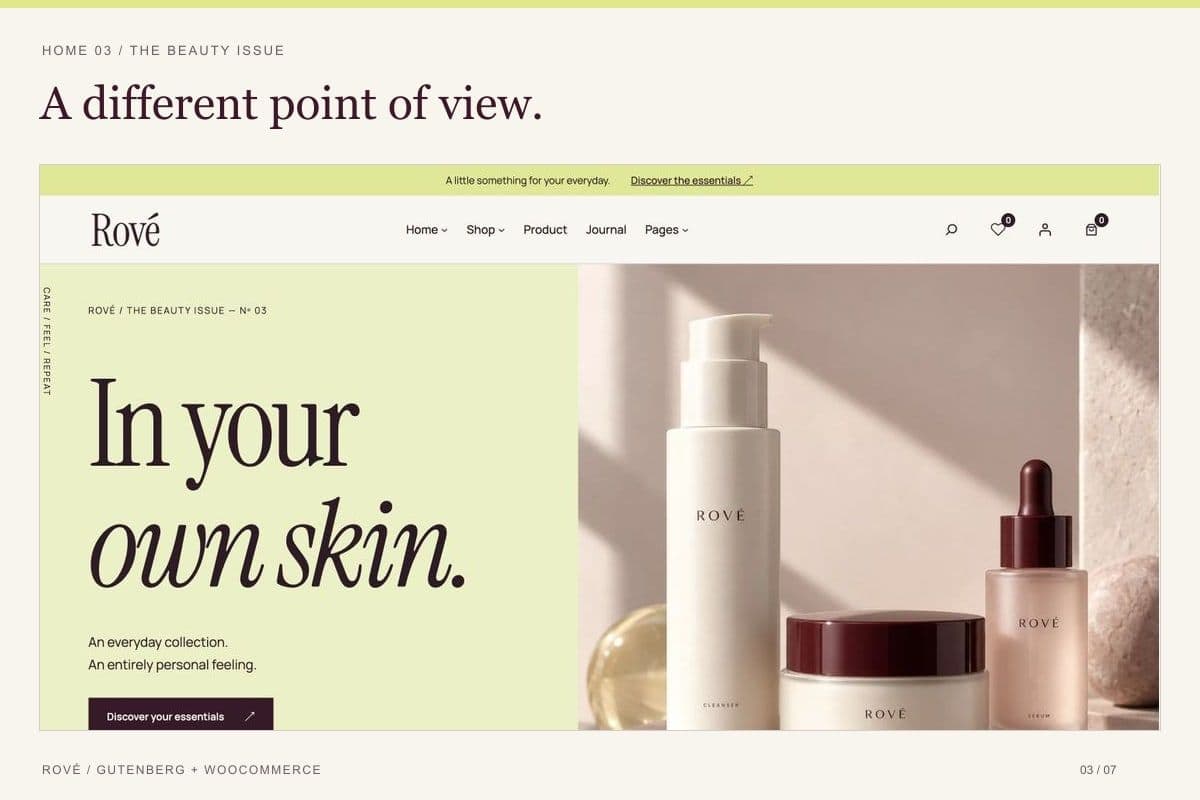
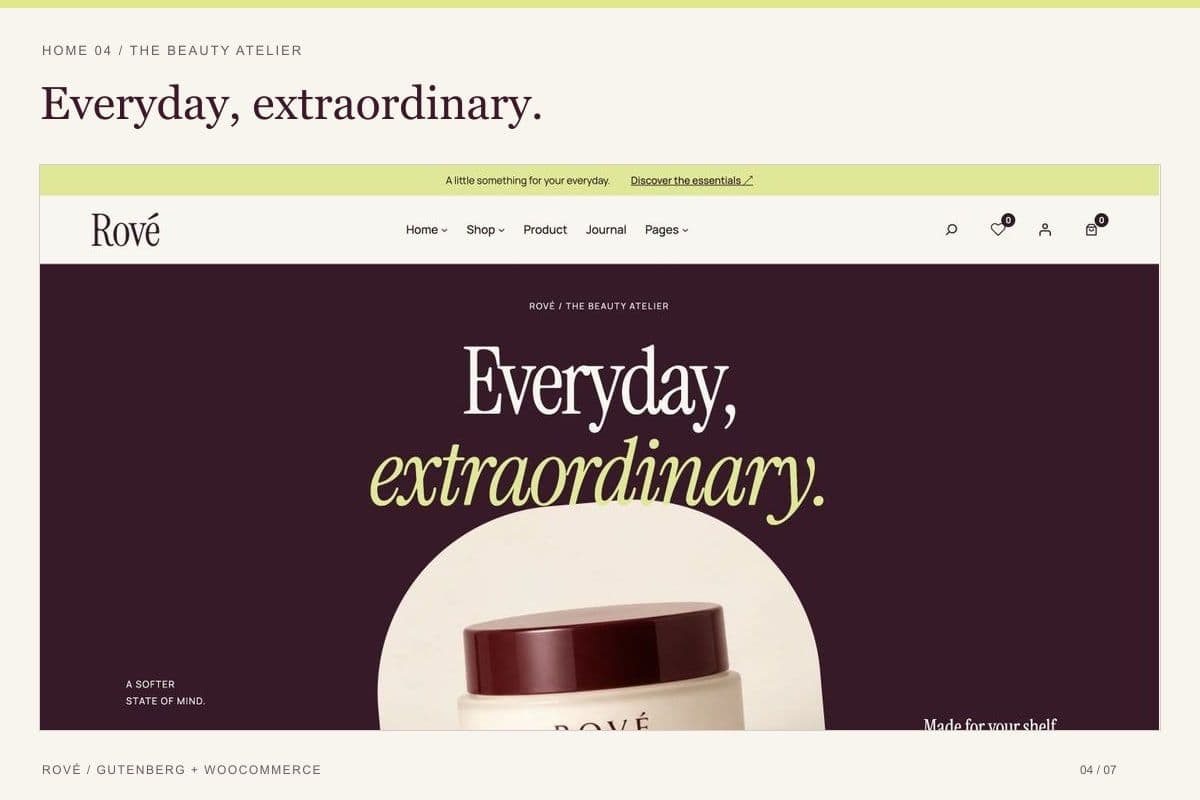
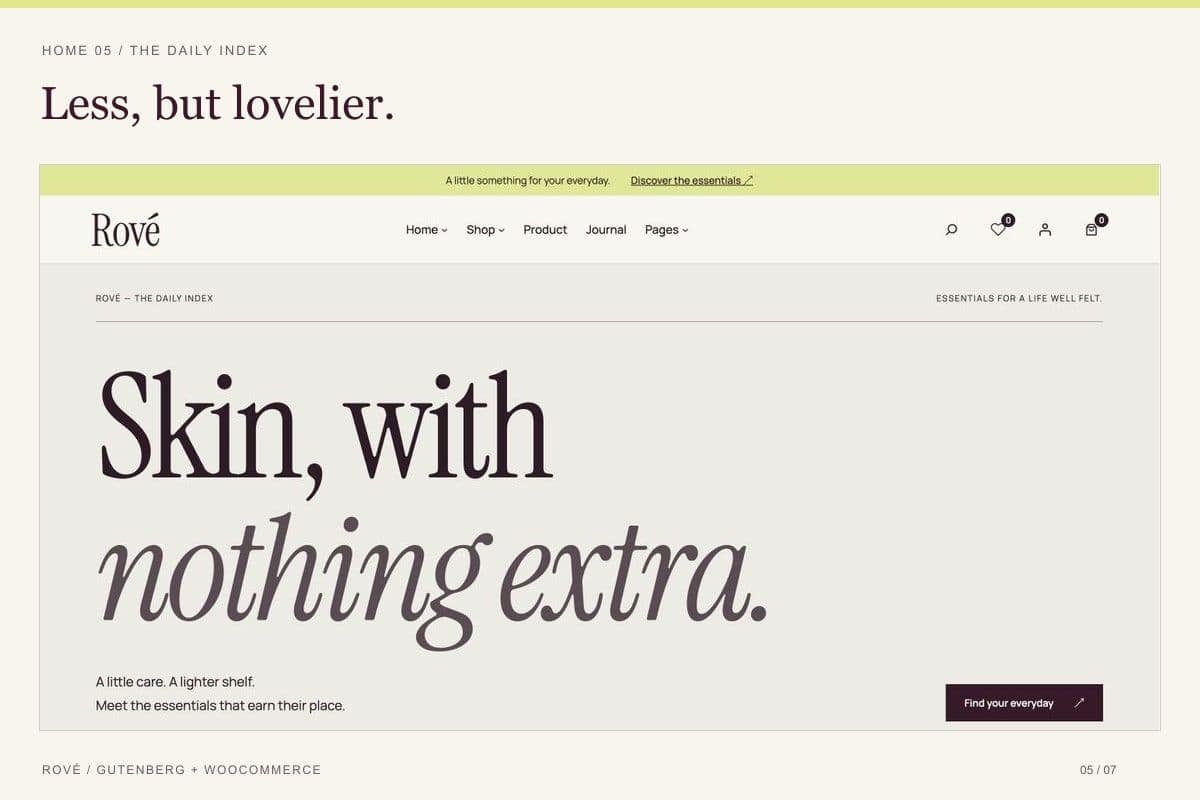
Rove is a responsive beauty and skincare WooCommerce WordPress theme designed for cosmetics stores, skincare brands, beauty retailers, and online product collections. It includes five editable homepage designs, Gutenberg block-based layouts, coordinated WooCommerce store pages, product galleries, shopping cart and checkout layouts, and customer account pages. Its editorial typography, balanced spacing, and product-focused design help businesses present beauty products through a consistent online storefront.
Built for WordPress and WooCommerce, Rove supports the Gutenberg Site Editor, reusable block patterns, four style variations, and customizable colors and typography. Optional bundled companion plugins provide product quick view, wishlist, AJAX add-to-cart functionality, a cart drawer, and demo import. The theme also includes responsive layouts, RTL styling, journal and content pages, adjustable motion effects, and English installation documentation.
What Is Rove?
Beauty and skincare businesses need an eCommerce website that presents products clearly, communicates their brand identity, and makes it easy for customers to explore collections and purchase items.
Rove is a Gutenberg-based WooCommerce theme developed for beauty, skincare, and cosmetics stores. It combines editorial-inspired design with the shopping functionality provided by WooCommerce.
The theme includes five distinct homepage layouts, allowing store owners to choose a suitable visual direction for their products and brand. Its templates use native WordPress blocks and reusable patterns, so content and layouts can be edited through the WordPress Site Editor without requiring a proprietary page builder.
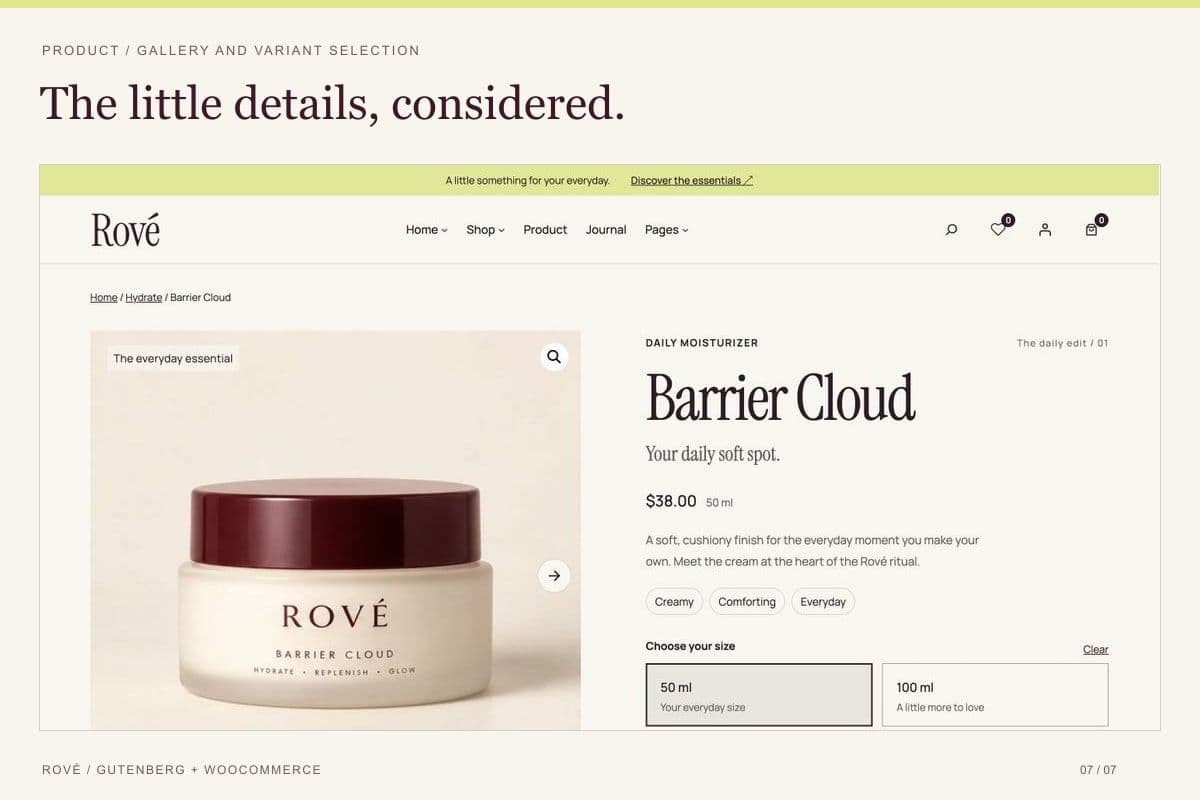
Rove provides coordinated storefront layouts for product listings, individual product pages, shopping carts, checkout, customer accounts, and order-related pages. Product galleries include thumbnails, navigation controls, and a PhotoSwipe lightbox for viewing product images.
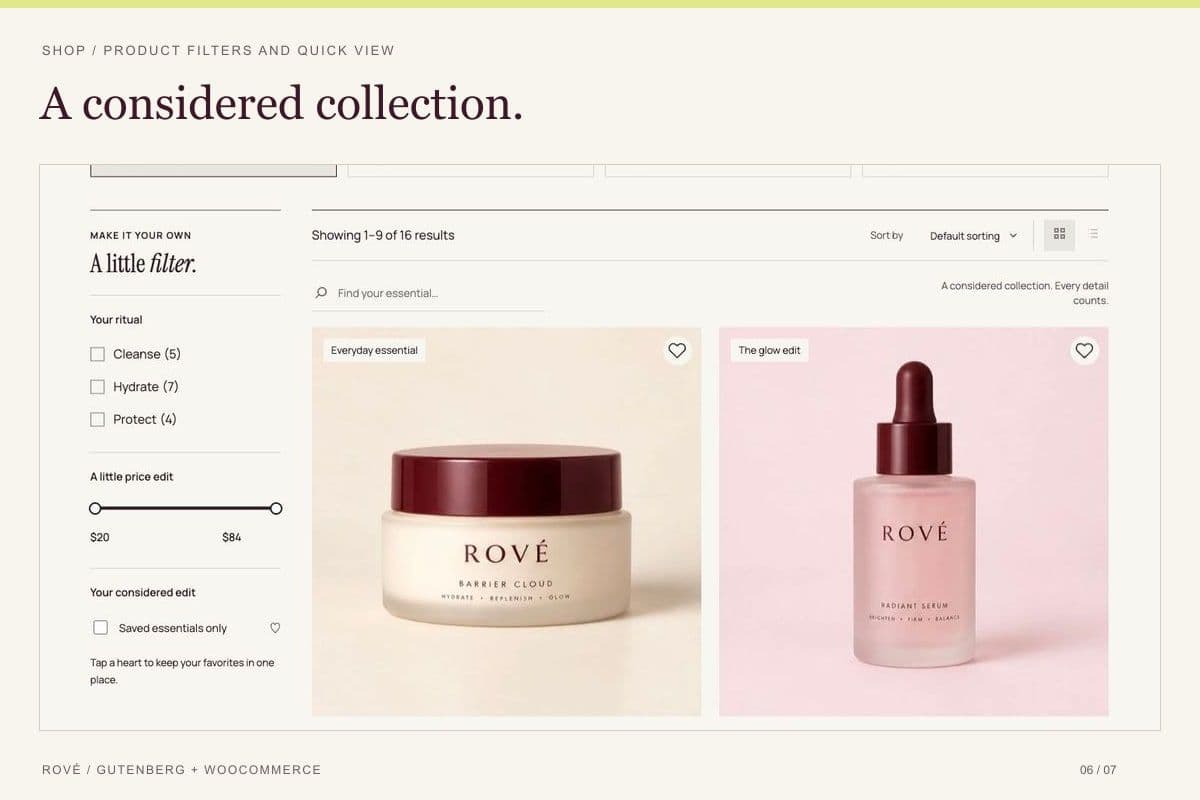
For additional shopping interactions, the optional bundled Rove Store Tools plugin enables features such as product quick view, variation selection, AJAX add to cart, a cart drawer, and wishlists.
The theme also includes journal, article, about, contact, search, archive, and policy layouts. These help businesses combine their online shop with brand information, product education, and editorial content.
Rove supports customization through Gutenberg global styles, four predefined style variations, and theme settings for visual effects. It is suitable for businesses that want a customizable WooCommerce storefront while managing products, orders, and store settings through WordPress and WooCommerce.
Who Is This Template For?
- Skincare brands and online skincare stores
- Cosmetics and beauty product retailers
- Independent beauty businesses
- Natural skincare product stores
- Facial care and moisturizer brands
- Makeup and beauty accessories stores
- Beauty product startups
- Boutique cosmetics retailers
- Personal care product businesses
- Wellness and self-care product stores
- Direct-to-consumer beauty brands
- Small and medium-sized eCommerce businesses
- Beauty brands with editorial content
- WordPress developers building cosmetics stores
- Web design agencies creating WooCommerce websites
- Businesses launching beauty product collections
Rove is intended for WordPress websites using WooCommerce. Store functionality requires WooCommerce installation and configuration, while certain additional shopping features depend on the optional bundled companion plugin.
What Is Included?
Main Features Collection
Five Editable Homepage Designs
- Five distinct homepage layouts
- Gutenberg block-based content sections
- Editable WordPress block patterns
- Product-focused hero sections
- Collection and category presentations
- Editorial content sections
- Responsive homepage layouts
WooCommerce Store Features
- WooCommerce shop layouts
- Product listing and category pages
- Individual product detail pages
- Product image galleries
- Product gallery thumbnails
- Previous and next gallery controls
- PhotoSwipe product image lightbox
- Product variation support through WooCommerce
- Shopping cart layouts
- Checkout layouts
- Customer account pages
- Order tracking and account recovery screens
Optional Rove Store Tools Features
- Product quick view
- Product variation selection
- AJAX add to bag
- Shopping cart drawer
- Product wishlist functionality
- Guest wishlist support
- Wishlist synchronization with customer accounts after login
These additional interactions require the optional Rove Store Tools plugin supplied with the theme package.
Design and Customization Features
- Gutenberg Site Editor compatibility
- Native WordPress blocks
- Reusable block patterns
- Four predefined style variations
- Custom color controls
- Typography customization
- Editorial-style page layouts
- Responsive design
- RTL styling
- Adjustable scrolling effects
- Pointer-based motion effects
- Floating-image effects
- Reduced-motion preference support
- Native theme animations without a separate GSAP license
Content and Store Management
- WordPress-based page editing
- WooCommerce product management
- Product categories and variations
- Journal and article layouts
- Brand information pages
- Search and archive layouts
- Contact page layout
- Store policy pages
- Optional demo content import
- English HTML documentation with annotated Gutenberg screenshots
Main Pages Included
Homepage Layouts
- Home 1
- Home 2
- Home 3
- Home 4
- Home 5
Shopping Pages
- Shop
- Product Category
- Product Detail
- Cart
- Checkout
- My Account
- Order Tracking
- Account Recovery
Content and Information Pages
- About Us
- Contact
- Journal
- Individual Article
- Search Results
- Archive
- Shipping & Returns
- Privacy Policy
- Refund and Returns Policy
Additional Theme Templates
- Gutenberg block templates
- Reusable block patterns
- Header and footer layouts
- WooCommerce store templates
Some pages rely on WordPress, WooCommerce, plugins, or imported demo content for their final setup.
Download Package
The documented Rove package includes:
- Installable Rove WordPress Theme ZIP
- Rove Theme Source Files
- PHP Theme Files
- CSS Stylesheets
- JavaScript Files
- HTML Documentation
- JSON Configuration Files
- SVG Assets
- Gutenberg Block Templates and Patterns
- Four Style Variations
- Optional Rove Store Tools Plugin
- Optional Rove Demo Import Plugin
- Original Brand Resources
- License Information
- Installation and Setup Documentation
- Annotated Gutenberg Documentation Screenshots
Demo Content: The optional Rove Demo Import plugin can import demo pages, products, and images into the website's WordPress Media Library.
Demo product information, text, comments, and reviews are illustrative. Fictional comments and reviews are optional and should be replaced or removed before launching a real store.
Third-Party Requirements: WooCommerce must be installed separately. Contact Form 7 and Mailchimp for WordPress are optional integrations that require separate installation and configuration.
How to Use Rove
Step 1: Prepare Your WordPress Website
Install WordPress 6.8 or later on a compatible hosting environment with PHP 7.4 or later.
Confirm that you have administrator access to the WordPress dashboard and permission to install themes and plugins.
Result: Your WordPress installation is ready for the Rove theme.
Step 2: Install and Activate Rove
Extract the main downloaded package on your computer.
In WordPress Admin, navigate to Appearance > Themes > Add New > Upload Theme.
Upload the installable Rove theme ZIP from the download package and activate the theme.
Result: Rove becomes the active WordPress theme.
Step 3: Install and Configure WooCommerce
Install WooCommerce through the WordPress plugin directory.
Complete the required store settings, including currency, store location, customer settings, payment methods, taxes, and shipping.
Result: Your website has WooCommerce store functionality ready for configuration and product management.
Step 4: Install Optional Companion Plugins
If you want the additional store interactions or demo import functionality, install the supplied Rove Store Tools and Rove Demo Import plugins.
Use Plugins > Add New > Upload Plugin to upload the appropriate plugin ZIP files from the package.
Result: Optional shopping features and demo importing become available through their respective plugins.
Step 5: Import a Demo Homepage
Open Appearance > Import Demo Data after installing the demo import plugin.
Choose one of the five available homepage designs and review the import options.
The importer can add demo pages, products, and images to your website. Fictional comments and product reviews are optional.
Result: Your WordPress website contains a selected Rove demo layout that can be customized for your business.
Step 6: Customize Your Website Design
Use the WordPress Site Editor and Gutenberg to edit the homepage, templates, navigation, block patterns, and global styles.
Choose from the four style variations and adjust supported colors and typography.
Use the theme customization controls for supported scrolling, pointer, and floating-image effects.
Result: Your storefront has a customized visual design that reflects your beauty or skincare brand.
Step 7: Add Products and Store Content
Create product listings in WooCommerce.
Add product names, descriptions, prices, images, categories, stock information, and variation details where applicable.
Update the About, Contact, Journal, Shipping & Returns, Privacy Policy, and Refund pages with your own business information.
Replace demo branding, illustrative product content, and fictional reviews before publishing.
Result: Your website contains real products and information relevant to your store.
Step 8: Configure Shopping and Contact Features
Test the product gallery, variations, cart, checkout, and account workflows.
If using Rove Store Tools, configure and test product quick view, wishlists, AJAX add to bag, and the cart drawer.
Set up any required contact form or newsletter plugin and connect the necessary services.
Result: Your configured customer shopping and communication workflows are ready for review.
Step 9: Review and Launch Your Store
Check desktop and mobile layouts, product pages, images, navigation, shopping interactions, payment settings, shipping options, and store policies.
Test customer registration, checkout, and order-related pages using suitable test configurations.
Review responsive behavior and ensure reduced-motion settings are respected.
Result: Your Rove-powered WooCommerce store is ready for launch after successful functional and business configuration testing.
Tags:
Template Features:
WordPress Theme
WooCommerce Compatible
Gutenberg Block Editor
WordPress Site Editor
5 Homepage Designs