Grocenest - Grocery and Organic Food WooCommerce Theme

License Options
View License Policy1 site / project / end product
up to 5 sites / projects / end products
up to 30 sites / projects / end products
Add-on Services
$59.00
$69.00
Technology
WooCommerce : Grocenest - Grocery and Organic Food WooCommerce Theme

Created : 01 November 2026
Updated : 05 November 2026
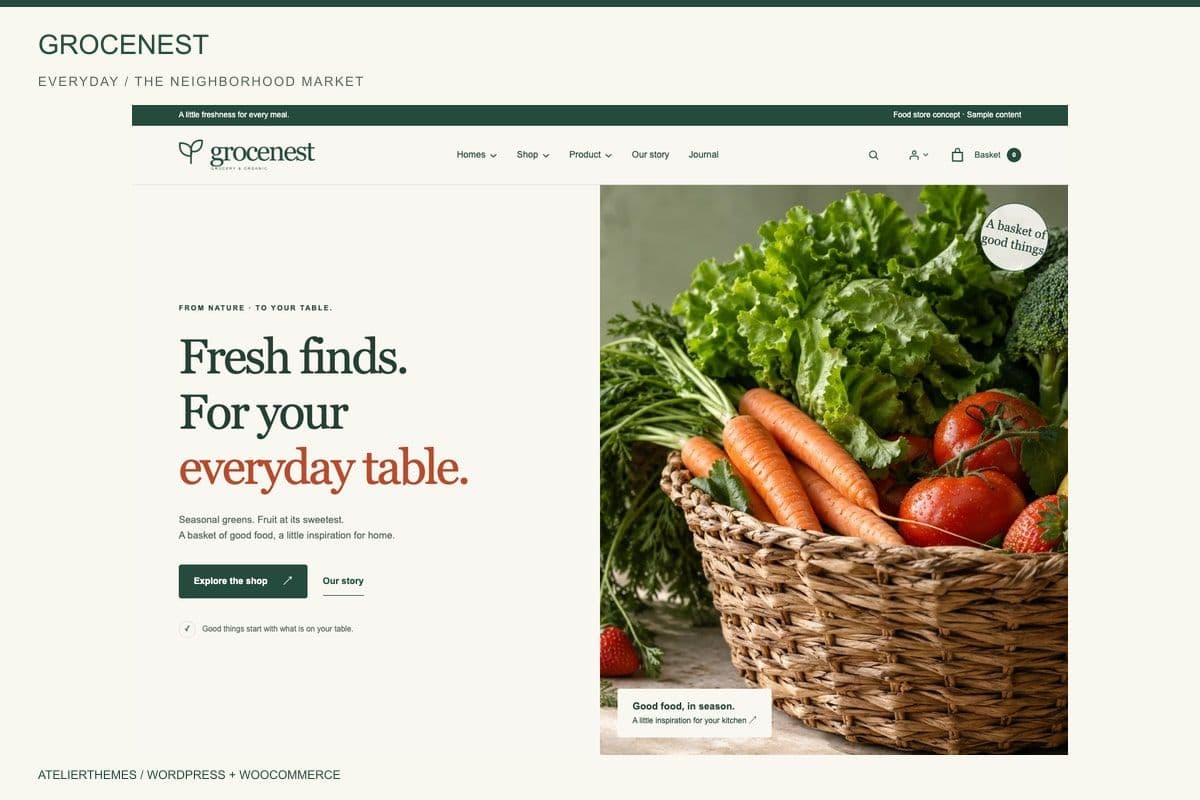
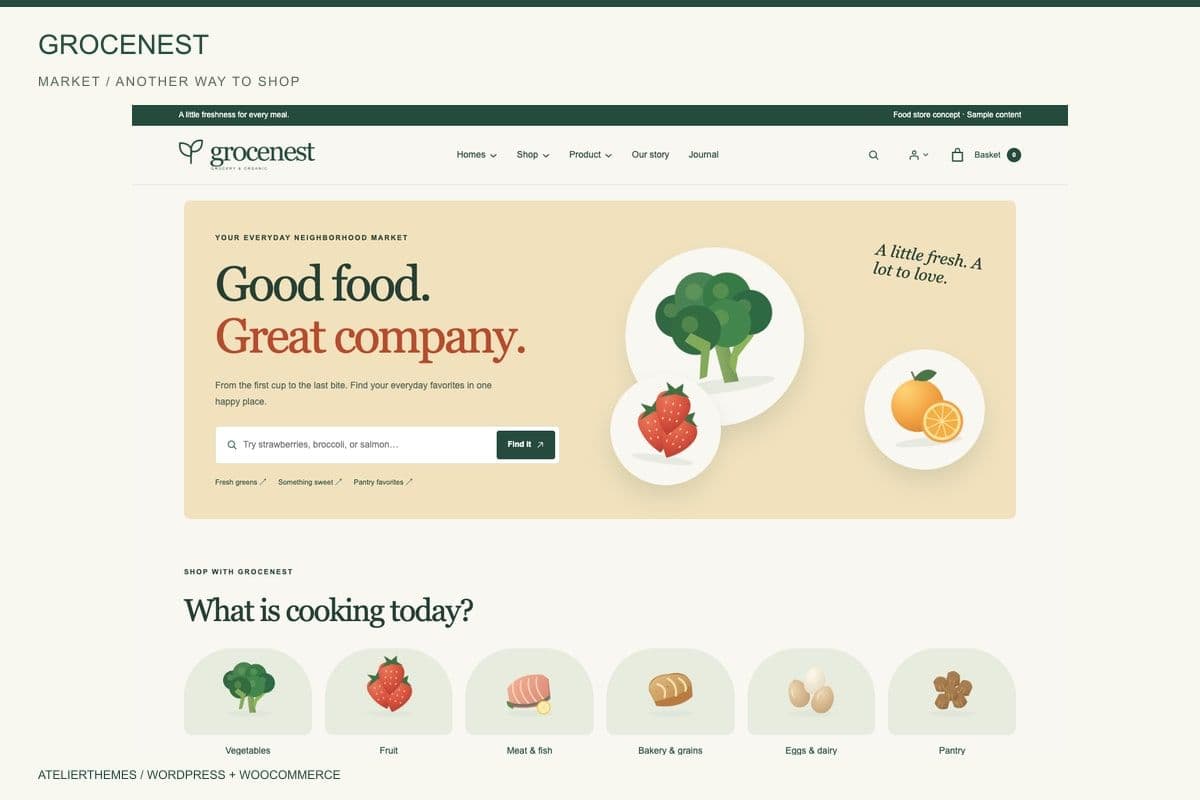
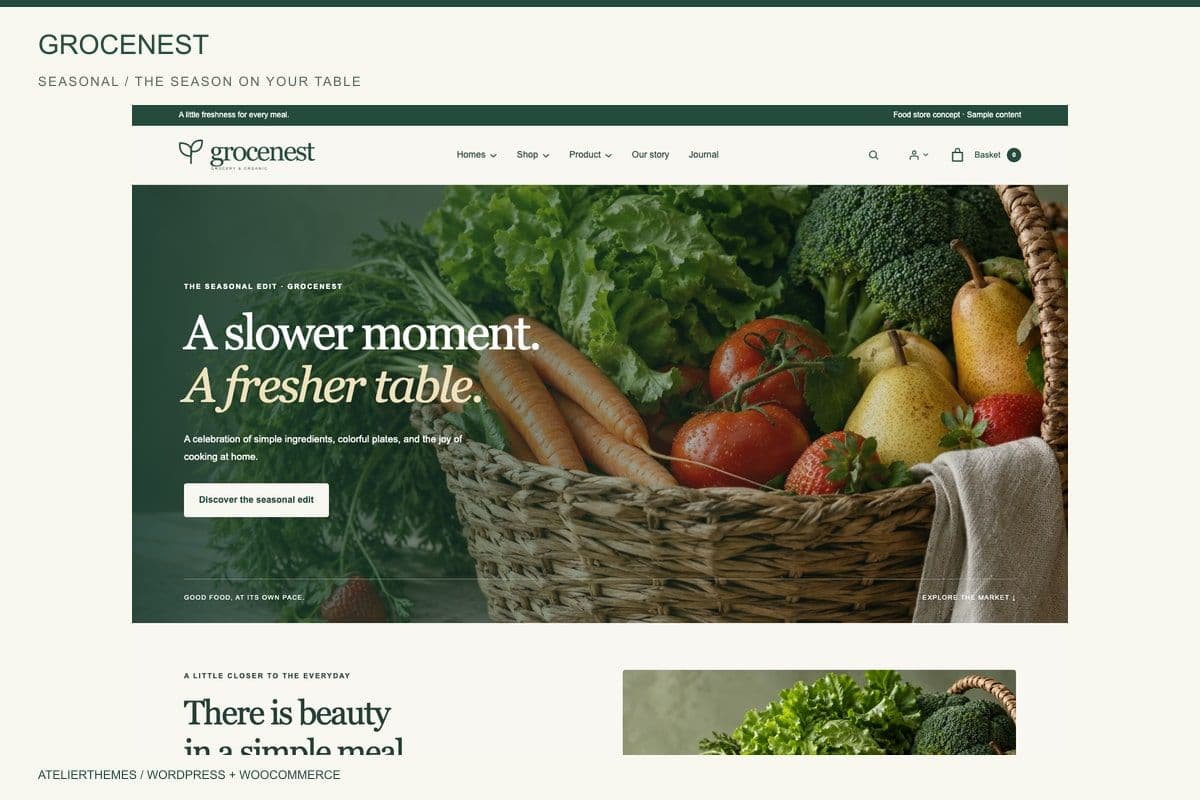
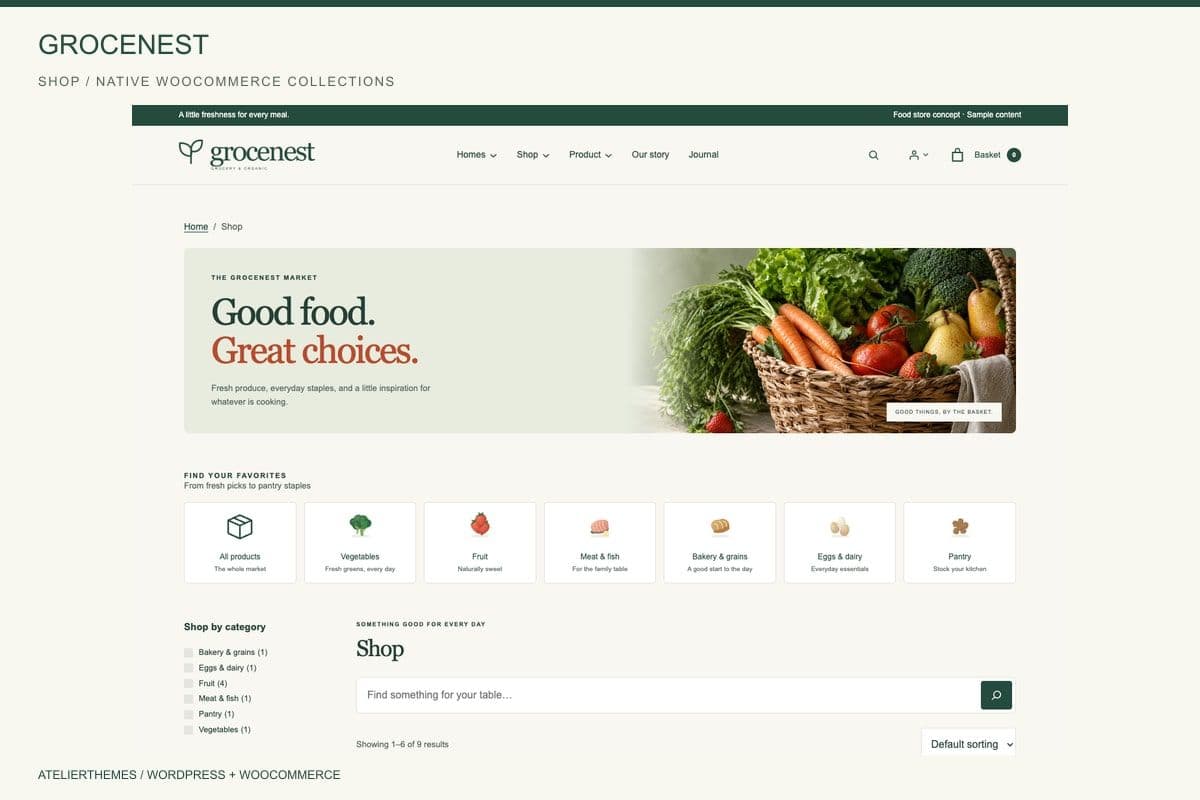
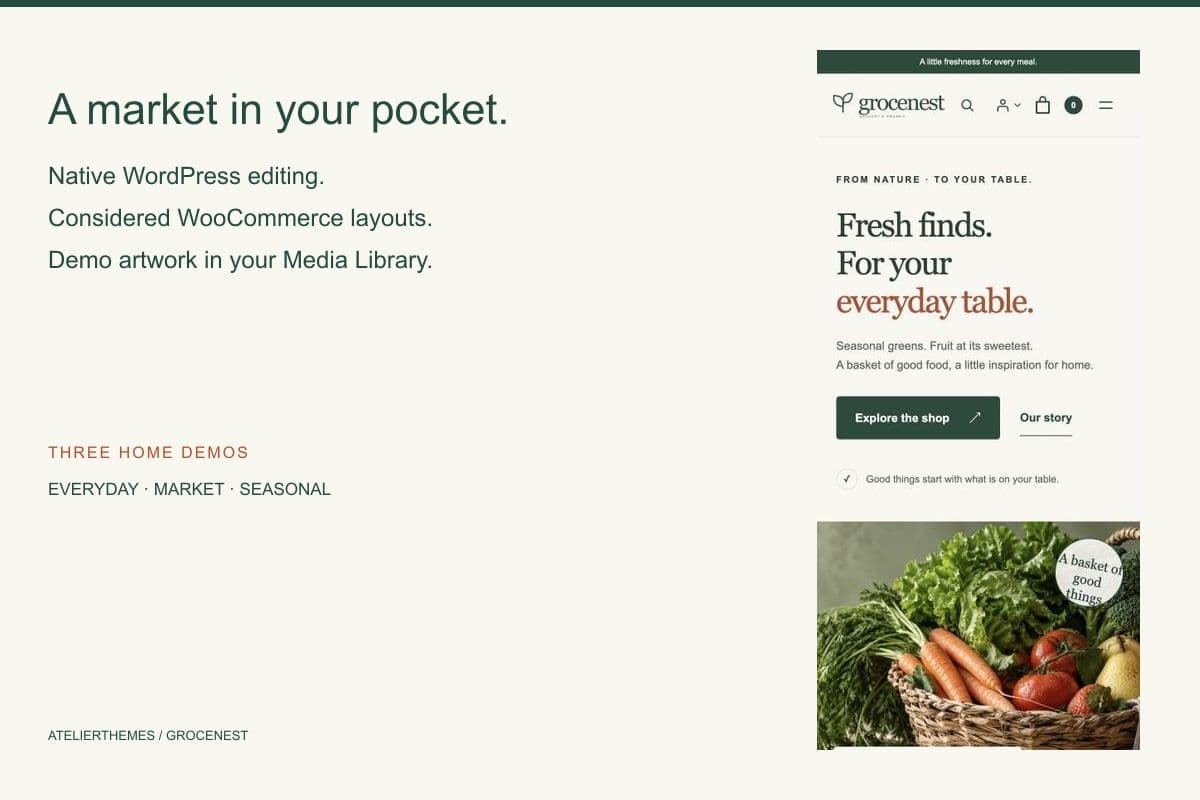
Grocenest is a responsive grocery and organic food WooCommerce WordPress theme designed for online grocery stores, organic food shops, neighborhood markets, and seasonal produce retailers. It includes three homepage designs—Everyday, Market, and Seasonal—along with product collections, category navigation, shop filtering, product galleries, shopping cart, checkout, and customer account layouts. Its editorial design combines warm backgrounds, nature-inspired colors, and clear typography for a product-focused shopping experience.
Built with Gutenberg and the WordPress Site Editor, Grocenest allows store owners to customize page content, templates, navigation, colors, and typography using native WordPress editing tools. It includes three additional style variations, desktop megamenu navigation, mobile accordion menus, blog layouts, product variations, and optional demo importing. The theme works with WooCommerce for product and order management and includes English installation documentation.
What Is Grocenest?
Grocery and organic food retailers need an online store that makes everyday products easy to discover, organizes food categories clearly, and provides customers with a familiar shopping experience.
Grocenest is a WooCommerce WordPress block theme designed for grocery businesses, fresh produce sellers, organic food shops, and neighborhood markets. It combines practical eCommerce layouts with an editorial visual style suitable for food-focused brands.
The theme provides three homepage designs: Everyday, Market, and Seasonal. Each offers a different starting point for presenting product collections, featured categories, seasonal ingredients, and brand content.
Grocenest uses native Gutenberg blocks and the WordPress Site Editor. Store owners can edit pages, headers, footers, navigation, colors, and typography without depending on a separate proprietary page builder.
Its WooCommerce layouts support product listings, category archives, product galleries, attributes, variations, related products, shopping carts, checkout, and customer accounts.
The theme also includes journal and article layouts, allowing grocery businesses to publish cooking inspiration, seasonal food content, and brand stories alongside their products.
An optional Grocenest Demo Importer provides sample content and artwork that can be imported into the WordPress Media Library for customization.
Grocenest is suitable for building a grocery storefront while keeping product management within WooCommerce and website design management within WordPress.
Who Is This Template For?
- Online grocery stores
- Organic food retailers
- Neighborhood grocery markets
- Fresh fruit and vegetable shops
- Farmers market businesses
- Seasonal produce retailers
- Local food stores
- Supermarket websites
- Farm-to-table businesses
- Fresh food delivery storefronts
- Specialty food retailers
- Bakery and grain stores
- Dairy and everyday essentials retailers
- Healthy food and natural product stores
- Independent food brands
- Grocery eCommerce startups
- Food businesses publishing recipes and articles
- WordPress developers building grocery stores
- Agencies developing WooCommerce websites
Grocenest provides the website design and WooCommerce-compatible storefront. It does not include a standalone delivery management system, payment account, inventory integration, or grocery fulfillment service.
What Is Included?
Main Features Collection
Three Homepage Designs
- Everyday homepage
- Market homepage
- Seasonal homepage
- Product-focused homepage sections
- Featured shopping categories
- Seasonal product collections
- Brand storytelling sections
- Editorial content presentation
- Responsive homepage layouts
WooCommerce Shopping Features
- WooCommerce shop layouts
- Product listing pages
- Product category archives
- Product tag archives
- Product search
- Shop filtering
- Product sorting
- Product pagination
- Individual product detail pages
- Product image galleries
- WooCommerce product attributes
- Product variation support
- Pack size variation presentation
- Related product sections
- Shopping cart layouts
- Checkout layouts
- Customer account pages
- Order confirmation layouts
Navigation Features
- Desktop megamenu
- Mobile accordion navigation
- Product category navigation
- Search interface
- Header navigation
- Footer navigation
- Responsive navigation layouts
Gutenberg and Design Customization
- Native Gutenberg block editing
- WordPress Site Editor support
- Editable page templates
- Reusable template parts
- Header customization
- Footer customization
- Navigation customization
- Global color presets
- Typography presets
- Three additional style variations
- Responsive design
- Editorial-inspired typography
- Nature-inspired visual styling
Additional Style Variations
- Harvest
- Coastal
- Modern Market
These style variations provide alternative visual starting points through WordPress design settings.
Blog and Content Features
- Journal listing layout
- Individual article layout
- Blog category archives
- Article search layouts
- Brand story content
- Seasonal food articles
- About page
- Contact page
- Frequently Asked Questions page
- Delivery & Returns information
- Search results
- 404 page
- Sample policy pages
Optional Demo Import Features
- Everyday demo import
- Market demo import
- Seasonal demo import
- Sample WooCommerce products
- Sample articles
- Demo comments
- Demo product reviews
- Demo artwork imported into the WordPress Media Library
Demo products, comments, and reviews are illustrative examples and should be replaced or removed before launching a production website.
Main Pages Included
Homepage Layouts
- Everyday Home
- Market Home
- Seasonal Home
Shopping Pages
- Shop
- Product Category
- Product Tag Archive
- Product Detail
- Product Search
- Cart
- Checkout
- My Account
- Order Confirmation
Content Pages
- About / Our Story
- Contact
- Journal
- Individual Article
- Blog Category Archive
- Article Search
- FAQ
- Delivery & Returns
- Terms & Conditions
- Privacy Policy
- Search Results
- 404 Error Page
Theme Templates and Sections
- Header
- Footer
- Navigation
- Product Collections
- Product Gallery
- Category Navigation
- Editorial Content Sections
- Gutenberg Template Parts
Some pages and functions depend on WooCommerce, WordPress settings, imported sample content, and optional plugins.
Download Package
The documented Grocenest package includes:
- Installable Grocenest WordPress Theme ZIP
- Theme Version 1.0.0-rc.96
- PHP Theme Files
- CSS Stylesheets
- JavaScript Files
- HTML Files
- JSON Configuration Files
- SVG Assets
- WordPress Block Templates
- Theme Template Parts
- Style Variation Configuration
- Optional Grocenest Demo Importer ZIP
- Demo Importer Version 1.0.0-beta.4
- Offline English HTML User Guide
- Installation Instructions
- Asset License and Provenance Notices
Important: The theme package itself does not include frontend content image files. The separate optional demo importer provides demo artwork for the WordPress Media Library.
WooCommerce, Contact Form 7, and MC4WP: Mailchimp for WordPress are not bundled as independently installed third-party services.
How to Use Grocenest
Step 1: Prepare Your WordPress Website
Set up WordPress on a compatible hosting environment.
Check that your installation satisfies the current WordPress, WooCommerce, and PHP requirements for your planned deployment.
Sign in to the WordPress administrator dashboard.
Result: Your WordPress website is prepared for Grocenest installation.
Step 2: Install the Grocenest Theme
Download and extract the outer customer package.
In WordPress Admin, navigate to Appearance > Themes > Add New > Upload Theme.
Select the installable grocenest-1.0.0-rc.96.zip file and install it.
Activate Grocenest after installation.
Result: Grocenest becomes the active WordPress theme.
Step 3: Install and Configure WooCommerce
Navigate to Plugins > Add New and install WooCommerce.
Complete the required store setup, including currency, business location, payment methods, tax configuration, and shipping options.
Configure your customer account and checkout settings based on your business requirements.
Result: WooCommerce is available to manage the store's products, shopping cart, checkout, and orders.
Step 4: Import a Homepage Demo
If you want to start with sample content, install the optional grocenest-demo-importer-1.0.0-beta.4.zip plugin.
Follow the included documentation to select one of the three demo layouts:
- Everyday
- Market
- Seasonal
The importer can add sample products, articles, and artwork. Demo imagery is copied into the WordPress Media Library.
Use a fresh installation or suitable staging environment when importing full demo content.
Result: Your website has a selected Grocenest demo foundation ready for editing.
Step 5: Customize the Website Design
Open the WordPress Site Editor through Appearance > Editor.
Customize the homepage, page templates, header, footer, and navigation.
Adjust the theme's typography and color presets.
Choose the appropriate style variation, including Harvest, Coastal, or Modern Market.
Result: The storefront uses the selected visual design and branding.
Step 6: Add Grocery Products and Categories
Use WooCommerce to create or update your store's products.
Enter product titles, descriptions, images, prices, categories, stock details, and other relevant product information.
Configure product attributes and variations, such as different pack sizes, where applicable.
Organize products into appropriate departments and collections.
Result: Customers can browse your store's real grocery products through WooCommerce-powered pages.
Step 7: Update Business and Editorial Content
Edit the About, Contact, FAQ, Delivery & Returns, and policy pages.
Add your brand's real business information, contact details, shipping terms, and customer policies.
Publish relevant journal content through WordPress.
Remove or replace fictional demo reviews, comments, products, and illustrative policy text.
Result: Your website reflects your actual business rather than sample demo content.
Step 8: Configure Store and Contact Services
Review WooCommerce payment, shipping, tax, customer account, and order settings.
If required, install and configure Contact Form 7 or MC4WP for newsletter integration.
Connect external services using your own accounts and credentials.
Result: Your store's commerce and communication features are configured for your business.
Step 9: Test and Launch Your Grocery Store
Review the website on desktop and mobile devices.
Test product search, category navigation, filters, product variations, shopping cart, checkout, account pages, and order confirmation.
Check the contact forms and any newsletter integration.
Verify actual product images, prices, shipping information, policies, and payment configurations before publishing.
Result: Your Grocenest-powered WooCommerce storefront is prepared for launch following successful testing.
Tags:
Template Features:
WordPress Theme
WooCommerce Compatible
Gutenberg Block Editor
WordPress Site Editor
3 Homepage Demos