Corporate
Corporate WordPress themes provide WordPress-based layouts for professional company websites. They can structure services, company information, teams, projects, careers, blogs, testimonials, and enquiries while using WordPress for content management. Theme capabilities vary, so page builders, required plugins, forms, WooCommerce support, demo imports, updates, and licenses should be verified individually.
Best Downloads
Discover the most in-demand top-downloaded items trusted by top businesses.
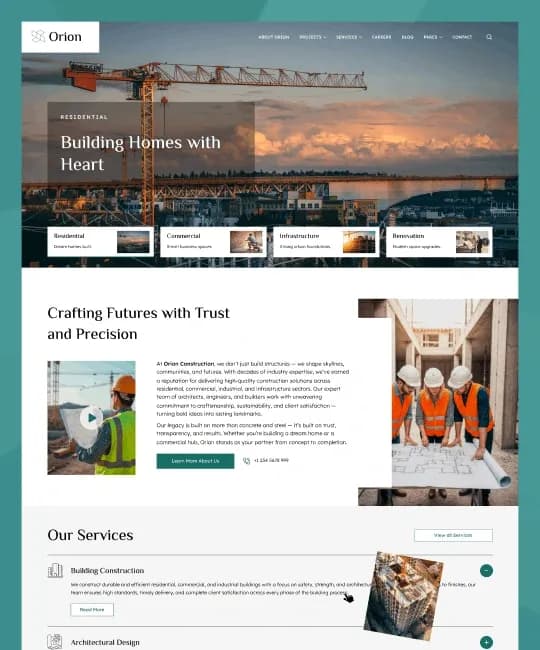


by WebbyCrown Solutions
Newly Added
Discover the most in-demand top-downloaded items trusted by top businesses.
Top Rated
Skyrocket your creativity with our Top rated collection of supreme.
What Are Corporate WordPress Themes?
Corporate WordPress themes are themes designed for professional organizations that want their company website managed through WordPress.
A WordPress theme primarily determines how stored content is displayed. WordPress supports both block themes and classic themes, with different editing and development approaches.
What You Can Find in Corporate WordPress Themes
- Company WordPress themes
- Consulting themes
- Agency themes
- Professional service themes
- Industrial company themes
- Startup business themes
- IT company themes
- Financial business themes
- Construction company themes
- Multipurpose corporate themes
Who Should Use Corporate WordPress Themes?
- Companies
- Consulting firms
- Professional services
- Startups
- Agencies
- Industrial businesses
- Corporate marketing teams
- WordPress developers
- Web agencies
How to Choose the Right Corporate WordPress Theme
Start with the company website's actual job. Some corporate sites primarily generate enquiries, while others present services, case studies, locations, careers, resources, or investor information.
List your essential pages before selecting a design. Home, About, Services, Service Details, Projects, Team, Careers, Blog, FAQ, and Contact are common needs, but not every company requires all of them.
Next, determine the preferred WordPress editing workflow. WordPress themes can be block-based or classic. Block themes use blocks and the Site Editor more extensively, while classic themes use the traditional PHP-based theme system.
WebbyTemplate's current guide to WordPress website templates for business discusses business-theme considerations including professional design, responsive layouts, customization, page builders, plugins, and business website requirements.
Check whether a theme depends on a particular page builder or plugin stack. A theme that requires several plugins may provide useful flexibility, but those dependencies also become part of your maintenance workflow.
Separate theme presentation from business functionality. WordPress's Theme Handbook recommends keeping critical site functionality in plugins rather than tying it to a theme. Forms, appointments, CRM connections, memberships, advanced search, and eCommerce therefore need their own compatibility checks.
Review responsive behaviour on real service, blog, team, and contact pages rather than only the homepage demo.
If the company regularly publishes articles, case studies, vacancies, or projects, check how those content types are created and managed. Avoid assuming every visual project layout uses a structured content type.
Performance, accessibility, and maintenance also matter. Review page-builder overhead, included scripts, typography, navigation, image handling, plugin requirements, update history, and PHP or WordPress version requirements.
Finally, confirm demo-import details, documentation, child-theme guidance where relevant, licensing, update terms, and seller support.
Popular Use Cases for Corporate WordPress Themes
- Launching a company website
- Redesigning a corporate site
- Building a consulting website
- Creating a professional services site
- Publishing company projects
- Building an agency website
- Managing corporate content through WordPress
Corporate WordPress Theme Quality Notes
- Verify WordPress compatibility.
- Check block or classic theme workflow.
- Review required plugins.
- Check page-builder dependencies.
- Forms may require plugins or integrations.
- Confirm project and service layouts.
- Review mobile behaviour.
- Check theme updates.
- Verify licensing.
- Review documentation and seller support.
Related Category Ideas
- Business
- Marketing
- Directory & Listings
- WordPress
- Technology
- Creative
- Portfolio
Frequently Asked Questions
What is a corporate WordPress theme?
Are corporate WordPress themes suitable for small companies?
Can I edit corporate themes without coding?
Do corporate themes include contact forms?
Can corporate themes include blogs?
Do corporate themes include a CRM?
Can I add WooCommerce?
Should I check theme updates?
Can agencies use corporate themes for clients?
What should I verify before buying?
Subscribe Now for Insider Access
Get product updates, new releases, curated picks, and useful marketplace insights delivered to your inbox.