On this page
Best Free Tours & Travel Website Templates: 10 Verified Options

WebbyCrown Solutions-
November 4, 2026-15 min read
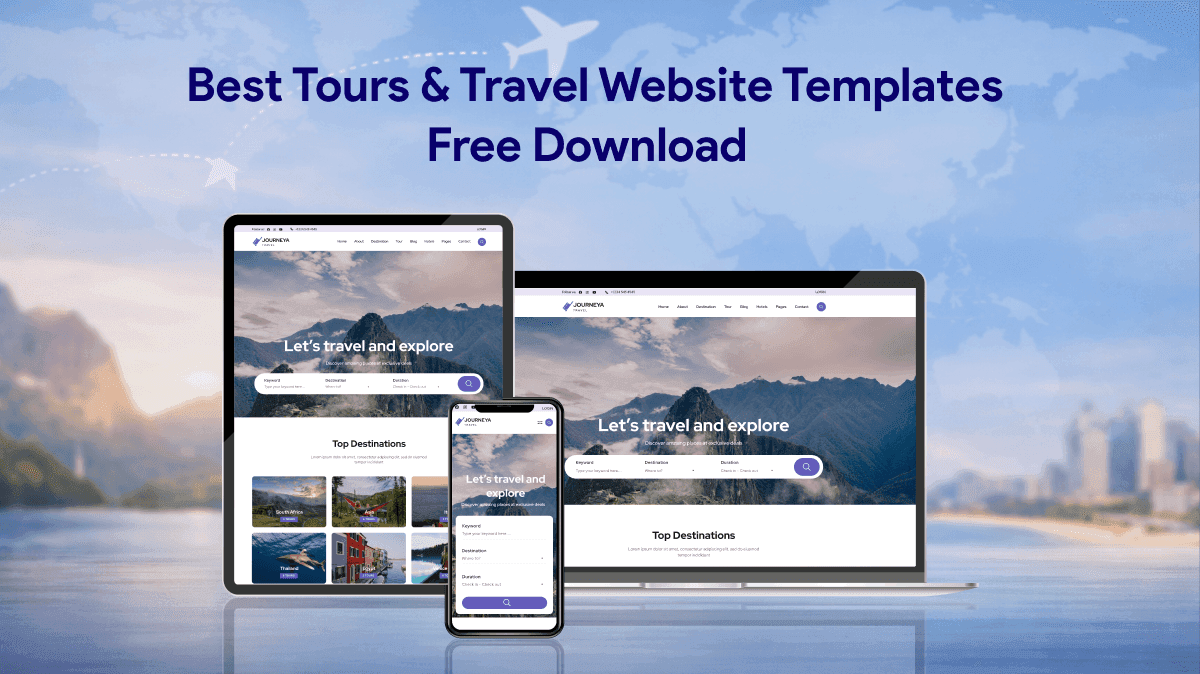
A good travel website template helps visitors understand your destinations, compare trips, and take the next step—whether that is requesting an itinerary, asking a question, or making a reservation. The best free option depends on your platform and on whether you need a simple presentation site or a real booking workflow.
Quick answer: For a WordPress tour operator, Travel Agency and Travel Monster are relevant free starting points. For a downloadable HTML website, Voyage and Tour offer Bootstrap-based layouts. For visual customization without starting from a blank canvas, Webflow’s free cloneable travel sites are worth exploring. Free design does not automatically mean free hosting, a working payment system, or unlimited commercial rights.
This updated guide covers ten real, publicly listed travel website designs or free-template sources, with links to the publishers, differences in file formats, and practical checks for tour agencies. The listings and official product pages were reviewed on November 3, 2026. This is an editorial comparison of documented features and use cases, not a hands-on benchmark or a ranking by sales or downloads.
Travel Website Templates: 10 Free Options + 2 Paid Products
| Template, source, or related asset | Platform | Best starting point for | Important consideration |
|---|---|---|---|
| Travel Agency | WordPress | Tour packages and destinations | Review booking plugin and paid upgrades |
| Travel Monster | WordPress | Tour itineraries and destinations | Check WP Travel Engine and extra costs |
| Travel Booking | WordPress | Tour-agency packages | Booking requires compatible software |
| Travel Master | WordPress | Flexible travel site layout | Confirm booking features separately |
| Voyage | HTML / Bootstrap 5 | Trip discovery landing page | Search UI is not a live inventory engine |
| Tour | HTML / Bootstrap 5 | Multi-page agency frontend | Connect forms and booking backend |
| Tripbiz | HTML / Bootstrap 4 | Travel packages and inquiries | Older Bootstrap version; check updates |
| Pacific | HTML / Bootstrap 4 | Destination gallery/site | Configure maps and forms |
| Jadoo | HTML / Bootstrap 5 | One-page travel promotions | No complete booking system |
| Webflow community travel clones | Webflow | Visual travel-site editing | Check live-site plan and domain limits |
| Journea — Dynamic Travel CMS Website Template (Paid) | Next.js catalogue · travel CMS | Travel-focused CMS website | Find Journea in Next.js catalog; verify files, booking and license |
| Multi-Purpose Marketing HTML Email Template Pack (Paid) | HTML email template pack | Tour / travel email campaigns | Email asset only; not a website or booking platform |
The first ten rows are free themes, HTML downloads, or Webflow clones. The final two are clearly marked (Paid) WebbyTemplate products: a travel/CMS website listing and a separate travel newsletter email asset (not a website template). “Free” does not necessarily cover hosting, booking functionality, license restrictions, or integrations.
What Should a Travel Website Template Include?
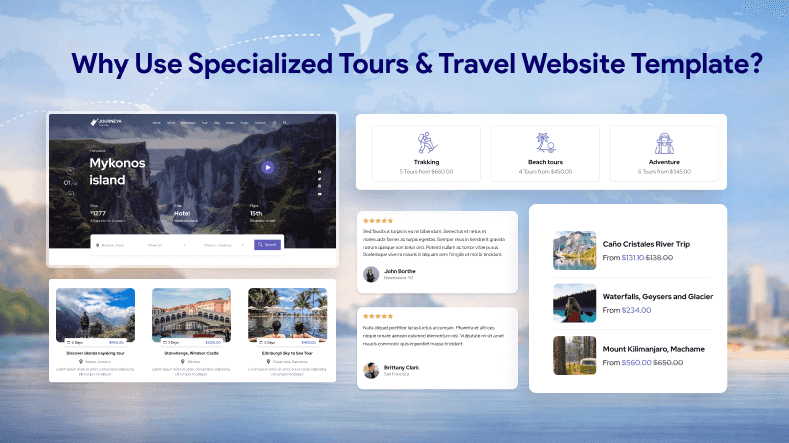
A useful travel template should show visitors what they can do on the trip, what it costs, and how to move from curiosity to an enquiry or booking. Before selecting a design, look for these elements:
- Destinations and trip details: A clear destination page or section, itinerary, duration, departure information, inclusions, exclusions, and accessibility notes.
- Visible next step: A request-a-quote button, booking link, or enquiry form that explains what happens after submission.
- Trustworthy information: Genuine photos, accurate operator contact details, current cancellation policies, and verifiable testimonials rather than invented ratings.
- Usable mobile navigation: Readable schedules, image galleries, legible forms, keyboard-accessible controls, and tap targets that work on a phone.
- Practical editing: A way to update seasonal tours, package prices, dates, and the content that travelers see before they contact you.
- Integration clarity: Explicit confirmation of whether the template includes only the booking interface or also connects to inventory, availability, payments, email, and customer records.
A beautiful calendar in a demo is not evidence of a working reservation system. A static HTML site might be all a guide needs to promote tours and collect enquiries. A business selling live time slots and limited-capacity trips needs additional booking functionality.
Free WordPress Themes for Tour Operators
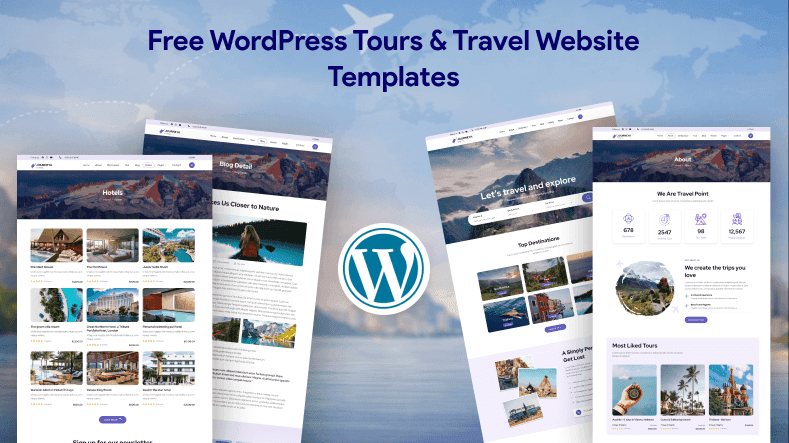
WordPress is a sensible choice when a travel business expects to edit destination pages and publish trip information regularly. The following themes have publicly accessible listings in the official WordPress theme directory. Their free theme downloads are distinct from optional paid extensions, hosting, or booking services.
1. Travel Agency — Destination and Trip Organization
Travel Agency by Rara Themes is a free WordPress theme designed for travel operators. The directory describes layouts for trips, destinations, trip types, and travel activities. These content structures make it a useful starting point for an agency with more than one destination or package category.
Choose it when: You need recognizable tour-agency pages and want to manage content within WordPress.
Check before launching: The theme description and booking-oriented positioning should not be mistaken for a guarantee that every booking, payment, or availability feature works without a compatible plugin and configuration. Review the installed theme version and any required companion software.
2. Travel Monster — Tour Content with WP Travel Engine
Travel Monster is a free WordPress theme associated with the WP Travel Engine plugin. Its official listing specifically mentions itineraries, destinations, activities, and trip types for tour operators and travel agencies.
Choose it when: Your site needs structured tours and you are willing to set up and maintain a dedicated booking-plugin workflow.
Check before launching: Understand what the theme handles and what the plugin handles. Test the exact checkout, availability, email confirmation, currency, and cancellation requirements of your business before committing to the stack. Optional commercial capabilities may carry additional costs.
3. Travel Booking — Simple Agency Presentation
Travel Booking is another free theme listed by WP Travel Engine. Its directory page describes trip, destination, and trip-type presentation, along with uses for travel agencies and tour operators.
Choose it when: You want a straightforward WordPress starting design but expect to customize the trip pages and reservation experience.
Check before launching: Confirm current WordPress and PHP compatibility, test mobile layouts with your content, and inspect the needed booking integration separately. Do not assume a polished “Book” button completes an order without a connected workflow.
4. Travel Master — Flexible Tour Agency Layouts
Travel Master is a free WordPress theme by Theme Palace. Its official directory listing positions it for tour agencies, day trips, holiday packages, hiking, camping, and other travel businesses. It includes theme customization options for managing the website’s visual presentation.
Choose it when: Branding flexibility and the ability to organize a tour operator’s content matter more than having a tightly integrated booking suite immediately.
Check before launching: Examine the current support situation, hosting compatibility, and whether additional booking functionality can be integrated without awkward workarounds.
WordPress Setup Notes
To add a theme from the official directory, use the WordPress dashboard under Appearance → Themes → Add New and search for its exact name. WordPress also supports uploading a theme ZIP when that method is appropriate. Follow WordPress’s theme installation documentation and test changes on a staging site if your business already has a live website.
When using a booking plugin, create a test trip, submit a test enquiry, and—if payments are enabled—complete a controlled transaction using the provider’s approved test mode. Confirm that customers receive the right details and staff see the reservation in the correct system.
Free HTML and Bootstrap Travel Website Templates
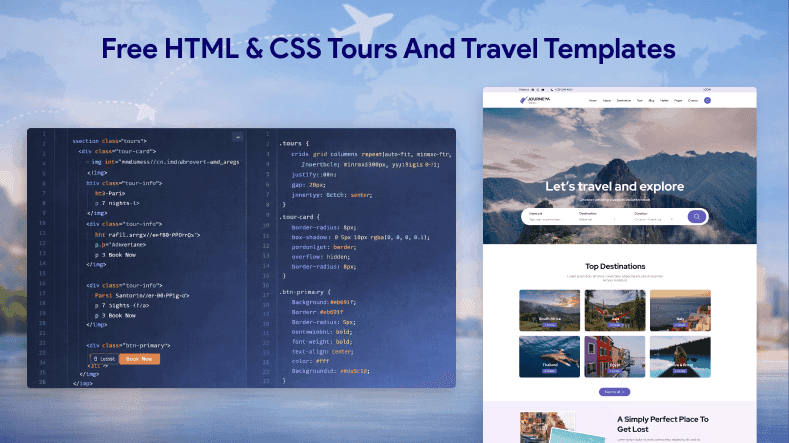
An HTML template is useful when you have a developer, need control over the site files, or want a simple promotional website without a content management system. The following free designs have current publisher pages on ThemeWagon. Check ThemeWagon’s free-template licensing terms and any template-author attribution requirements before using a design for a commercial client.
5. Voyage — Bootstrap 5 Travel Landing Page
Voyage is a free Bootstrap 5 travel template from ThemeWagon. Its publisher lists a one-page layout with travel imagery, package galleries, a trip-sharing carousel, and navigation components. The download listing also mentions CSS, JavaScript, SCSS, and related source files.
Choose it when: You need a visually engaging landing page for a curated set of trips, travel experiences, or a seasonal campaign.
Check before launching: Search controls and package cards are frontend elements until real data and filtering behavior are connected. Determine whether one page can present all the destination details your travelers need.
6. Tour — Bootstrap 5 Multi-Page Agency Frontend
Tour is a free Bootstrap 5 travel-agency template listed with multiple HTML pages. Its publisher describes destination filtering in the hero, navigation, carousels, and a contact-form interface.
Choose it when: Your developer needs a multi-page starting structure with tour-oriented navigation rather than a single promotional page.
Check before launching: The contact form is a user interface; connect it to a working, secure form-handling service or backend and test spam protection, error messages, and notifications.
7. Tripbiz — Travel Packages and Enquiry Design
Tripbiz is a free Bootstrap 4 travel site template with a hero slider, package-rate table, call-to-action sections, testimonial carousel, and booking-form design described by its publisher.
Choose it when: You sell a small number of packages and want prominent pricing or enquiry pathways.
Check before launching: Bootstrap 4 and older library dependencies deserve additional maintenance review. A booking form in a design does not establish payment or reservation functionality.
8. Pacific — Destination-First Multi-Page HTML Template
Pacific is a free multi-page Bootstrap 4 design. The publisher lists eight HTML files and features including destination sliders, search-interface elements, maps, testimonials, and contact forms.
Choose it when: You want separate pages for destinations, services, stories, or contact details and have access to someone who can edit HTML, CSS, and JavaScript.
Check before launching: Review any required mapping services, API keys, library versions, and contact-form processing. Verify that map markers and route or location details reflect your real business.
9. Jadoo — One-Page Travel Promotion
Jadoo is a free Bootstrap 5 landing-page template with a hero, service sections, testimonial carousel, and newsletter-form design according to its publisher.
Choose it when: Your immediate goal is to present one travel brand, promote a small offer, or collect enquiries while a larger site is being planned.
Check before launching: A one-page layout may not provide enough space for separate itineraries, cancellation terms, destination information, or accessible descriptions of multiple packages. Plan additional pages if travelers need more detail.
HTML Template Setup Notes
After downloading the original ZIP, check that you have the expected HTML pages, stylesheets, scripts, images, and any instructions. Replace demo names, placeholder reviews, and sample prices with real information. Connect forms and booking buttons deliberately: frontend styling alone cannot confirm a reservation or charge a customer.
For a systematic pre-publish review, use WebbyTemplate’s website template testing checklist. It covers links, mobile layouts, interaction states, licensing, and frontend-versus-backend functionality.
Free Webflow Travel Website Clones
10. Webflow Community Travel Sites — Visual Starting Points
Webflow’s travel-agency cloneable collection includes community-built designs that can be copied into a Webflow workspace. The collection lists travel-oriented projects such as AirTrip – Free Travel Website and Tour Company Template; availability and clone permissions should be checked on each item’s current page before use.
Choose it when: Your team prefers a visual editor and wants to explore a layout without first setting up an HTML development environment.
Check before launching: Cloning a community project for free is different from publishing an unrestricted business site for free. Webflow’s Starter plan has limits on pages and features; custom-domain publishing and some capabilities require a paid Site plan. Confirm the creator’s permitted uses and any third-party assets in the project.
If you prefer Wix instead, its travel and tourism template collection provides designs for travel agencies, tour companies, and accommodations. Wix supports creating a free site, but a custom domain and certain advanced functionality require a paid plan. Treat this as a separate hosted-builder option rather than a downloadable free HTML or WordPress theme.
Which Free Travel Template Should You Choose?
The most useful comparison is not “which design looks most exciting?” but “what will this business actually need to operate?”
| Your situation | Sensible starting point | Next decision |
|---|---|---|
| A tour operator frequently changes trip schedules | A WordPress tour theme such as Travel Monster or Travel Agency | Which booking plugin and administrative workflow will you maintain? |
| A guide needs a polished one-page site and enquiries | Voyage or Jadoo | How will enquiries be received and answered? |
| An agency needs distinct destination and contact pages | Tour or Pacific | Who will maintain the HTML content and integrations? |
| A designer wants to customize visually | A Webflow travel clone | Does the live-site plan meet page and domain requirements? |
| A business requires live availability and online payment | A compatible theme plus verified booking software or a custom application | Which system owns inventory, checkout, refunds, and confirmation emails? |
Five-minute demo test: Open a candidate on a phone, select a destination, locate the duration and inclusions, find the cancellation information, and try the primary booking or enquiry action. Then inspect what actually happens. If the process ends in a styled but nonfunctional form, treat it as unfinished work rather than a ready-to-sell booking system.
How to Customize a Free Travel Template for Real Customers
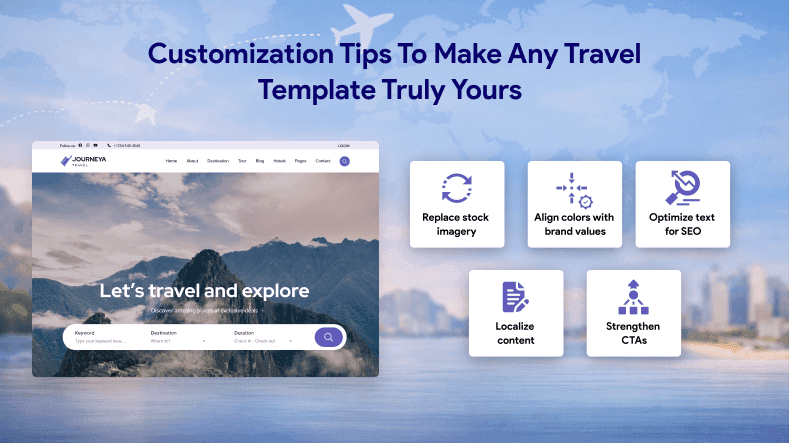
A good template reduces design effort, but credibility depends on the details you add. Start with one real package—not generic demo content—and build a complete trip page around it.
Example of a useful tour-detail structure:
1. Tour name and location: A specific destination and clear trip type.
2. Duration and meeting point: Dates, duration, departure location, accessibility and age restrictions where relevant.
3. Itinerary: Day-by-day or stop-by-stop information that sets realistic expectations.
4. Price and inclusions: Exactly what is included, excluded, optional, or subject to change.
5. Cancellation and contact details: Clear policies, a recognizable operator, and a working contact route.
6. Booking action: A real enquiry workflow or confirmed availability/checkout connection.
Replace placeholder images with original photos you have permission to use or properly licensed assets. Add descriptive image text, compress large files, and check how landscape photos crop on small screens. Remove fictional customer reviews and demo discounts. A page with fewer but accurate details is more useful than a beautiful but untrustworthy sample.
For search visibility, write content that answers travelers’ real questions about itineraries, logistics, inclusions, and policies. Include descriptive headings and crawlable text. Google recommends helpful, people-first content and does not require special AI-specific markup to appear in its AI search features. A template alone cannot guarantee Google rankings, bookings, or AI citations.
What About Paid Travel Agency Templates?
Free options are a reasonable place to start, but development and support needs may justify a paid asset. A premium template is not automatically better, and it does not necessarily include a working booking backend. Compare the included files, supported technologies, documented features, license, and ongoing support before paying.
For a detailed comparison of agency-oriented commercial design formats, see Best Tours & Travel Website Templates for Agencies and Tour Operators. The following WebbyTemplate listings are paid options or supporting assets, not part of the ten free travel templates above.
Travel-Related Products Available on WebbyTemplate
Journea — Dynamic Travel CMS Website Template
WebbyTemplate currently lists Journea — Dynamic Travel CMS Website Template in its Next.js catalogue. This is a relevant option to investigate when a team needs a travel-oriented project and expects to manage more than a single static landing page. Before purchasing, confirm its current CMS and backend scope, delivered files, booking and payment integrations, hosting requirements, license, and maintenance responsibilities. Browse the WebbyTemplate Next.js catalogue and locate Journea; the exact product-detail URL should be confirmed in the CMS before linking directly.
Multi-Purpose Marketing HTML Email Template Pack (optional)
For travel companies that also send destination highlights or trip promotions, WebbyTemplate offers the Multi-Purpose Marketing HTML Email Template Pack. Its listed Tour / Travel Newsletter layout is an optional companion for email campaigns. It is an HTML email template pack—not a travel website template, booking engine, or email-sending service. Review the email platform and license requirements separately.
Travel Website Launch Checklist
Before going live, confirm that:
- Every named template, plugin, and external dependency is compatible with your hosting and intended setup.
- Package pages use accurate prices, availability language, inclusions, images, and cancellation terms.
- Forms actually submit and deliver confirmations to the right address or system.
- Buttons lead to a real next step, not a placeholder # or dead link.
- Paid bookings, if enabled, have been tested in the payment provider’s approved test environment.
- Mobile menus, booking dates, text size, keyboard access, and error messages are usable.
- Destination photos have appropriate permissions and optimized file sizes.
- Content is readable in HTML, internal links work, and the site can be crawled where indexing is intended.
- The correct domain, HTTPS settings, privacy disclosures, and relevant analytics are configured.
A travel website should help someone make an informed decision, not simply inspire them with attractive imagery. Completing these checks is more valuable than publishing an untested “booking-ready” claim.
FAQs
Q1.
Are free travel website templates suitable for commercial websites?
Q2.
Which is better for a travel agency: HTML or WordPress?
Q3.
Do free travel templates include online booking and payments?
Q4.
Can I download and use a Webflow travel template for free?
Q5.
Can I use a free travel theme for hotels and vacation rentals?
Q6.
Are free HTML travel templates SEO-friendly?
Q7.
How do I add a contact or booking form to an HTML travel template?
Q8.
Should I choose a free template or buy a premium travel template?
Final Takeaway
The strongest free travel website template is the one that matches your operational needs and that your team can maintain. WordPress options are useful for regularly updated trip content; HTML designs provide a flexible frontend starting point; and Webflow clones help teams work visually. Whatever you choose, verify licenses, check mobile usability, replace demo claims with accurate information, and test the entire enquiry or booking journey before launching.