On this page
Best Drag and Drop WordPress Themes in 2026 — The Ultimate Guide

WebbyCrown Solutions-
February 6, 2026-9 min read

In 2026, WordPress remains the most powerful and flexible website builder, powering millions of blogs, business websites, portfolios, landing pages, and full-scale eCommerce stores. One major reason behind WordPress’s success is its ecosystem of WordPress themes, WordPress page builders, and drag and drop that allow users to design professional websites without coding. Page builder plugins are independent tools that can be added to almost any WordPress theme.
While Full Site Editing (site editing) and Gutenberg blocks continue to evolve, drag and drop WordPress theme builders still dominate because they offer speed, visual control, and ease of use. Drag and drop WordPress themes and builders are a great tool for both beginners and experienced developers, as they are beginner friendly and allow users to create virtually any type of website. These tools are designed to help users create outstanding websites quickly and easily, without coding knowledge. Using drag-and-drop WordPress themes and page builders is often cheaper than hiring a professional web designer or developer.
Whether you are a beginner or a professional designer, using a WordPress theme builder with a reliable builder plugin helps you create stunning websites faster using professionally designed templates, available in both free version and premium version options.
Why Choose Drag & Drop WordPress Themes?

Visual Design with a Visual Editor
Drag and drop WordPress themes provide a real-time visual editor where you can design pages visually. These themes often come with design templates and a variety of design options, such as backgrounds, overlays, and spacings, giving you flexibility and creative control. These systems use blocks, widgets, or modules as the building blocks of a page, and front-end editing allows users to see changes in real-time as they will appear to visitors. You simply drag elements, adjust spacing, colors, and typography, and instantly preview the result. These tools use WYSIWYG (What You See Is What You Get) interfaces, making it easy to create complex layouts visually.
No Coding Required
With modern page builders, builder plugins, and the built-in block editor, you don’t need HTML, CSS, or PHP. Everything from headers to footers, blog layouts, and WordPress website page templates can be customized visually. Most drag and drop page builders provide responsive design by default, ensuring your website looks good on all devices. Customization options in drag and drop WordPress themes can include various design elements like headers, footers, and content blocks.
Powerful Page Builders & Plugin Support
Most drag and drop themes integrate seamlessly with popular WordPress page builders like Elementor, WPBakery, or native block editors, as well as drop page builder plugins known for their ease of use and visual editing features. Some drag and drop WordPress themes also integrate with other plugins, such as Elementor and Beaver Builder, for enhanced functionality. They also work smoothly with WooCommerce, SEO plugins, and performance tools. User reviews often highlight the flexibility and customization capabilities of these themes as key advantages.
Top Page Builder Plugins for WordPress in 2026
The landscape of WordPress page builders in 2026 is more dynamic and user-friendly than ever, giving users the power to create visually stunning and highly functional websites without any coding experience. Whether you’re building a simple blog page or a complex business website, the right builder plugin can make all the difference in your web design workflow.
Here are the top page builder plugins for WordPress in 2026, each offering unique features to help you create and customize every page of your WordPress site with ease:
Top Drag & Drop WordPress Themes for 2026
1. Donation – Drag & Drop Themes for Charity & Fundraising Websites

Donation-focused WordPress themes are built to drive action. These themes usually come with a built-in WordPress theme builder and support for drag and drop like Elementor.
A popular example is Donat – Charity & Fundraising WordPress Theme, which allows users to design donation pages using a visual drag and drop interface.
Key features include:
- Elementor-powered WordPress page builder
- Ready-made website page templates for campaigns and causes
- Pre-designed templates for maintenance pages to easily inform visitors when the site is temporarily unavailable
- Built-in features to capture leads, such as newsletter signup forms, popups, and contact forms
- One-click demo import with professionally designed templates
- A variety of customizable content blocks and advanced features like image galleries, contact forms, and sliders
- WooCommerce and donation plugin compatibility
- Fully responsive design with dynamic templates
Such themes help NGOs and non-profits build trust, optimize landing pages, and accept donations easily.
2. Yummy – Drag & Drop WordPress Theme for Food & Restaurant Sites
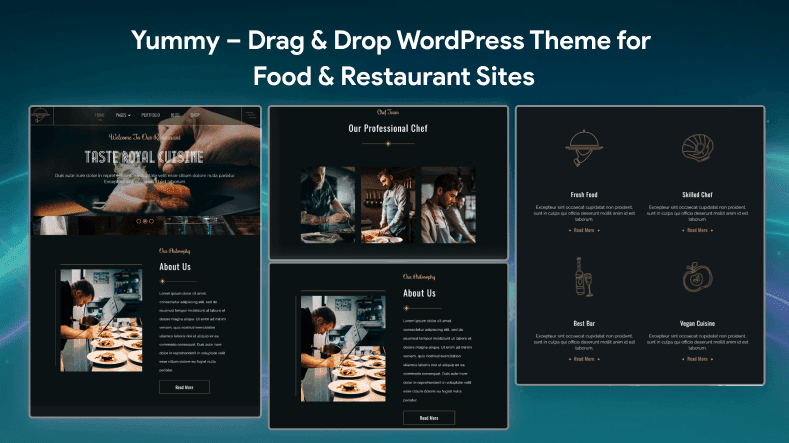
Yummy is a niche WordPress theme designed for food blogs, cafes, and restaurants. It offers live customization through the WordPress customizer and supports drag and drop layout control.
Why Yummy works well:
- Easy menu and layout control using drag and drop
- WooCommerce integration for online orders
- Responsive and multilingual ready
- Optimized for mobile devices—layouts automatically adjust for mobile, tablet, and desktop screens
- Easily customize design options such as backgrounds, overlays, spacings, and header layouts
- Includes a variety of content blocks that can be tailored to different needs
- Ideal for beginners using WordPress as a website
Even niche themes like Yummy show how flexible modern WordPress site building has become.
3. Glowist – Modern Visual Theme for Creative Websites
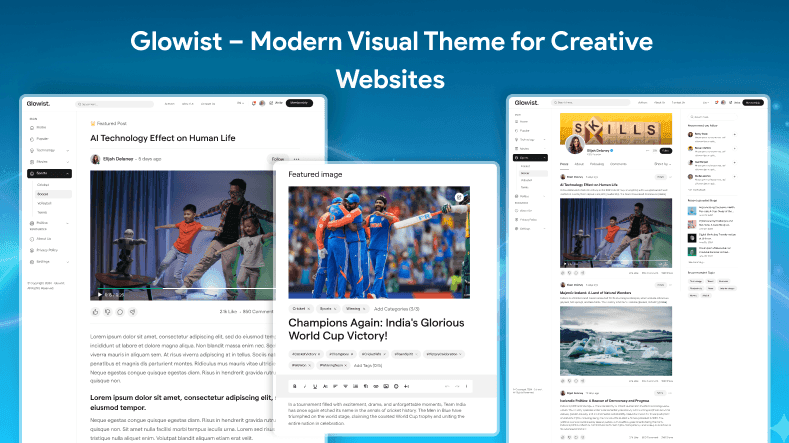
While Glowist may not be a mainstream theme name, it represents a growing category of modern, creative WordPress theme builders that focus on design, storytelling, and flexibility.
Typical Glowist-style themes offer:
- Advanced visual editor with drag and drop builder, including a live, front-end visual editor that lets users click, hold, and drag design elements from a sidebar onto their page
- Modular layouts and dynamic templates—you can create custom layouts, save them as templates, and reuse them across your website, or design a layout once and apply it to multiple pages
- Newsletter, blog, and portfolio layouts
- Clean design optimized for SEO and performance
- Cool features and advanced features such as animation effects, video backgrounds, or interactive elements
These themes are perfect for bloggers, creators, and personal brands who want visually rich layouts without complexity.
4. Newsletter – WordPress Themes Built for Subscriber Growth
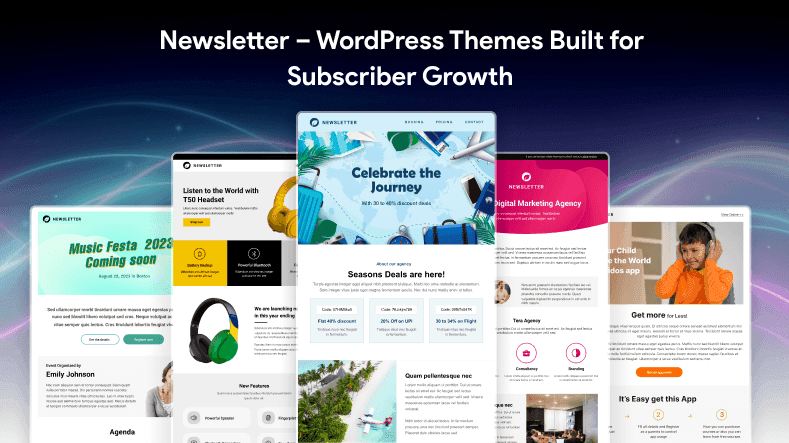
Newsletter WordPress themes are designed to convert visitors into subscribers. They integrate signup forms directly into landing pages using a drag and drop builder. Many drag and drop WordPress themes are also optimized for speed and performance, ensuring quick loading times for a better user experience. These themes often include a variety of customizable content blocks and offer extensive customization options for design elements like headers, footers, and content blocks.
Key features of newsletter-ready themes:
- Drag and drop newsletter blocks
- Ability to design and customize blog pages and archive pages using the drag and drop builder
- Compatibility with Mailchimp, ConvertKit, and similar tools
- Custom WordPress website page templates
- Balanced content and CTA placement
Such themes combine content marketing with email growth using smart page builders.
5. Donation (Again) – Best Practices for Donation Theme Design in 2026
Since donation themes are critical, here are best practices you should look for in a drag and drop WordPress theme builder:
- Clear “Donate Now” buttons
- Campaign-specific dynamic templates
- Secure payment plugin compatibility
- Mobile-friendly layouts
- Newsletter and engagement blocks
- Full control and extensive customization options, so you can easily modify layouts, colors, fonts, and other design elements to match your needs
Using a theme builder allows you to change the layout, colors, fonts, and other design elements without any fuss. The right drag-and-drop WordPress theme builder can help you build a website that reflects your brand and showcases your offerings.
A well-designed donation theme improves trust, conversions, and long-term engagement.
Drag & Drop vs Block Themes vs Lightweight Themes
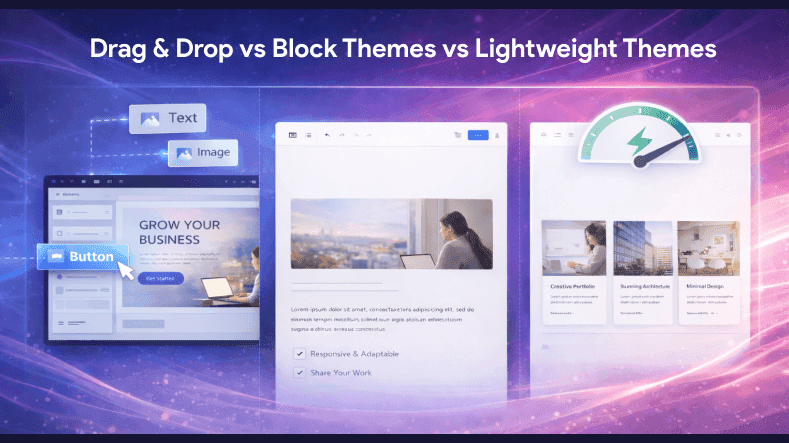
Drag and drop themes offer speed and ease, but they may add extra scripts. Lightweight themes like Astra or Kadence paired with a builder plugin can improve performance. The majority of professionals use site builders to create websites efficiently and with greater flexibility. Many builders also allow you to track changes and roll back to a previous design version with a single click.
- Beginners prefer drag and drop builders
- Developers prefer block-based or lightweight themes
- Businesses often choose premium or pro versions for additional features, support, and updates. Many users opt for the pro version of drag and drop builders to unlock advanced functionalities and lifetime licenses.
How to Choose the Right WordPress Theme in 2026
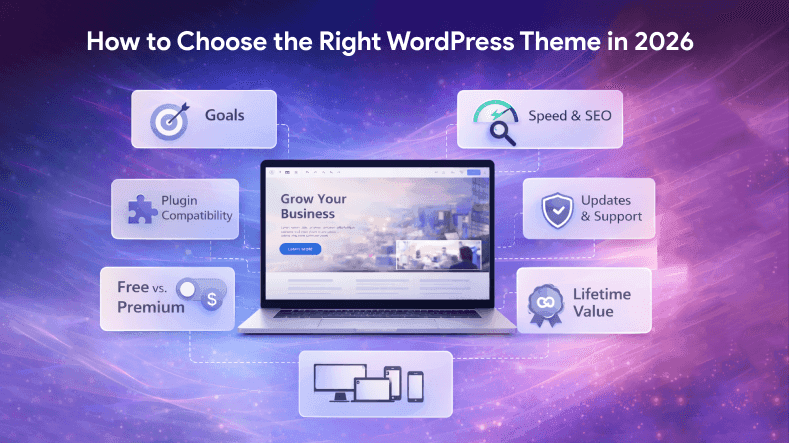
- Define your website goals
- Check page speed and SEO performance
- Ensure compatibility with essential plugins
- Choose themes with both free version and premium version options
- Look for active updates and support
- Consider themes or builders that offer a lifetime license for long-term value and cost-effectiveness
- Choose themes that receive constant updates to maintain compatibility with the latest WordPress versions and to access new features
Most modern drag-and-drop tools include built-in controls to ensure your website adjusts to look professional on all devices. Many drag-and-drop builders also come with built-in advanced features like image galleries, contact forms, and sliders.
Conclusion
2026 offers more powerful drag-and-drop WordPress themes than ever before. Whether you’re launching a startup site, building a creative portfolio, or growing an eCommerce store, there’s a theme that fits your needs. From industry-standard picks like Divi and Avada to flexible multipurpose options like Jevelin, Uncode, and Kadence, you have choices that blend design freedom with functionality.
Many drag-and-drop builders allow you to design a layout once and apply it to multiple pages, saving time and ensuring consistency. Components are designed as widgets, modules, or blocks (such as videos, sliders, buttons, and columns) that can be inserted and reordered instantly. The value of these solutions extends beyond just the theme, as ongoing support and updates are a key part of what you receive. Our recommendations are reader-supported, which means we may earn a commission if you purchase through our links—this helps us keep our content accurate and up to date.
Remember, while visual builders are convenient, always strike a balance between customization and performance. Well-chosen themes empower you to build beautiful sites quickly without sacrificing usability or speed — and that’s what successful websites are all about in 2026.