On this page
How Image Search Works: Algorithms, AI, and Visual Recognition Explained

WebbyCrown Solutions-
May 8, 2026-9 min read
Quick Answer
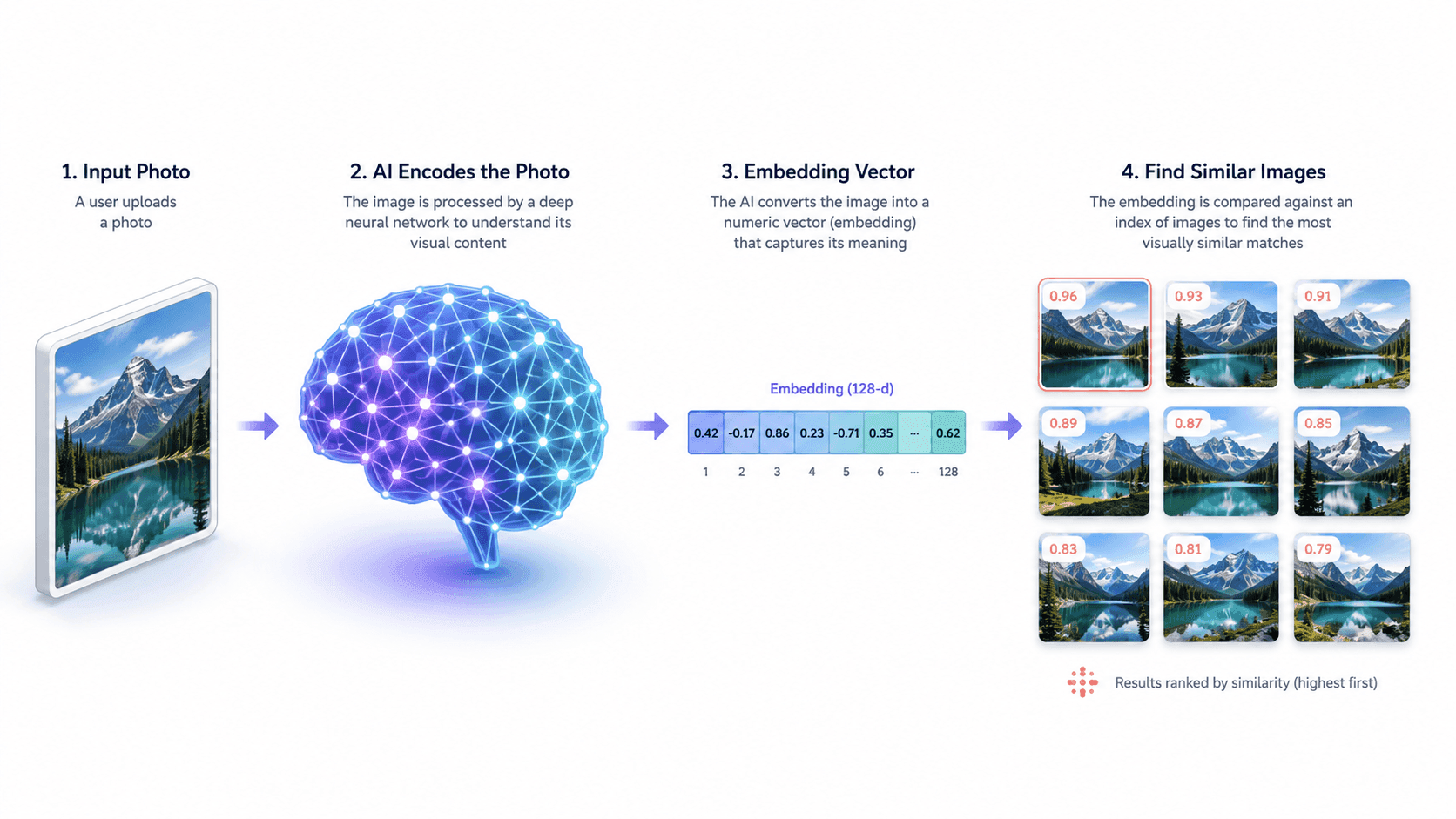
Image search works by converting a picture into a mathematical fingerprint — called an embedding — using an AI model trained on millions of labeled images. The search engine then compares that fingerprint against billions of pre-indexed embeddings stored in a vector database, ranking results by how mathematically similar they are. This is why modern image search can find a picture even if it has been cropped, recolored, or resized — the embedding captures the meaning of the image, not its exact pixels.
In Short
- Image search uses AI models (convolutional neural networks and vision transformers) to "understand" pictures.
- Each image is converted into an embedding — a long list of numbers describing its visual features.
- Search engines compare embeddings using similarity math, not pixel-by-pixel matching.
- This lets the system match images that have been edited, cropped, or recolored.
- The same approach powers reverse image search, visual search, and similarity search.
- Results are ranked using a mix of visual similarity, metadata, and page authority.
What Is Image Search?
Image search is the process of retrieving information using a picture as the query, instead of typing words. Where text search asks "what does this word mean?", image search answers a different question: "what is this picture, and what does it match?"
Behind every image search engine is the same general workflow — analyze the input picture, compare it against a massive index of stored images, and return the closest matches. What changes between engines is how each step is implemented: the AI model used for analysis, the size and quality of the index, and the ranking signals applied at the end.
For a complete overview of the different types of image search and the techniques used in practice, see the pillar guide on image search techniques.
The Step-by-Step Process Behind Image Search
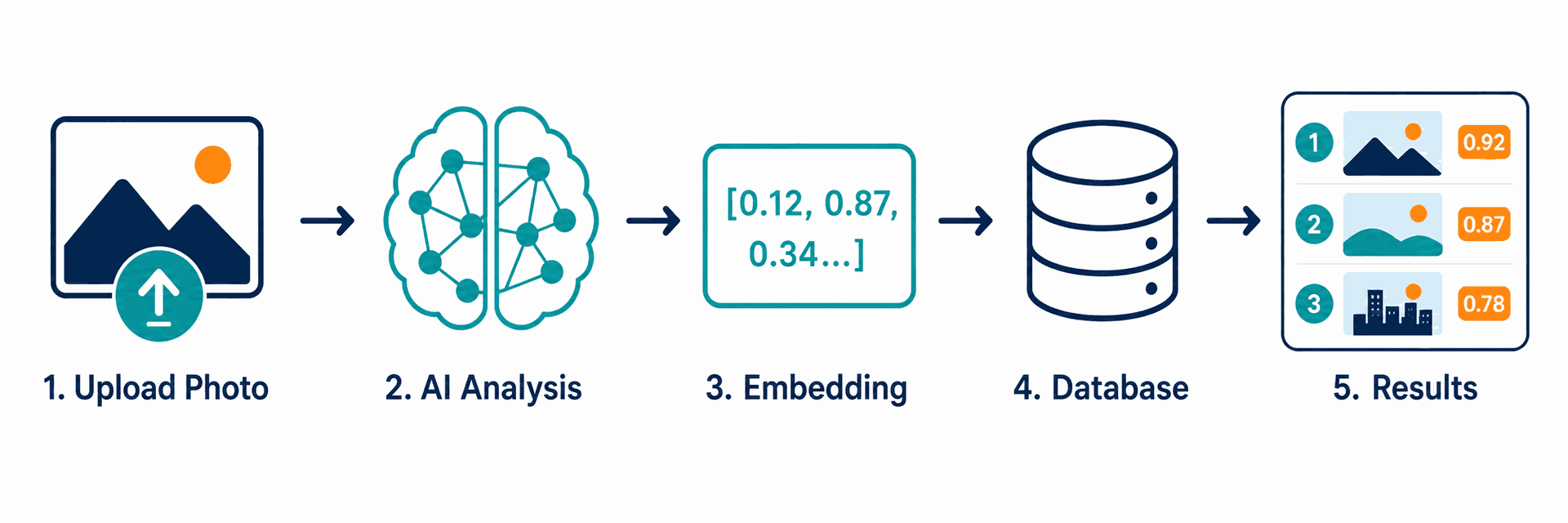
Every modern image search — whether on Google, Bing, TinEye, or Yandex — follows the same five-step process under the hood.
Step 1: Image Input
A user submits an image by uploading a file, pasting a URL, dragging the picture into the search bar, or capturing it through a phone camera. The engine first standardizes the input — adjusting size, color profile, and orientation so all images are processed consistently.
Step 2: Feature Extraction
The image is fed into a deep learning model — historically a convolutional neural network (CNN) and increasingly a vision transformer (ViT). The model analyzes the image at multiple levels: low-level features such as edges and color, mid-level features such as shapes and textures, and high-level features such as recognizable objects, scenes, or text.
Step 3: Embedding Generation
The output of the model is an embedding — a vector of typically 512 to 2,048 numbers that represents the image's visual content in mathematical form. Two pictures of the same product photographed from different angles will produce embeddings that sit close together in this mathematical space.
Step 4: Index Lookup
The search engine compares the new embedding against billions of pre-computed embeddings stored in a specialized vector database. The system uses approximate nearest neighbor (ANN) algorithms to make this comparison feasible at web scale — exact comparison would be too slow. A similar similarity-based logic also appears in AI recommendation engines for SaaS , where embeddings and similarity metrics help surface relevant suggestions.
Step 5: Ranking and Display
Top candidate matches are then re-ranked using additional signals: image metadata (alt text, captions, surrounding text), page authority of the host site, image freshness, and user-context signals. The final ranked list is what the user sees on the results page.
What Are Image Search Algorithms?
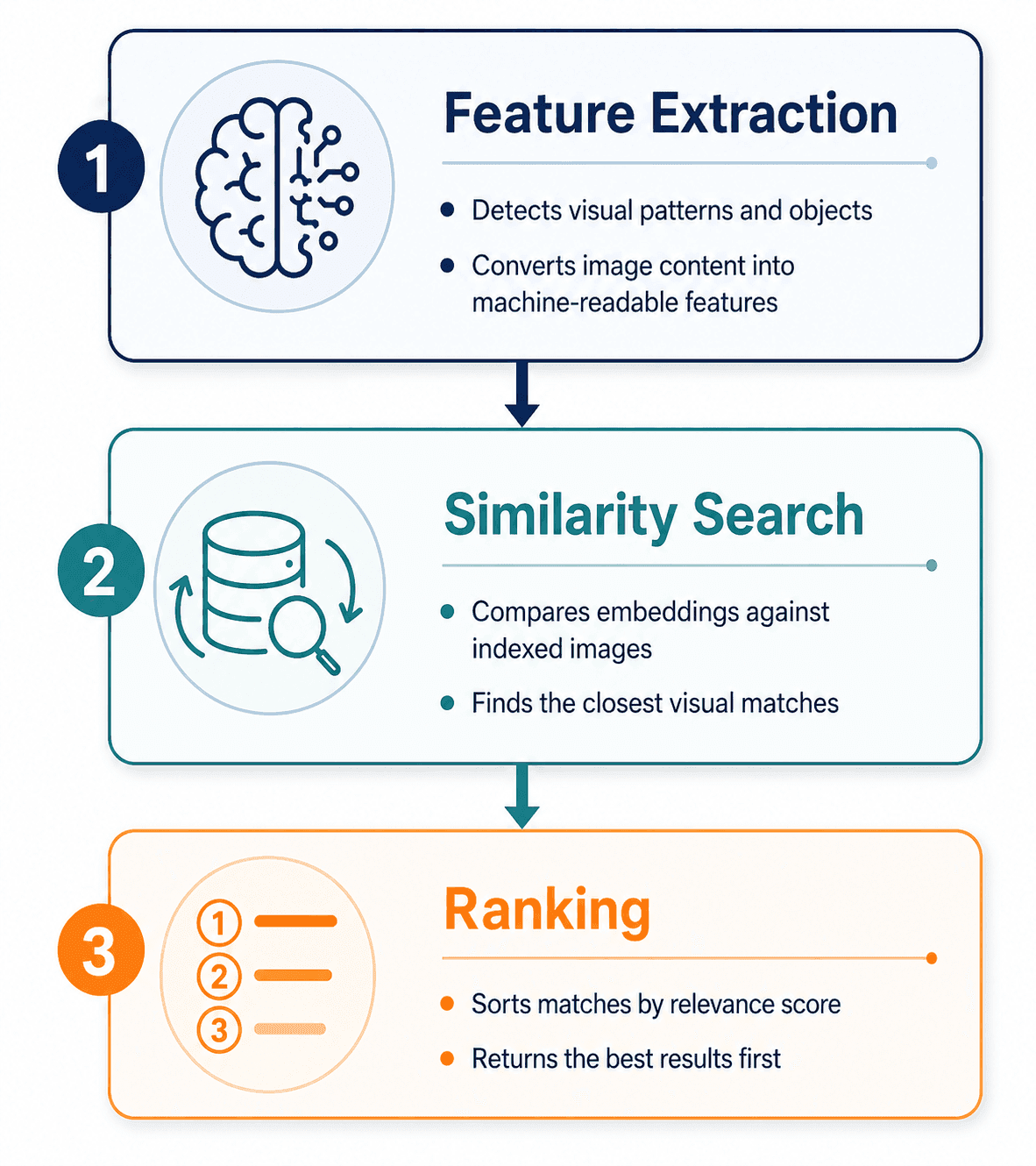
Image search algorithms are the mathematical procedures that turn a picture into a search result. They fall into three categories, and modern engines combine all three.
1. Feature Extraction Algorithms
These algorithms analyze the visual content of an image. The dominant approaches are:
- Convolutional Neural Networks (CNNs) — the long-standing standard. CNNs apply layered filters to detect edges, shapes, textures, and increasingly complex patterns. Architectures such as ResNet and EfficientNet, originally published as research papers on arXiv, became the foundation for most production image search systems.
- Vision Transformers (ViTs) — a newer approach that applies the transformer architecture (originally developed for language) to images. ViTs treat an image as a sequence of patches and have become the leading approach for state-of-the-art visual recognition.
- Multimodal models such as CLIP — developed by OpenAI and described in their public research, CLIP learns a shared embedding space for both images and text. For a broader look at practical AI software categories, see our best AI tools for 2026
2. Similarity Search Algorithms
Once an image is converted into an embedding, the search engine needs to find the most similar embeddings in its index — quickly. Comparing the query against billions of embeddings one at a time is computationally impossible at scale, so engines use approximate nearest neighbor (ANN) algorithms such as HNSW (Hierarchical Navigable Small World), FAISS (developed and open-sourced by Meta AI Research), or ScaNN (developed by Google Research). These algorithms trade a small amount of accuracy for massive gains in speed.
3. Ranking Algorithms
After candidate matches are retrieved, ranking algorithms decide the final order. As described in Google's public Search documentation, ranking signals include visual similarity score, image metadata quality, the authority and trustworthiness of the page hosting the image, image dimensions, and freshness. Personalization signals — search history, location, language — may also be applied.
How Visual Recognition Identifies Objects
Visual recognition is the part of image search that answers "what is in this picture?" It is what powers Google Lens, Apple's Visual Look Up, and Bing Visual Search.
The process begins with object detection — the AI model scans the image and identifies discrete regions that likely contain meaningful objects. Each detected region is then passed through a classification step, where the model assigns one or more labels (for example, "shoe," "Nike Air Max," "white sneaker"). For text inside images, the system uses optical character recognition (OCR) to extract the text directly.
Modern visual recognition combines several models running in parallel:
- A general object recognizer for everyday items
- A specialized landmark recognizer for famous locations
- A text recognizer for printed or handwritten content
- A product recognizer trained on retail catalogs
For Google Lens specifically, a translation engine that translates text in real time
The system then merges the outputs into a single result page — which is why pointing Google Lens at a French menu can identify the dishes, translate them, and show pictures all at once.
A complete walkthrough of when to use visual recognition versus other search methods is covered in the pillar's section on the seven core image search techniques.
How Reverse Image Search Differs Technically
Reverse image search and visual search use the same underlying technology — embeddings and similarity search — but are tuned for different goals.
Reverse image search is optimized to find the same image (or near-duplicates) elsewhere on the web. The system favors high-precision matches: it wants to find the picture that is the query, not pictures that resemble it. This is why TinEye, which is purpose-built for reverse search, performs especially well on cropped, watermarked, or recolored versions of an original.
Visual search is optimized to identify what is in the image and return relevant information — products, species, landmarks, articles. The system favors recall over precision: it would rather return ten useful results than one perfect one.
Most modern engines run both modes. Google Images, for example, returns "exact matches" (reverse search) and "visually similar images" (visual search) on the same results page.
For deep-dive walkthroughs of each engine's reverse search behavior, see the reverse image search techniques guide.
Why Image Search Sometimes Fails
Even with sophisticated AI, image search returns no results — or wrong results — for predictable reasons.
Image too small or low resolution. Embedding models lose information at small sizes. Images under approximately 200 pixels on the long side often produce noisy embeddings that match nothing useful. Re-uploading a higher-resolution version usually fixes this.
Subject lost in background clutter. When a picture contains many objects, the model may focus on the wrong one — matching the couch instead of the lamp the user cared about. Cropping the image tightly to the subject before searching is the standard fix.
Heavily edited or AI-generated derivatives. Significant edits — color shifts, AI upscaling, style transfer — push the embedding far enough from the original that the match fails. TinEye handles modified images better than most engines but is not infallible.
Genuinely unique or new images. If an image has never been published online before, no engine has it in its index. This is why personal photos taken on a phone usually return no reverse-search results.
Wrong engine for the task. Each engine indexes different parts of the web. Yandex finds Russian and Eastern European sources Google misses; TinEye finds older modified copies Bing misses. The fix is almost always to try a second engine before assuming the search has failed.
How Image Search Has Evolved
Early image search, in the 2000s, was almost entirely metadata-based. Engines could not "see" the contents of a picture, so they ranked images using surrounding text — file names, alt attributes, captions, and the body text of the page hosting the image.
The first wave of content-based image retrieval (CBIR) added simple visual analysis: matching images by color histograms, basic shape features, and texture patterns. CBIR systems were research-grade and rarely accurate enough for general use.
The transformation came with the deep learning revolution in the early 2010s. The publication of AlexNet in 2012 demonstrated that CNNs could classify images far more accurately than any prior approach. This unlocked modern visual recognition. Within a few years, Google, Microsoft, Pinterest, and others had rebuilt their image search systems around deep learning.
The next leap came with multimodal models such as OpenAI's CLIP, which trained a single model to understand both images and text in the same embedding space. This is why a user can now type a text query into Google Lens and receive image results — and why "search by image and add a text refinement" works at all.
The current frontier is generative and agentic visual search — engines that can not only identify what is in an image but reason about it, answer questions about it, and combine it with text and voice into a single multimodal query.
FAQs
Q1.
What is the algorithm behind image search?
Q2.
Does image search compare images pixel by pixel?
Q3.
How does Google Images work technically?
Q4.
What is an image embedding?
Q5.
What is the difference between CNN and vision transformer image search?
Q6.
How does Google Lens identify objects?
Q7.
Why does my image search return wrong results?
Q8.