On this page
How to Find Someone Using Image Search: Tools, Limits, and Ethics

WebbyCrown Solutions-
May 13, 2026- 12 min read
Quick Answer
Image searching a person means using a photograph as the query to find where that person — or that specific photo — appears online. What is possible depends heavily on jurisdiction and purpose. Major Western search engines deliberately do not identify strangers' faces. Specialized face-matching tools such as PimEyes and Yandex do exist, but their use to identify individuals without consent is restricted under privacy laws including the GDPR in Europe and the Biometric Information Privacy Act (BIPA) in Illinois. The most common legitimate use cases — searching for one's own photos, verifying a suspected catfish, or supporting a missing-person case through proper channels — are well-supported by standard reverse image search and do not require face-matching tools.
In Short
- Self-search (finding your own photos online) is fully legitimate and supported by every major engine.
- Catfish and scam detection (verifying whether a profile photo is stolen) is also fully supported and widely practiced.
- Identifying strangers from a photo is a separate question — legally and ethically constrained.
- The GDPR and BIPA restrict facial recognition use without consent in much of Europe and parts of the United States.
- Major Western engines deliberately do not offer face identification — Google, Bing, and TinEye return visually similar images, not "this is John Smith."
- Specialized face-matching tools exist (PimEyes, Yandex Images) but carry significant legal and ethical responsibilities.
- Missing-person cases should be handled through official channels, not consumer image search tools.
What Does It Mean to Image Search Someone?
Image searching a person means submitting a photograph as a search query to learn something about who is in the picture or where the picture appears online. In practice, this covers several very different activities:
- Searching for a photograph itself to find where it appears (a form of reverse image search)
- Searching for visually similar faces across the web (limited general support)
- Searching specifically for a named individual using facial recognition technology (heavily restricted)
These are not the same thing, and conflating them is the most common cause of confusion in this area. Standard reverse image search — covered in the image search techniques guide — works on any photo and identifies where that exact photo appears online, regardless of whether a face is in it. Face-matching technology is a separate, more sensitive capability that some specialized tools offer but most general engines deliberately do not.
The technical mechanism behind both is the same: AI converts the image into a mathematical fingerprint and compares it against an index. The full explanation is in how image search works. Where they differ is the index itself — face-matching tools maintain indexes specifically of facial features, which is what makes them both more capable and more legally regulated.
The Legal Framework: What You Need to Know First
Before discussing methods, the legal context matters. Facial recognition technology is regulated in many jurisdictions, and using it carelessly can result in legal exposure.
General Data Protection Regulation (GDPR) — European Union. Under GDPR, biometric data including facial templates is classified as a "special category" of personal data under Article 9, with heightened protection. Processing this data — including running someone's photo through a face-matching system — generally requires explicit consent or another specific lawful basis. The official EU GDPR documentation describes the obligations in detail.
Biometric Information Privacy Act (BIPA) — Illinois, USA. BIPA imposes strict consent requirements on the collection and use of biometric identifiers, including face geometry. Several major technology companies have faced significant settlements under BIPA. The Illinois General Assembly publishes the full text of the statute (740 ILCS 14/).
Other state and national laws. Texas, Washington, California, and a growing number of US states have biometric privacy laws. Canada, the UK, Brazil, and many other countries have data protection regimes that cover biometric data. The legal status of using face-matching tools varies significantly between jurisdictions.
Platform terms of service. Independent of law, the terms of service of most major social networks, dating apps, and professional platforms prohibit scraping content or identifying users without authorization. Using image search to identify a stranger and then contact them may violate platform terms even where it does not violate law.
The practical implication is straightforward: searching for your own photos is unambiguously legitimate; using face-matching tools to identify strangers is not, and may carry legal risk depending on jurisdiction and purpose. The legitimate use cases described below do not require crossing this line.
Legitimate Use Cases for Image Searching a Person
Several common use cases are clearly legitimate and well-supported by standard tools.
Self-search. Finding photos of yourself online, monitoring your own digital footprint, identifying unauthorized use of your image, and supporting privacy audits. No legal restriction applies because the search subject is the searcher.
Catfish and scam detection. Verifying whether a profile photo on a dating app, social network, or messaging platform has been stolen from elsewhere on the web. Standard reverse image search handles this fully — no face identification needed.
Journalism and fact-checking. Verifying whether a photo accompanying a news story is genuine, recent, and depicts who it claims to depict. Major newsrooms use reverse image search as part of standard verification workflows.
Reuniting with lost contacts (limited). In some narrow cases — for example, finding a high school classmate using a photo from a yearbook — reverse image search can surface social profiles. This works only when the person has chosen to publish recognizable photos publicly.
Missing persons cases (via official channels). Image search can support missing persons efforts, but the right path is reporting to law enforcement and organizations such as the National Center for Missing & Exploited Children (NCMEC) in the US, which has access to investigative tools and legal authority that consumer search tools do not.
Verifying influencer or business identity. Confirming that the person in a business photo, podcast guest profile, or LinkedIn page is who they claim to be.
These use cases share two important features: the search subject is either yourself or someone who has voluntarily made their image public, and the purpose is verification rather than surveillance.
How to Reverse Image Search Yourself
Self-search is the clearest, most universally supported use of image search to find a person. The methods are identical to standard reverse image search; only the input image is your own.
Step-by-step
1. Save a few different photos of yourself — a recent headshot, an older photo, and one or two with different backgrounds or clothing.
2. Run each photo through Google Images at images.google.com by clicking the camera icon and uploading the file.
3. Run the same photos through TinEye at tineye.com. TinEye is particularly effective at catching modified copies — photos that have been cropped, recolored, or watermarked.
4. Run the photos through Yandex Images at yandex.com/images. Yandex's index reaches sites that Google and TinEye under-index, and frequently surfaces appearances the other two engines miss.
5. Review the results across all three engines. Make a list of where your photos appear, including any unexpected or unauthorized uses.
What to do with the results
Any photo that appears on a site you did not authorize is grounds for a takedown request. Most platforms have a process for this — for unauthorized social media use, the platform's report function is the first step; for copyright infringement on a website, a DMCA takedown notice to the host is the standard approach.
The complete step-by-step methodology for each engine is in the reverse image search techniques guide.
How to Detect a Fake Profile or Catfish
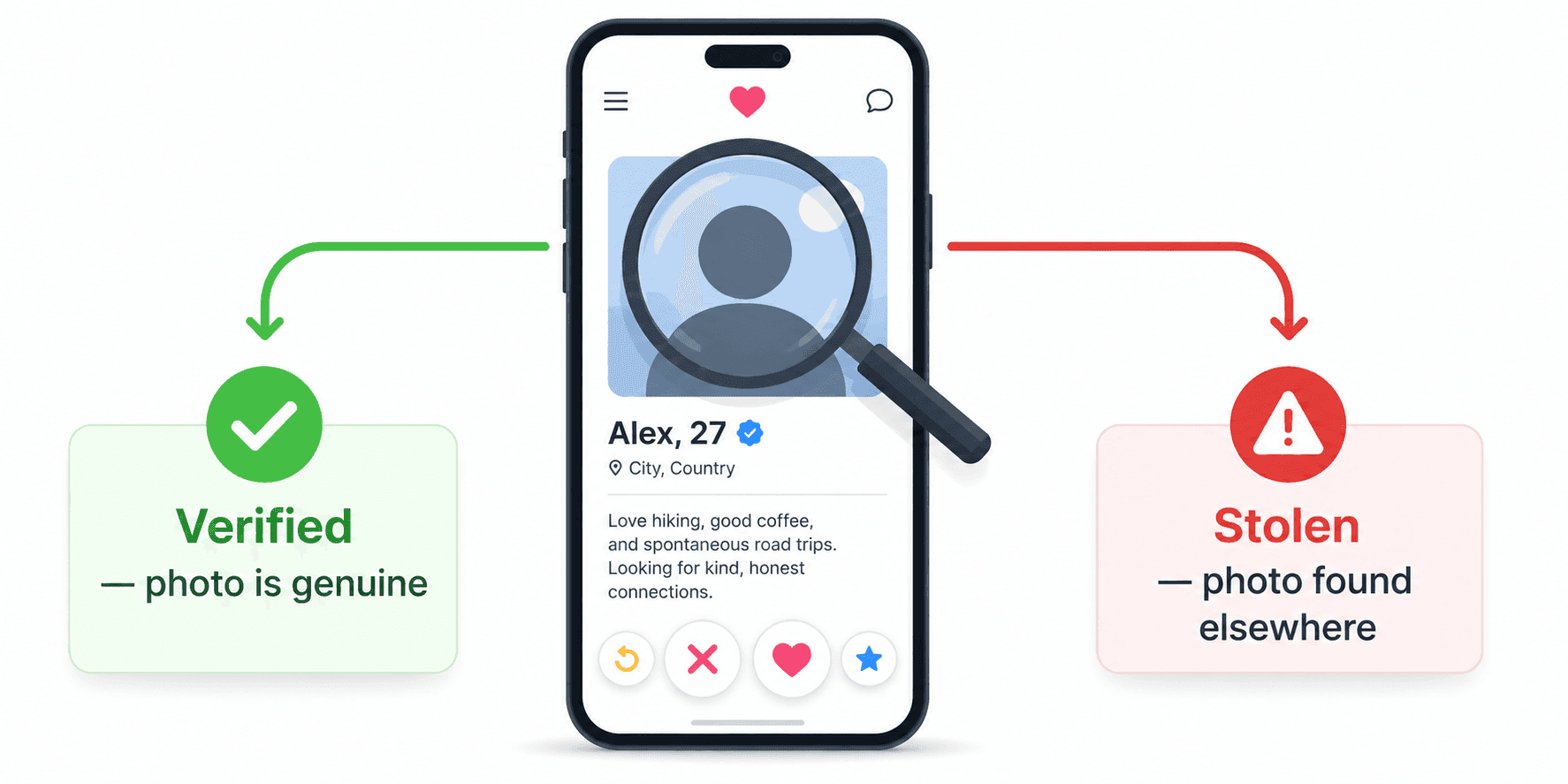
Reverse image search is the standard tool for detecting fake profiles, stolen profile photos, and catfishing attempts. The technique is well-supported, fully legal, and widely practiced.
Step-by-step
1. Save the profile picture from the dating app, social network, or messaging platform in question. (On mobile, take a screenshot if the platform does not allow saving.)
2. Crop the screenshot to just the photo if needed.
3. Run the image through Google Images and TinEye. Yandex is also worth trying for international cases.
4. Review the results.
What the results mean
- The photo appears on a different person's verified social profile. This is the classic catfish indicator — the photo was stolen from someone else.
- The photo appears in stock photo libraries (Shutterstock, Getty, iStock). The profile is using a stock image and is almost certainly fake.
- The photo appears in dozens of unrelated places with different names. Strong indicator of a scam profile that has been used across multiple platforms.
- The photo returns no results. Inconclusive — the photo may be genuine and original, or it may be a private photo that simply has not been indexed.
- The photo appears only on the same person's verified accounts. Most likely genuine.
According to consumer protection guidance from organizations including the US Federal Trade Commission (FTC), reverse image searching profile photos is one of the most effective single steps consumers can take to identify romance scams and impersonation fraud.
Tools That Offer Face Matching
A small number of tools offer dedicated face-matching capability — searching specifically for similar faces rather than similar images. These tools are described here for informational completeness, with the legal framework above as essential context.
Yandex Images. The major search engine most widely associated with face-matching capability. Visiting yandex.com/images and uploading a photo containing a face often returns visually similar faces from across its index, including from sources that other engines under-cover.
PimEyes. A commercial service explicitly built around face search. The service's terms of use restrict it to searching for one's own face, and the company has stated this position publicly. Independent reporting has raised questions about how the service is used in practice.
Specialized investigative tools. Law enforcement and licensed investigators in some jurisdictions have access to face-matching databases that are not available to the public. These operate under specific legal authority and are not consumer products.
What major Western general engines deliberately do not offer. Google, Bing, and TinEye return visually similar images — not "this is the named individual in the photo." Google has stated publicly that it withholds general face identification from its products specifically because of privacy concerns. This is a deliberate design decision, not a technical limitation.
The practical reality. Even where face-matching tools are legally available, their accuracy on strangers is far lower than most users assume. Different lighting, angles, facial hair, makeup, glasses, age, and image resolution all reduce match accuracy significantly. Successful identification of a stranger from a single photo without additional context is the exception, not the rule.
Missing Persons: Use Official Channels
Image search is sometimes considered for missing-person cases. In almost all such cases, the right path is reporting through official channels rather than consumer search tools.
In the United States. The National Center for Missing & Exploited Children (NCMEC) operates a national clearinghouse and works directly with law enforcement. Local police are the first point of contact for any active missing-person case.
In the United Kingdom and Ireland. The Missing People charity (missingpeople.org.uk) offers support and works with police forces across both jurisdictions.
Internationally. Interpol publishes a public "Yellow Notice" system for missing persons that crosses borders.
Why consumer image search is not the right tool. Law enforcement and accredited organizations have access to face-matching databases, missing-person registries, and investigative capabilities that are not available through Google or PimEyes. They also operate under legal authority that allows actions consumer tools cannot legitimately perform. Self-investigation using consumer tools is generally less effective and can in some cases complicate official investigations.
Why Image Searching a Person Often Fails
Even where face-matching tools are accessible, image searching strangers fails frequently. The reasons are predictable.
The person has limited online presence. Many people simply do not publish identifiable photos under their real name. Face-matching tools cannot find what is not in their index.
Photo quality. Most reverse image and face search tools perform poorly on photos under approximately 200 pixels, on photos taken in low light, and on photos where the face is at a steep angle or partially obscured.
Faces change. Age, weight, facial hair, glasses, makeup, and styling all reduce match accuracy. A photo from ten years ago may not match the same person today.
Background interference. When multiple faces appear in a photo, face-search engines may match on the wrong person. Cropping the image to a single face is necessary in such cases.
Index limitations. Even the largest face-search tools cover only a fraction of the public web. Face indexes are particularly limited for people outside North America and Europe.
False matches. Visual similarity is not identity. Two different people who happen to look alike will produce a high similarity score. Treating high-similarity results as confirmed identifications is one of the most common mistakes in this area.
Ethical Considerations
The legal framework above sets minimum standards. Ethical use of image search to find a person involves additional considerations independent of what the law strictly requires.
Consent. The most consistent ethical principle in this area is that people have the right to control how their face and identity are used. Searching for someone without their knowledge — even in the absence of legal restriction — sits in a different ethical category than searching for oneself or a public-interest investigation.
Purpose. The same technical action carries very different ethical weight depending on intent. Verifying a suspected scammer protects the searcher and others. Identifying a stranger seen in public is a different action with different implications.
Proportionality. The depth of investigation should be proportionate to the stakes. Verifying a romantic interest is reasonable; running multiple face searches on the same person without their consent is not.
Disclosure. When image search is used as part of a legitimate professional workflow — journalism, fact-checking, due diligence — practitioners typically disclose this in their published work or to the subject when relevant.
Avoiding harm. Even where identification is technically successful, sharing identifying information about a stranger online (often called doxxing) causes documented harm and is prohibited by every major platform.
These are not legal requirements but they shape the long-term consequences of any image search activity involving people.
FAQs
Q1.
Can you image search a person on Google?
Google Images accepts any photograph as a search query, including photographs of people, and returns visually similar images and pages where the photo appears. However, Google does not offer general facial recognition or identification — it will not return "this is John Smith." This is a deliberate design choice Google has stated publicly, motivated by privacy concerns. For finding where a specific photo of a person appears online, Google Images works fully; for identifying an unknown individual from a photo, it does not.
Q2.
Is it legal to use image search to find someone?
Q3.
What is the best tool to find someone with a photo?
Q4.
Can I use image search to find a fake profile?
Q5.
Does Yandex have a face search?
Q6.
What is PimEyes?
Q7.
How do I find someone's social media from a photo?
Q8.
Can image search be used for missing persons cases?
Q9.
Why does my image search of a person return no useful results?
No headings found in this content.