On this page
Say More in Any Language With Dreamina Image-to-Video Generation

WebbyCrown Solutions-
October 27, 2026-6 min read
Even the most powerful visuals can fail to convey the ideas of a video when language barriers prevent it from reaching a wider audience. With the help of written prompts, visual references, and available audio features, Dreamina AI can help bring static images to life by creating animated scenes. Its Seedance 2.5 model is multilingual, allowing users to create video in various languages, including English, Japanese, Korean, Arabic, and Spanish. But creating multilingual content doesn't mean that it will be translated correctly or lip-synced. Careful audio reviews, suitable references, and clear instructions make international visual stories more effective.
Understand What Multilingual Image-to-Video Generation Can Do
Multilingual video production is more than translating spoken text among audience groups. Image to Video generation converts a single image into a sequence of moving images using text instructions. Dreamina AI facilitates creative workflows with visual references, expressive motion, and available audio features. Prompt language, spoken dialogue, subtitles, and visible text, however, are distinct needs. When making videos for international viewers, be sure to clearly state each requirement. Gestures, pronunciation, direction of reading, and expressions are also different from region to region. Carefully check results produced since not all language components will be shown correctly.
Build a Language-Aware Creative Brief Before Generating
First, you should find out what the main message is that needs to be consistent in all language versions. Identify key information in expressions that need cultural adaptation. Determine if the video will have dialogue, narration, subtitles, or simply a visual presentation. Determine the purpose of the tone (informational, professional, celebratory, humorous, filmic, etc.). Indicate target language if dialogue/lang dependent elements are important. Maintain consistency of the product terminology, character names, and other proper nouns between versions. For right-to-left scripts, check text placement and reading direction independently. Have translations ready in advance for approved purposes where exact translation is important. Don't overcrowd complicated scenes with vital written information.
Say More in Any Language With Dreamina Image to Video Generation
Step 1: Prepare your image and describe your message
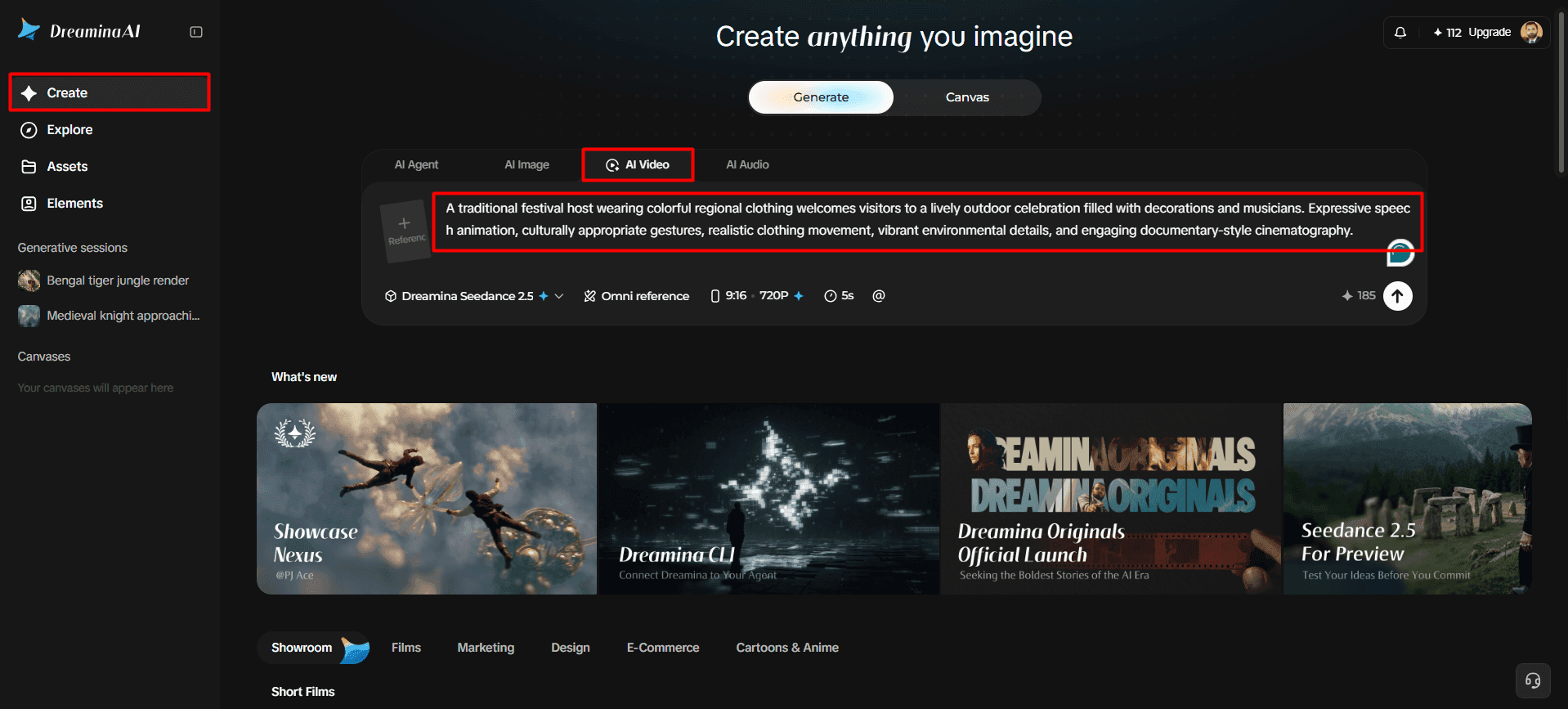
1. First, sign up or log in to Dreamina to begin creating videos from your selected images.
2. Next, open the "Create" tab from the left menu and choose the "AI video" option.
3. Then, enter a detailed text prompt describing your video's elements, theme, concept, and intended communication style.
Step 2: Select your model, settings, and generation preferences
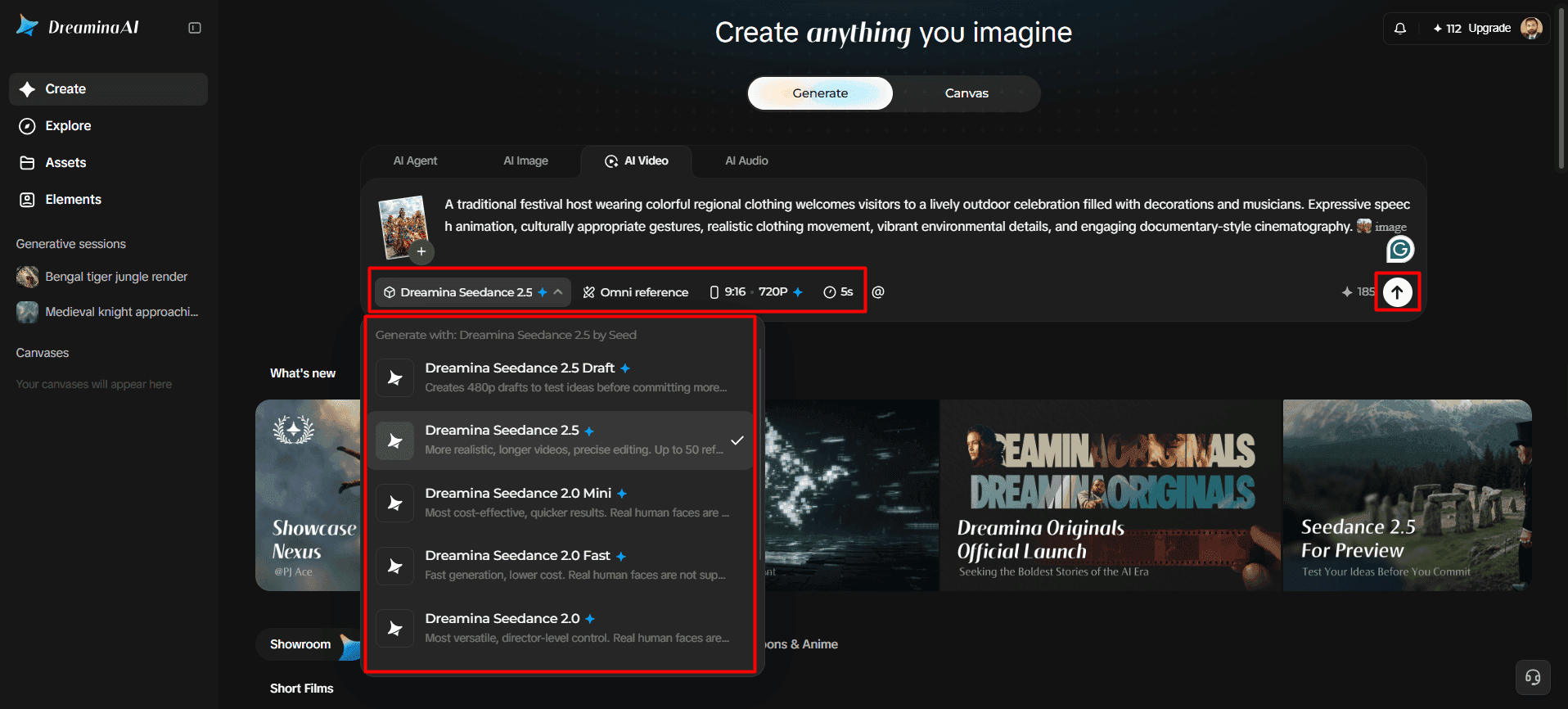
1. Next, choose a suitable model from the options displayed at the bottom of the dialogue box.
2. Available choices include Dreamina Seedance 2.5, Dreamina Seedance 2.0, Dreamina Seedance 2.0 Fast, Dreamina Seedance 2.0 Mini, Dreamina Seedance 1.0, and others.
3. Click "Omni reference" to provide multiple reference images that guide the AI toward accurate video results.
4. Then, customize your video dimensions and quality through the "Aspect ratio" and "Resolution" tabs.
5. Finally, click the "Generate" tab to start creating your video with the selected settings.
Step 3: Refine your message and export the finished video
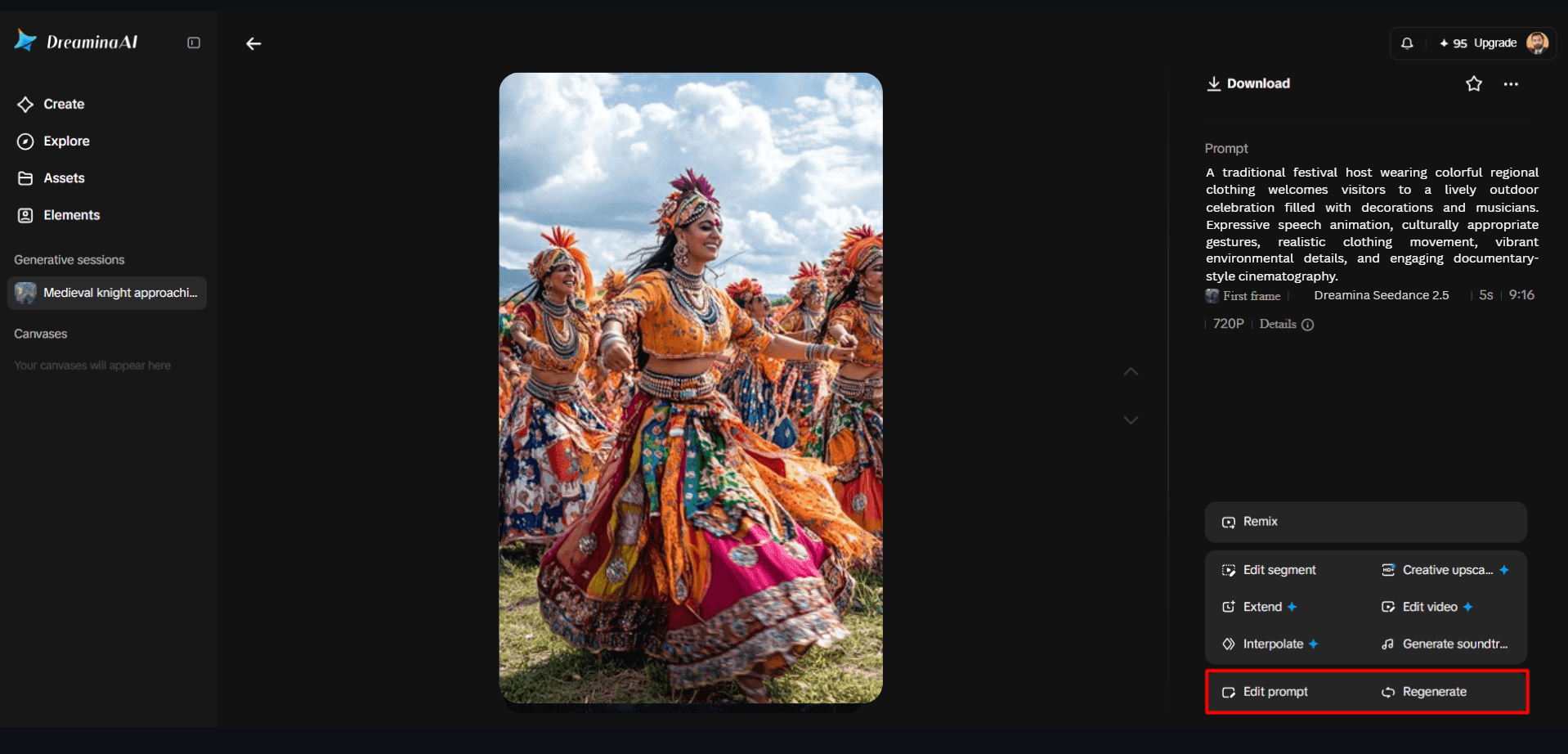
1. If the results need improvement, select "Edit prompt" or "Regenerate" to refine your video.
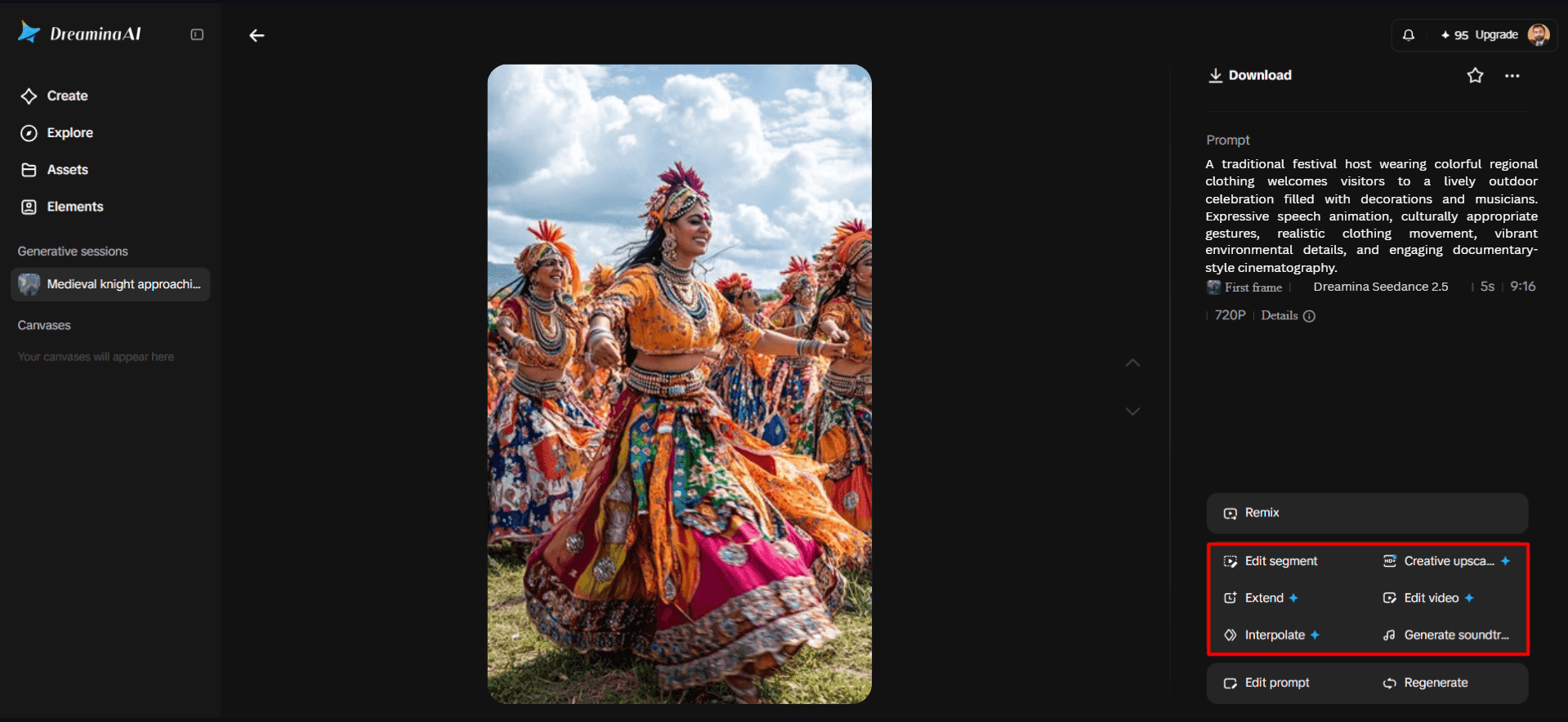
2. You can also use the "Edit video" option to adjust the generated footage before exporting.
3. Moreover, choose "Edit segment" to modify only the portion requiring changes or clearer visual communication.
4. Select "Extend video" to continue your footage or "Creative upscale" to improve its visual quality.
5. Dreamina gives you the flexibility to edit your video according to your preferred message and presentation style.
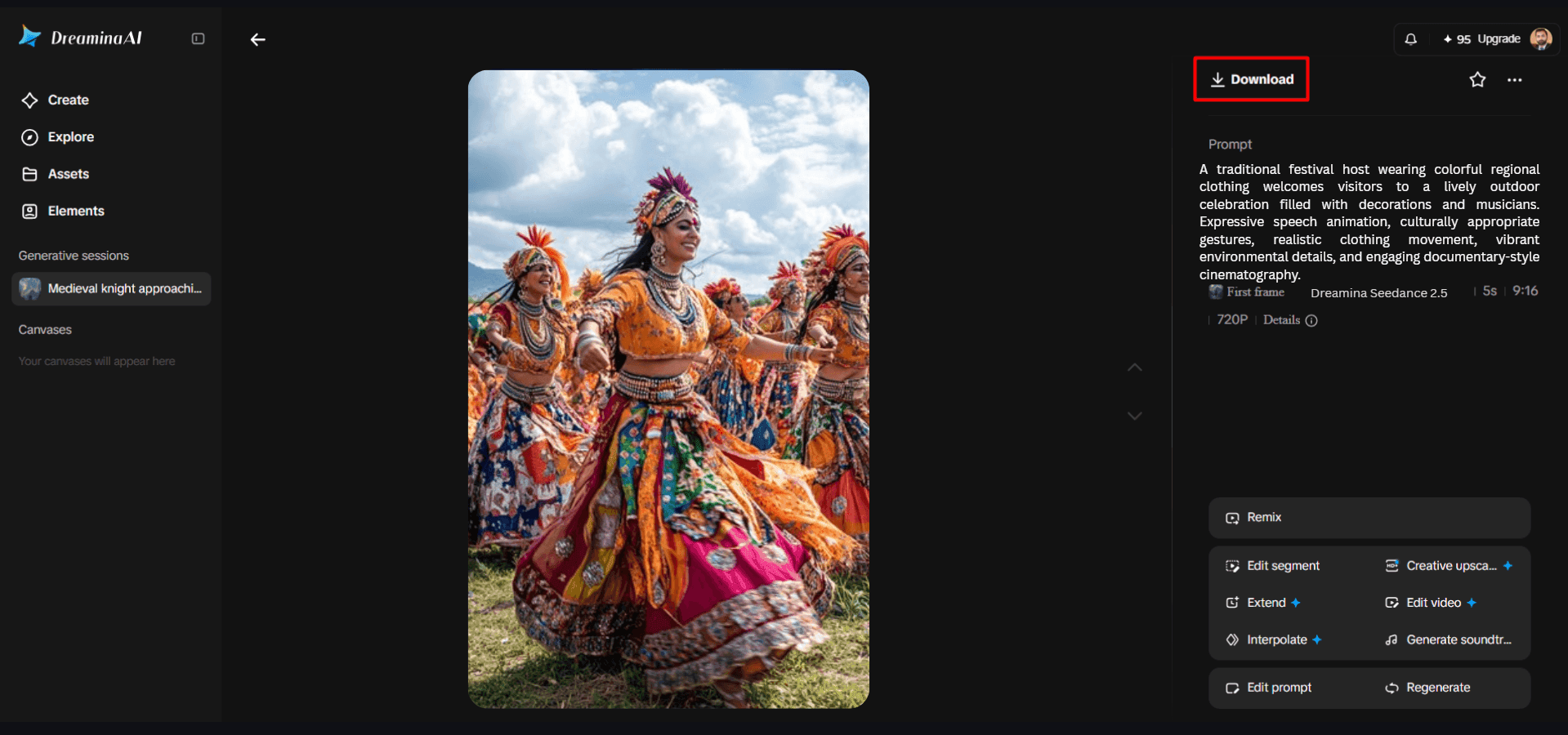
6. Finally, click the "Download" tab at the interface's top right to save your video locally.
Six Ways to Make Multilingual Video Communication Clearer
- Message clarity: Make the message clear; do not use words to explain the message.
- Language specification: Specify the target language and check the dialogue produced; do not assume that it is correct in the language specified.
- Voice consistency: If voice-reference tools are available, use them as appropriate, and check voice for pronunciation, tone, pacing, and clarity.
- Cultural context: Change expressions, gestures, and examples so as to be appropriate to the local context but not to alter the message.
- Text accuracy: Inspect names, captions, numbers, punctuation and visible written text, making corrections in the editing process.
- Audio alignment: Check speech, music, and/or visual actions together and edit timing or use inappropriate audio.
Create Different Language Versions Without Losing Visual Identity
The use of a shared source image provides a helpful visual starting point for multiple language adaptations of that image. The look of characters, product presentation, branding, and/or scene atmosphere should be consistent as much as possible. Use narration, captions, culturally specific references, and text placement to suit the audience. Dreamina Seedance 2.5's R2V technology allows for generation through reference with images, videos, green screening, and white-model references. These references convey desired positioning and visual direction. But clips that are created on their own can alter faces, clothes, or framing. Check each version for publication.
Use Multilingual Image-to-Video Generation Across Creative Formats
Depending on the models, language capabilities, and editing needs, Dreamina AI can be used for various visual storytelling applications. Product explainers can turn product pictures into a moving image and have a separately reviewed narration in different languages. Teachers can bring illustrations to life and create short explanations in various language groups. Campaign imagery can be used to promote videos without the loss of brand recognition. Travel creators can bring to life destination photos and add narration in the local language. Supported language and voice features may be used in character-led stories, when available. Social media teams can utilize the visuals for regional campaigns with platform-specific framing and reviewed captions. Appropriate preparation and final editing of the audio needs to be performed for each format.
Review Language, Voice, and Visual Accuracy Before Export
Through careful quality checks, unnecessary communication issues between the different language versions are reduced. Pay attention to poor articulation, wrong pronunciation, tone in the voice, and background music. Check translations and proper nouns against the approved script. Check for word spelling, punctuation, and legibility of subtitles/visible text. Ensure gestures accompany and do not conflict with the verbal message. To ensure audio levels and timing are correct where narration is heard over music. Check framing/character details for any sudden changes. Only export the video when the language, sound, and picture of the video match the desired output.
Conclusion
Dreamina AI offers a multilingual visual storytelling experience with its reference-guided generation, expressive animation, and optional audio support. Many languages are supported in Seedance 2.5, and translation and synced speech should be verified. Communication is enhanced by clear prompting, consistent reference, reviewed translations, and deliberate audio adjustments. Creators can create more accessible videos across all language versions without losing cultural meaning or visual continuity by carefully checking each language version.