On this page
Odoo AI Assistant for Odoo 17 | Email & Chatter Module

WebbyCrown Solutions
April 27, 2026 • 8 min read
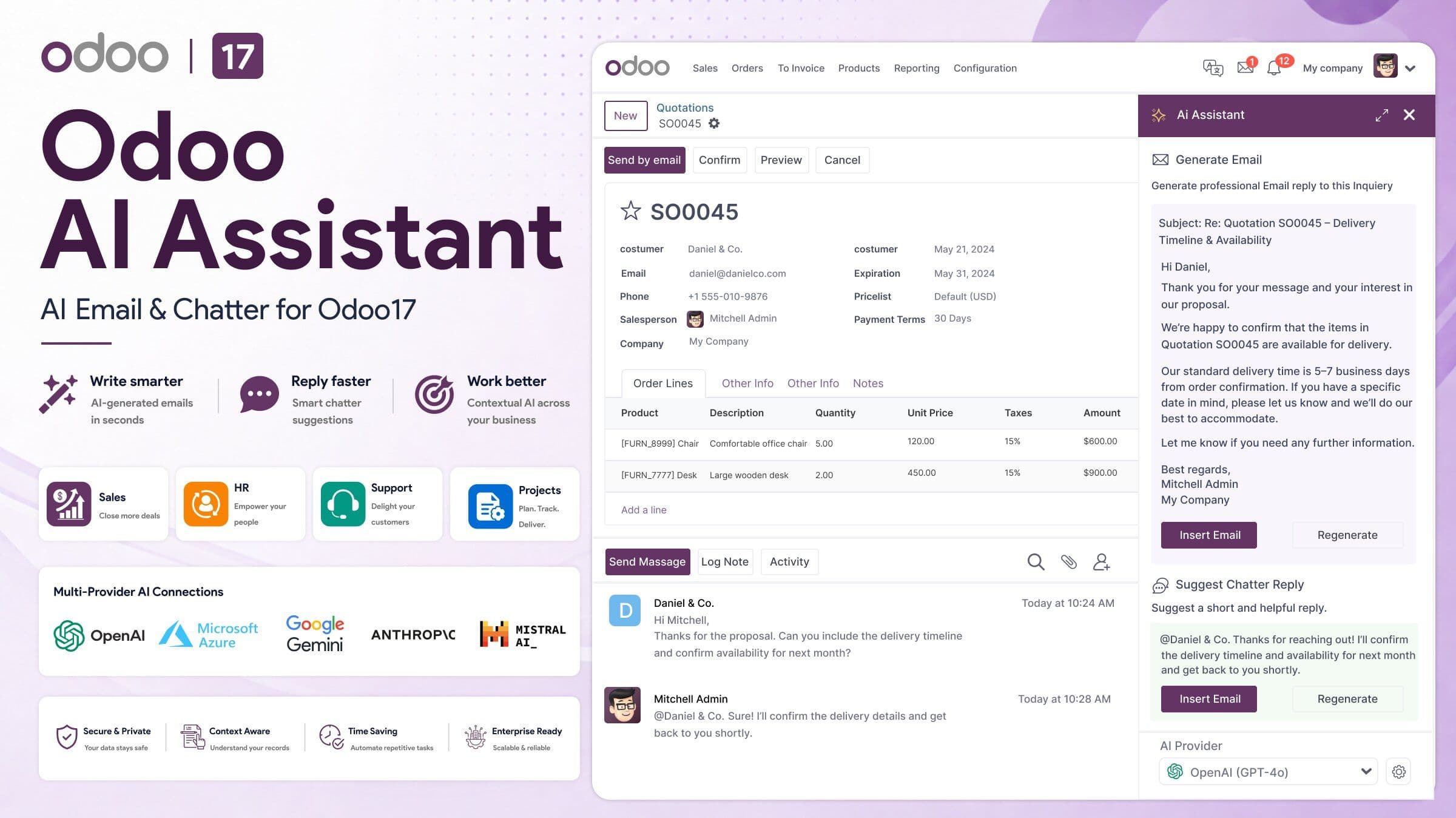
Odoo AI Assistant is an Odoo 17 module that helps teams generate emails, suggest chatter replies, and improve communication across Sales, HR, Support, Projects, and other Odoo models. It brings AI-powered messaging directly into Odoo so users can write faster, stay consistent, and work with more context inside the ERP.
For many businesses, communication is where time gets lost. Teams repeat the same follow-ups, support replies, interview messages, and internal updates every day. Odoo AI Assistant is built to reduce that manual work with AI email composition, chatter suggestions, custom prompt templates, quick prompts, email template generation, usage tracking, governance controls, and multi-provider AI support.
Quick Answer
Odoo AI Assistant is an AI-powered email and chatter module for Odoo 17. It helps users generate professional emails, draft record-level chatter replies, reuse prompt templates, and improve communication across multiple Odoo workflows. It is available for Odoo Online, Odoo.sh, and On Premise, and it depends on Discuss (mail).
If you want to explore the module directly, view the official Odoo AI Assistant for Odoo 17 on Odoo Apps.
In Short
In short, Odoo AI Assistant is not a vague “AI for ERP” concept. It is a practical Odoo communication module designed to help teams write better messages faster, using record data, conversation history, and configurable prompts inside the workflows they already use.
What Is Odoo AI Assistant?
Odoo AI Assistant is a communication-focused Odoo 17 module that adds AI help where business messaging actually happens: email composition and chatter. On its Odoo Apps listing, the module is positioned as a context-aware AI assistant for sales teams, HR departments, support agents, projects, and general Odoo users across all Odoo models.
That distinction is important. This page is about a specific Odoo app, not every AI feature available in the wider Odoo ecosystem. The core concept here is simple: Odoo AI Assistant helps users create better emails and chatter replies inside Odoo records, rather than forcing them to switch to a separate writing tool.
How Does Odoo AI Assistant Work?
The workflow is straightforward. A user opens a record such as a lead, employee, ticket, or task, clicks the AI suggestion option in the email composer or chatter area, chooses a prompt or template, reviews the output, edits it if needed, and sends the final message.
This fits the way Odoo already handles communication. Chatter lets users add messages or internal notes on records, and those notifications can be sent by email and routed back to the correct thread when replies come in. That is exactly why an AI assistant focused on email and chatter can be useful in real Odoo operations.
What Problems Does Odoo AI Assistant Solve?
Most teams do not need another messaging tool. They need faster, more consistent communication inside the system they already use.
Odoo AI Assistant helps solve problems such as:
- slow follow-up emails
- repetitive support replies
- inconsistent HR communication
- manual drafting of internal updates
- repeated writing of similar email templates
- context switching between Odoo and external AI tools
Instead of starting from a blank screen, users can generate a first draft from the current record and then refine it quickly. That improves response speed without removing human review.
Key Features of Odoo AI Assistant
Odoo AI Assistant is designed for practical business communication inside Odoo.
AI Email Composition
The module includes AI-powered email composition for subject lines and message bodies. It also supports HTML-ready email generation and table-based email template output for compatibility across email clients.
Example:
A sales rep finishes a demo call, opens the CRM opportunity, and uses Odoo AI Assistant to draft a follow-up email with a professional subject line and structured message.
Chatter Message Suggestions
The module can generate in-context chatter replies directly inside the record. Quick suggestion prompts let users accept, edit, or send a response without leaving the chatter pane.
Example:
A support agent opens a ticket and gets a suggested reply based on the latest thread, then edits the wording before posting the final message.
Custom Prompt Templates
Odoo AI Assistant supports scenario-based prompt templates so teams can reuse messaging patterns for common workflows such as sales follow-ups, support triage, offer letters, and onboarding communication.
Example:
An HR team creates reusable prompts for interview confirmations and onboarding emails so communication stays faster and more consistent.
Quick Suggestion Prompts
The module includes one-click prompt options for short replies, follow-ups, escalation notes, and full reply drafts. That is useful for high-volume teams that need speed without losing quality.
Usage Tracking and Governance
The module includes usage logs, rate limits, quotas, spend control, and data handling controls. Businesses can choose which record fields are sent to providers, which is important when teams want more control over what enters prompt context.
Context-Aware Responses
One of the strongest differentiators is context awareness. The assistant can use record data, recent chatter history, related documents, and configurable prompts to produce more relevant output.
Which AI Providers Does Odoo AI Assistant Support?
Odoo AI Assistant supports multiple AI backends. Supported providers include:
- OpenAI
- Anthropic Claude
- Azure OpenAI
- Google Vertex AI
- OpenRouter
- Cohere
- Custom API endpoints
This multi-provider approach gives businesses more flexibility around cost, compliance, reliability, and preferred AI stack.
Where Can Odoo AI Assistant Be Used?
Odoo AI Assistant is designed to work across multiple Odoo workflows rather than being limited to one app. It can be used across Sales, CRM, HR, Support, Projects, Inventory, custom models, and more.
Here are practical examples:
Sales
Draft follow-up emails, proposal messages, and nurture communication faster.
HR
Generate interview invites, offer messages, and onboarding instructions with more consistency.
Support
Speed up ticket replies and reduce repetitive response drafting.
Projects and Operations
Create cleaner stakeholder updates and record-linked communication.
Marketing and Events
Generate HTML email messages for invitations and structured outbound communication.
Why Context-Aware AI Matters in Odoo
A generic AI writer can produce text, but it does not understand the record you are working on unless you manually copy everything into it.
Odoo AI Assistant is more useful because it is built around Odoo workflows. It uses record fields, chatter history, related documents, and configurable prompts, which helps users generate replies that are more relevant to the specific business situation.
That is the core concept to distinguish clearly: Odoo AI Assistant is not just AI writing. It is AI writing inside Odoo context.
Coming Soon: Odoo AI Assistant for Odoo 18 and Odoo 19
We are also planning Odoo AI Assistant versions for Odoo 18 and Odoo 19.
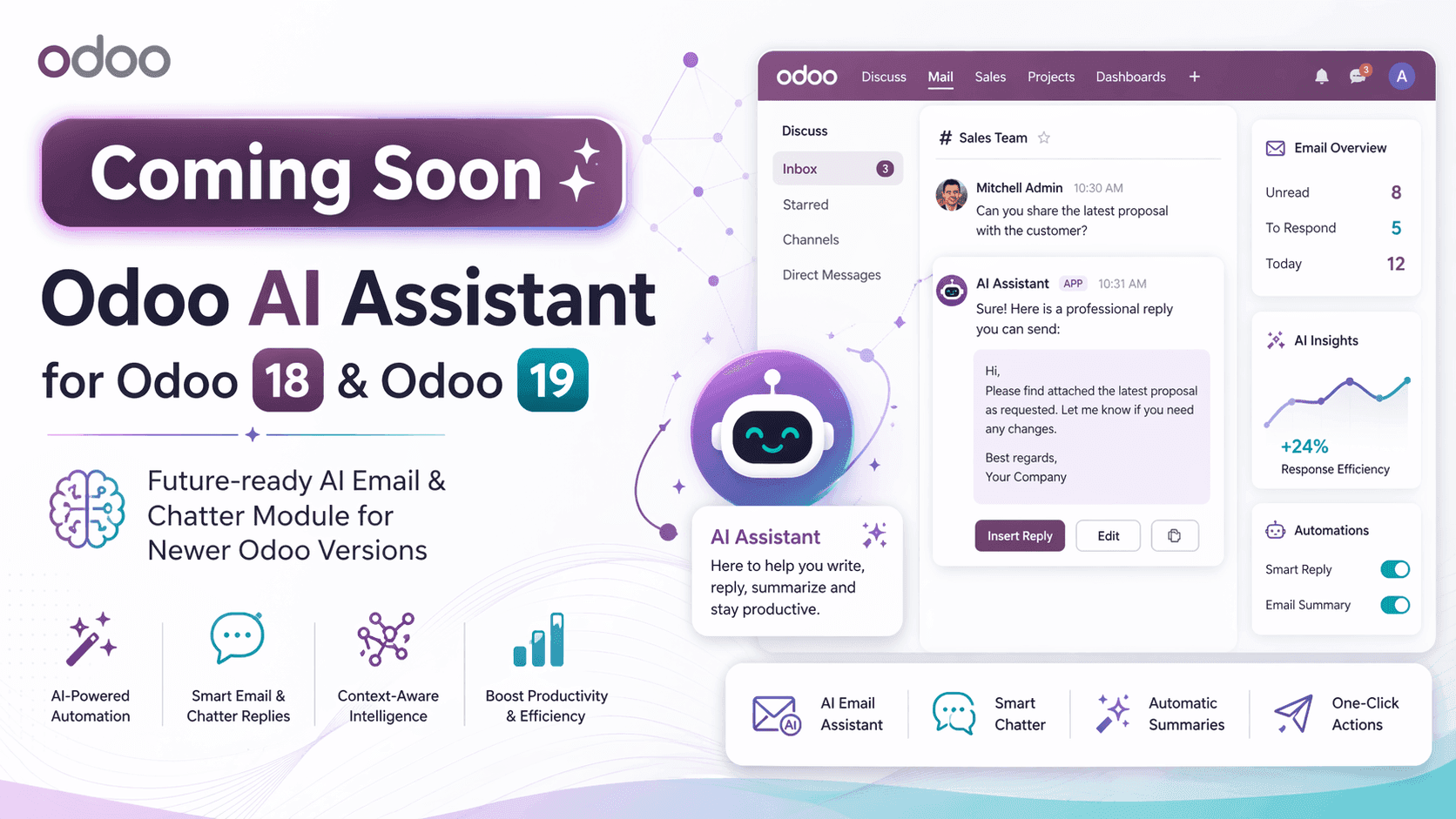
If your business is preparing for a future Odoo upgrade, this is useful to know early. The goal is to bring the same communication-focused AI experience to newer Odoo versions so businesses can continue using AI-powered email composition, chatter suggestions, prompt templates, and multi-provider AI support as they upgrade.
Coming Soon Versions:
- Odoo AI Assistant for Odoo 18
- Odoo AI Assistant for Odoo 19
If you want to follow the current module and future version availability, check the official Odoo AI Assistant on Odoo Apps.
Who Should Use Odoo AI Assistant?
Odoo AI Assistant is a strong fit for businesses that already use Odoo and regularly send:
- sales follow-ups
- HR messages
- support replies
- project updates
- internal chatter notes
- repeatable email templates
It is especially useful when teams want to improve communication speed without moving work outside the ERP.
If your Odoo setup also includes a customer-facing website, it helps to think about the full workflow together. Teams that are improving backend communication inside Odoo often also review their frontend experience at the same time. For that side of the stack, our guide to free Odoo Website Templates is a relevant next read.
Is Odoo AI Assistant Right for Your Business?
Odoo AI Assistant is a good fit when your team is spending too much time drafting similar messages across Odoo records.
It is especially relevant when you want:
- faster email drafting
- quicker chatter replies
- reusable prompt templates
- provider flexibility
- usage visibility
- better message consistency across departments
It is less about replacing human communication and more about removing repetitive writing work so teams can review and send better responses faster.
Final Thoughts
Odoo AI Assistant should be positioned as a practical communication module for Odoo 17, not as a broad claim about AI doing everything inside ERP.
That narrower positioning is exactly what makes it stronger for SEO, AEO, and LLM visibility. The keyword Odoo AI Assistant stays clear, the product intent stays clear, and the content matches the real module: AI-powered email composition, chatter suggestions, prompt templates, governance, and multi-provider support across Odoo workflows.
FAQs
Q1.
What is Odoo AI Assistant?
Q2.
Which AI providers does Odoo AI Assistant support?
Q3.
Does Odoo AI Assistant work across all Odoo modules?
Q4.
Is Odoo AI Assistant available for Odoo Online, Odoo.sh, and On Premise?
Q5.
Can I create custom prompt templates in Odoo AI Assistant?
Q6.
Does Odoo AI Assistant include usage tracking and governance controls?
Q7.
Is Odoo AI Assistant coming soon for Odoo 18 and Odoo 19?

WebbyCrown Solutions's Insight
No headings found in this content.