On this page
Manual Cache Warmup vs Automated Cache Warmup: Which Is Better for Your Website?

WebbyCrown Solutions-
May 30, 2026-11 min read
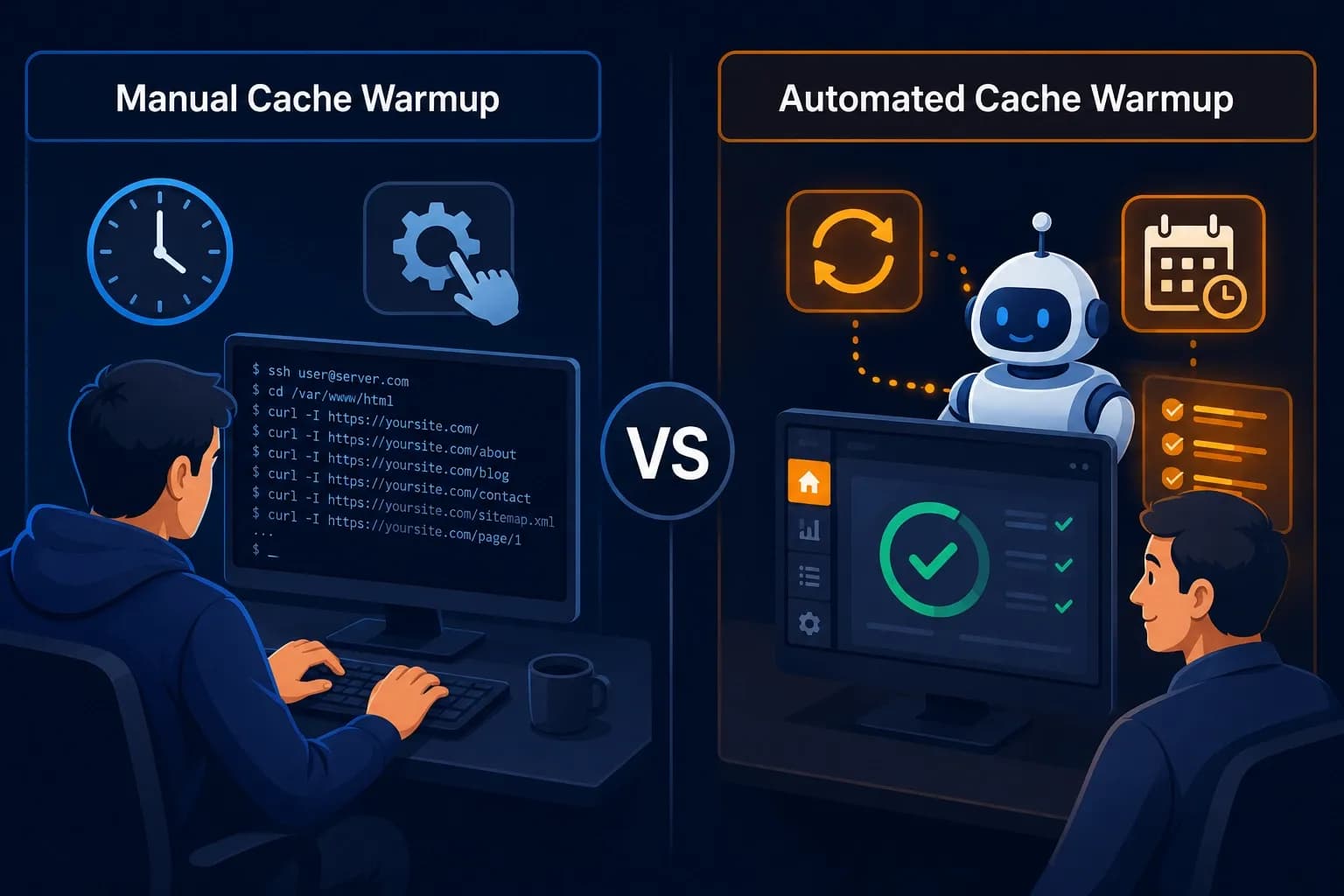
Quick Answer For most websites, automated cache warmup is the better choice because it runs consistently after every cache-clearing event without requiring human intervention. Manual cache warmup is better only when you need full control over which pages get cached, your site has fewer than 20 pages, you are testing a custom configuration, or you cannot install a plugin on your stack. The honest verdict: if you are running a WordPress, WooCommerce, or content-heavy site, choose automated. If you are a developer testing a static or headless build, manual gives you finer control.
If you have read enough about cache warmup to know it matters but you are now stuck choosing between doing it manually or automating it — this post is for you. The decision affects how reliable your cache warmup is, how much time you spend maintaining it, and whether your site stays fast between updates.
Every website template you deploy — whether it runs on WordPress, pure HTML, or a headless framework — is only as fast as its cache strategy. A beautifully designed template with no cache warmup in place will still serve a slow first-load experience to every new visitor. For broader performance improvements beyond caching, review these website optimization tips for template-based sites.
If you are dealing with a specific post-deployment slow-load problem, our guide on why your website template loads slowly after deployment is a focused, troubleshooting-first read. If you want this full, structured reference, keep reading.
What Is Manual Cache Warmup?
Manual Cache Warmup: The process of triggering cache warmup yourself — through terminal commands, scripts, browser-based crawlers, or by manually visiting pages — rather than relying on a plugin or scheduled job to do it automatically.
A manual approach typically involves one of the following:
1. Command-line tools — running a curl or wget loop against a list of URLs from your sitemap
2. Desktop crawlers — using a tool like Screaming Frog SEO Spider to crawl your sitemap on demand
3. Custom scripts — a Node.js, Python, or shell script that requests each URL with controlled timing
4. Manual browser visits — opening each important page in a browser to trigger the cache build
The defining characteristic of manual warmup is that you decide when it runs. Nothing happens until you take action.
What Is Automated Cache Warmup?
Automated Cache Warmup: Cache warmup that runs without manual intervention — typically through a plugin, framework feature, scheduled job, or CDN configuration that automatically pre-loads pages after cache-clearing events or on a recurring schedule.
Automated warmup usually relies on one of these mechanisms:
1. Cache plugins with built-in preload — WP Rocket, LiteSpeed Cache, W3 Total Cache, WP Super Cache. According to WP Rocket's preload documentation, the plugin's crawler runs automatically after the cache is cleared.
2. CDN-level automated warming — features like Cloudflare's Cache Reserve keep assets warm at edge locations
3. Framework-native revalidation — Next.js's revalidatePath and revalidateTag APIs trigger background regeneration without manual requests
4. Scheduled cron jobs — a recurring server-level task that runs the warmup script on a schedule
The defining characteristic of automated warmup is that it runs on its own, typically tied to a triggering event like a cache clear or deployment.
Manual vs Automated Cache Warmup: Direct Comparison
| Factor | Manual Cache Warmup | Automated Cache Warmup |
|---|---|---|
| Setup difficulty | Medium to high (requires technical skill) | Low to medium (mostly plugin-based) |
| Ongoing effort | High — requires running it every time | None — runs automatically |
| Consistency | Depends on the person remembering to run it | Always runs after triggering events |
| Cost | Free with open tools (curl, wget, free crawlers) | Free to ~$59/year (plugin pricing) |
| Control over which pages warm | Full control — pick any URLs | Less control — usually sitemap-based |
| Plugin overhead | None | Adds a plugin to your stack |
| Best for site size | Under 20 pages | Any size, especially 50+ pages |
| Risk of being forgotten | High | None |
| Best for non-technical users | No | Yes |
| Speed of initial implementation | Slower (write script or configure crawler) | Faster (install plugin and enable) |
| Granular timing control | Yes — run exactly when needed | Limited to plugin's schedule options |
| Recovery after silent cache clears | Manual detection required | Automatic |
Pros and Cons of Manual Cache Warmup
Pros
1. Full control. You decide exactly which pages get warmed, in what order, and with what timing between requests.
2. No plugin bloat. No additional code runs on your site between cache events. This matters on resource-constrained shared hosting.
3. Zero recurring cost. Free open-source tools like curl, wget, and Screaming Frog SEO Spider's free tier (up to 500 URLs) handle most use cases.
4. Works across any stack. A curl loop works the same way on WordPress, Next.js, static HTML, or any other framework that responds to HTTP requests.
5. Useful for custom or unusual configurations. If your caching layer is non-standard — a custom CDN setup, a reverse proxy with specific rules, or a multi-region deployment — manual warmup lets you target exactly what needs warming.
Cons
1. Easy to forget. Caches clear in many ways — plugin updates, theme changes, content publishes, hosting reboots. Remembering to manually warm after every event is unrealistic for busy site owners.
2. Time-consuming. Even a five-minute manual warmup, run several times a week, accumulates into hours per month.
3. Inconsistent results. Different people on a team may run warmup differently, on different schedules, or skip it entirely.
4. Requires technical comfort. Running curl loops, configuring Screaming Frog, or writing scripts assumes a baseline of developer skill that not every site owner has.
Pros and Cons of Automated Cache Warmup
Pros
1. Runs reliably without supervision. Cache clears trigger an automatic preload, so your cache is rarely cold for long.
2. Set up once, benefits permanently. A correctly configured cache plugin handles warmup behind the scenes for the entire life of your site.
3. Accessible to non-technical users. Most cache plugins offer the preload feature as a single toggle. No scripts, no terminal, no scheduling knowledge required.
4. Scales with your site. Whether you have 50 pages or 5,000, automated warmup handles the volume without additional effort.
5. Integrates with your update workflow. Plugin updates, theme switches, and content publishes automatically trigger warmup without you remembering.
Cons
1. Plugin overhead. Every automated warmup tool adds some code that runs on your server. The overhead is usually negligible on modern hosting but worth noting on entry-level shared plans.
2. Less granular control. Most plugins warm up based on your sitemap. Custom warmup orders, partial warmups, or excluding specific pages may require extra configuration.
3. Recurring cost for premium options. Free plugins like LiteSpeed Cache and W3 Total Cache include preload features at no cost, but premium options like WP Rocket charge an annual license fee.
4. Plugin compatibility issues. Cache plugins occasionally conflict with other plugins or with hosting-level caching, requiring troubleshooting.
5. Can run unnecessarily. A plugin scheduled to warm hourly may run warmup when nothing has changed, consuming server resources without benefit.
When to Use Manual Cache Warmup
Choose manual cache warmup if any of the following apply:
1. Your site has fewer than 20 pages and rarely updates
2. You are running a static HTML site that does not have a server-side cache plugin
3. You are a developer testing custom cache configurations and need granular control
4. Your stack does not support a compatible cache plugin
5. You are warming a one-time event — a single deployment, a one-off CDN purge, or an isolated test
6. You need to warm a non-standard list of pages that does not match your sitemap
When to Use Automated Cache Warmup
Choose automated cache warmup if any of the following apply:
1. Your site updates content frequently (daily or weekly blog posts, product changes)
2. You run an eCommerce store on WooCommerce, Shopify, or a similar platform
3. You are a non-technical site owner without time for terminal commands
4. You manage multiple websites and need consistent warmup across all of them
5. Your team has multiple people pushing updates who might forget to warm manually
6. You want warmup to happen reliably after every cache clear, including ones triggered by other plugins
For most real-world websites, the second list is significantly more representative than the first.
Can You Use Both? The Hybrid Approach
Yes — and for many production sites, a hybrid setup is the strongest option.
A common hybrid pattern works like this:
1. Automated warmup runs by default after every cache clear (handled by a plugin or CDN feature)
2. Manual warmup is run on demand when you need to warm a specific subset of pages — for example, before a marketing campaign, after a large content import, or when troubleshooting a specific slow page
The automated layer handles routine cache events without you having to think about them. The manual layer gives you a precise tool for special situations. According to Cloudflare's caching best practices documentation, combining automated edge caching with on-demand manual purges and warmups is a recognized pattern for high-traffic sites.
This hybrid approach is most useful for sites with both routine content updates and occasional high-stakes traffic events — eCommerce stores around major sales, publishers around big launches, or marketing teams around campaigns.
Cost Comparison
| Approach | Tools | Typical Cost |
|---|---|---|
| Manual — basic | curl, wget, manual browser visits | Free |
| Manual — intermediate | Screaming Frog SEO Spider (free tier) | Free up to 500 URLs |
| Manual — advanced | Screaming Frog (full license), custom scripts | ~$259/year |
| Automated — free plugin | LiteSpeed Cache, W3 Total Cache, WP Super Cache | Free |
| Automated — premium plugin | WP Rocket | ~$59/year (single site) |
| Automated — CDN-level | Cloudflare Cache Reserve, Vercel Edge | Included or usage-based |
Common Mistakes With Each Approach
Manual cache warmup mistakes:
1. Running warmup too aggressively. Sending hundreds of simultaneous requests can trigger CPU limits on shared hosting and temporarily slow or crash the site
2. Forgetting to warm after silent cache clears. Some plugins and hosting providers clear cache without notification, leaving the site cold until the next manual warmup
3. Using outdated URL lists. Manually maintained URL lists drift out of sync with the actual site, missing new pages
Automated cache warmup mistakes:
1. Installing multiple cache plugins. Running two cache plugins simultaneously creates conflicts and unpredictable behavior — choose one and disable the others
2. Not verifying the preload actually runs. Plugins occasionally fail silently. Check response headers (x-cache: HIT) after deployment to confirm warmup is working
3. Over-scheduling. Setting warmup to run every 15 minutes wastes server resources and can mask other performance issues; once per cache event is usually sufficient
The Honest Verdict
For about 85% of websites, automated cache warmup is the right choice. The reasoning is simple: cache events happen more often than most site owners realize, and reliable cache warmup needs to happen every single time without exception. Humans forget. Plugins do not.
For the remaining 15% — developers running custom configurations, owners of very small static sites, and teams handling specialized one-off warmups — manual cache warmup offers control that automated tools cannot match.
The strongest setup for serious production sites is a hybrid: automated warmup for daily reliability, with manual warmup available for special events and granular control.
In Short
Manual cache warmup gives you control. Automated cache warmup gives you reliability. For most websites — especially WordPress, WooCommerce, and any site with regular content updates — automated wins because cache events happen too often to handle by hand. Manual still has its place for small static sites, developer testing, and granular one-off warmups. The strongest setup is hybrid: let automation handle the routine, and keep manual tools available for special situations.
If you are starting from scratch, default to automated. You can always add manual control later. The opposite is harder to maintain.
FAQs
Q1.
Is automated cache warmup always faster than manual?
Q2.
Can I switch from manual to automated cache warmup later?
Q3.
Does manual cache warmup save server resources compared to automated?
Q4.
Which option is better for WooCommerce stores?
Q5.
Can automated cache warmup damage my site?
Q6.