On this page
Powerful JavaScript Plugins to Improve User Experience

WebbyCrown
March 18, 2026 • 9 min read
In modern web development, creating fast, interactive, and engaging websites is essential. One of the best ways to enhance a site is by using JavaScript plugins. These plugins help developers build user friendly web interfaces, improve performance, and add advanced features without writing complex code from scratch.
Whether you are working on a simple web page or a large app, using the right javascript library and plugins can boost productivity and improve the overall experience for users.
In this article, we will explore how javascript plugins work, their benefits, and two powerful plugins you can use in your projects.
What Are JavaScript Plugins?
JavaScript plugins are pre-written pieces of code that extend the functionality of a web application. These plugins are usually built on top of a javascript library or framework like jQuery.
They help developers quickly add features like:
- Animations
- Charts
- Tooltips
- Form handling
- Interactive UI components
Instead of writing everything from scratch, developers can use these tools to speed up development and focus on core features.
Why Use JavaScript Plugins?
Using javascript plugins provides several advantages for modern web development.
1. Faster Development
Plugins reduce the need to write repetitive code. Developers can directly use ready-made solutions and integrate them into their site.
2. Improved User Experience
Plugins help create user friendly web interfaces with smooth animations, interactive elements, and easy navigation.
3. Cross-Browser Support
Most plugins are tested across different browser environments, ensuring compatibility on desktop and mobile platforms.
4. Easy Implementation
With proper documentation and examples, plugin implementation becomes simple. Many plugins are available on GitHub with ready-to-use files.
Key Features of JavaScript Plugins
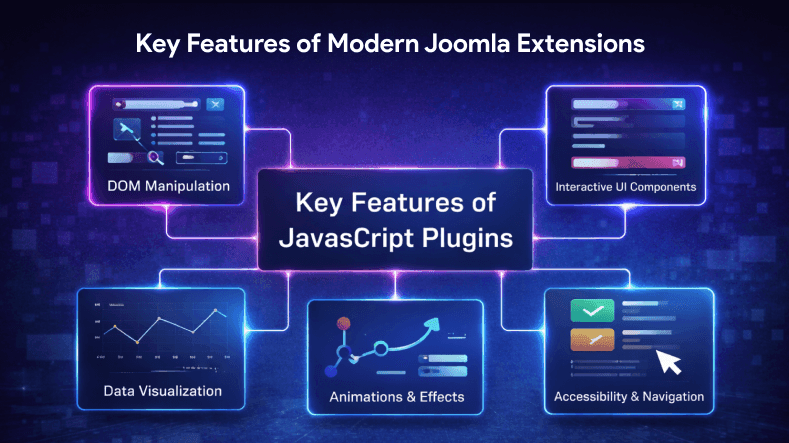
Modern javascript plugins offer powerful features that help enhance the functionality of a web page.
1. DOM Manipulation
Plugins allow developers to easily work with DOM elements, modify content, and update UI dynamically.
2. Interactive UI Components
Many plugins provide ready-made web components such as sliders, modals, and dropdowns.
These components help in creating engaging and interactive app interfaces.
3. Animations and Effects
Using css and javascript, plugins enable smooth animations that improve the look and feel of a page.
Anime.js is a lightweight, high-performance animation engine for CSS properties, SVG, and DOM attributes, utilizing JavaScript (js) to create complex and visually appealing animations.
4. Data Visualization
Plugins also support charts, tables, and svg graphics for better data presentation.
5. Accessibility and Navigation
Good plugins improve accessibility, helping users easily navigate through the site and interact with content.
Powerful JavaScript Plugins
Below are the following plugins—two powerful javascript plugins—that can help improve your website’s performance and usability.
Many plugins are extensively tested by large developer communities, resulting in more reliable and efficient features with built-in error handling and debugging tools.
1. UI Components
UI Components plugin is aimed at building modern and interactive web components for your web app.
It provides a container for organizing UI elements such as buttons, modals, cards, and tooltips. Developers can use a set of reusable UI elements to create complex interfaces.
The base package of jSuites includes essential components such as dropdowns, calendars, input masks, modals, and more, all aimed at simplifying the development of rich user interfaces.
jSuites provides tools for creating rich, user-friendly web interfaces and applications that provide intuitive navigation and delightful user experiences.
jSuites allows for unified coding across multiple platforms for consistent development, enabling seamless integration with popular frameworks.
Key Features
- Ready-to-use UI elements
- Smooth animations
- Easy implementation
- Works with multiple framework environments
- Supports themes and customization
This plugin helps developers create responsive and visually appealing interfaces using minimal code.
It is especially useful for building dashboards, admin panels, and modern web pages.
2. Form Validation
Form Validation plugin is essential for handling user input in web applications. The Form Validation plugin allows developers to control form elements and track user input for validation.
It ensures that data entered by users is correct before submission.
Cleave.js is a library for adding real-time formatting to form inputs.
Key Features
- Real-time validation
- Error message display
- Supports different methods
- Easy integration with html, css, and javascript
- Improves form accessibility
This plugin helps improve user experience by reducing errors and guiding users through the form submission process.
It is widely used in login forms, signup forms, and checkout pages.
Creating Custom Plugins
Creating custom plugins is a powerful way for developers to tailor their web projects to specific needs. By writing your own plugins in JavaScript or using frameworks like jQuery, you can add unique features and optimize workflows that generic solutions might not cover. The process of creating a custom plugin involves designing its structure, writing efficient code, and thoroughly testing it to ensure reliability across different environments.
Custom plugins can be developed in various programming languages, but JavaScript remains the most popular choice for enhancing web interfaces and interactivity. Whether you’re building a tool for image manipulation, data filtering, or advanced UI components, custom plugins allow you to address unique challenges and boost productivity during development. By investing time in creating tailored plugins, developers can deliver a more engaging and user friendly web experience.
Plugin Ecosystem
The plugin ecosystem is a thriving network where developers and users come together to share, discover, and improve plugins. This ecosystem includes everything from lightweight scripts to robust web components, offering a wide array of solutions for different development needs. Developers contribute their plugins to the community, often through platforms like GitHub, enabling others to benefit from their work and collaborate on enhancements.
Users play a crucial role by providing feedback and identifying new requirements, which drives innovation and the continuous evolution of the ecosystem. As new web technologies and trends emerge, the plugin ecosystem adapts, ensuring that developers and users always have access to the latest solutions for optimizing their web projects.
Security Considerations
When working with plugins, security should always be a top concern for developers. Plugins, if not properly designed or maintained, can introduce vulnerabilities that put websites and applications at risk. To safeguard your projects, it’s essential to follow security best practices during plugin creation and usage. This includes validating all user input, sanitizing data before processing, and using secure communication protocols.
Developers should also ensure that plugins are regularly updated to address any discovered vulnerabilities and remain compatible with evolving web standards. By prioritizing security at every stage of plugin development and implementation, you can protect both your site and its users from potential threats.
Plugin Maintenance
Ongoing plugin maintenance is vital for keeping your web applications running smoothly and securely. Developers should routinely update and patch their plugins to fix bugs, close security gaps, and enhance performance. Monitoring how plugins are used and gathering feedback from users can reveal opportunities for further optimization and feature improvements.
Regular maintenance not only helps optimize the user experience but also ensures that plugins remain compatible with the latest browsers, frameworks, and web technologies. By staying proactive with updates and user engagement, developers can extend the lifespan and effectiveness of their plugins.
Plugin Testing
Thorough plugin testing is a crucial part of the development process, ensuring that plugins deliver reliable performance and meet quality standards. Testing should cover all aspects of functionality, from basic operations to edge cases, as well as performance under different conditions. It’s also important to validate user input, check for compatibility across various browsers and devices, and assess the plugin’s security.
By integrating comprehensive testing into your development workflow, you can catch issues early, reduce bugs, and deliver plugins that enhance the overall quality and stability of your web projects. This commitment to testing ultimately leads to better solutions for both developers and users.
How JavaScript Plugins Improve User Experience?
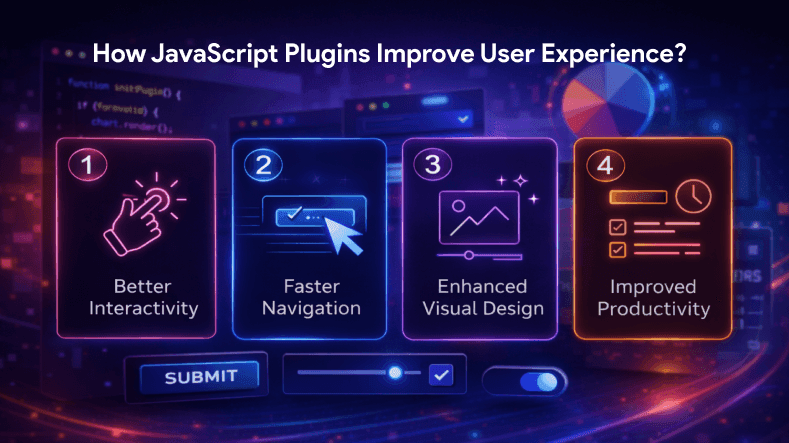
Using the right javascript plugins can significantly enhance the experience of users.
1. Better Interactivity
Plugins add interactive features like tooltips, popups, and dynamic elements that make the web page more engaging.
Interactions, including micro-interactions, are essential for creating intuitive and engaging user experiences.
2. Faster Navigation
With optimized scripts, users can easily navigate through the site without delays.
3. Enhanced Visual Design
Plugins improve design using animations, svg, and modern UI patterns. Many JavaScript plugins can use canvas elements to create dynamic and engaging visual backgrounds or animations. They also enhance the display and interaction with images, such as implementing galleries, cropping, or zooming features. Additionally, filters can be applied to images or data, allowing users to customize or refine their experience.
4. Improved Productivity
Developers can save time by using ready-made solutions instead of writing everything from scratch.
Tips for Choosing the Right JavaScript Plugins
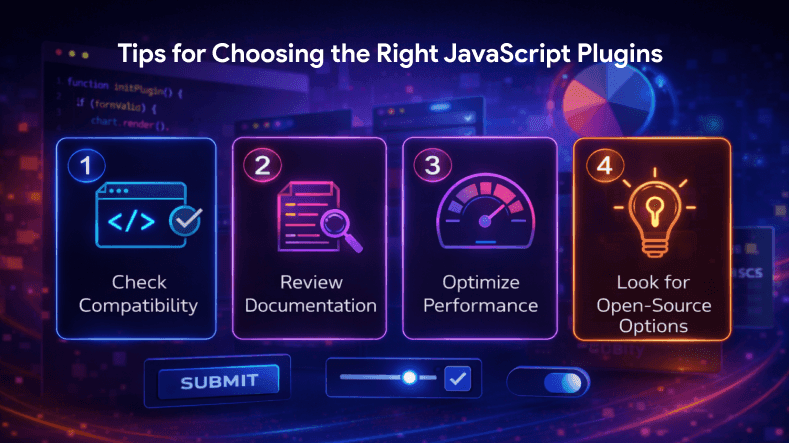
With many javascript plugins available, selecting the right one is important. Using a set of plugins can help address different needs in your project. There are different ways to implement plugins depending on your requirements.
1. Check Compatibility
Ensure the plugin supports your framework, browser, and required platforms.
2. Review Documentation
Choose plugins with clear documentation, example code, and proper support.
3. Optimize Performance
Avoid heavy plugins that may slow down your web page. Always test performance before implementation.
4. Look for Open-Source Options
Many plugins are free and available on GitHub, making them easy to use and customize.
Conclusion
JavaScript plugins are powerful tools that help developers build modern, interactive, and efficient web applications. By using the right javascript library and plugins, developers can enhance user friendly web interfaces, improve accessibility, and optimize overall performance.
Plugins like UI Components and Form Validation provide essential features that simplify development, improve productivity, and help create engaging experiences for users. Many
FAQs
Q1.
What are JavaScript plugins?
Q2.
Why are JavaScript plugins important?
Q3.
Are JavaScript plugins free to use?
Q4.
Can beginners use JavaScript plugins?
Q5.
How do JavaScript plugins improve website performance?

WebbyCrown's Insight
No headings found in this content.