On this page
Best Keyword Research Tools for Beginners: Full Guide 2026

WebbyCrown Solutions-
June 16, 2026-26 min read
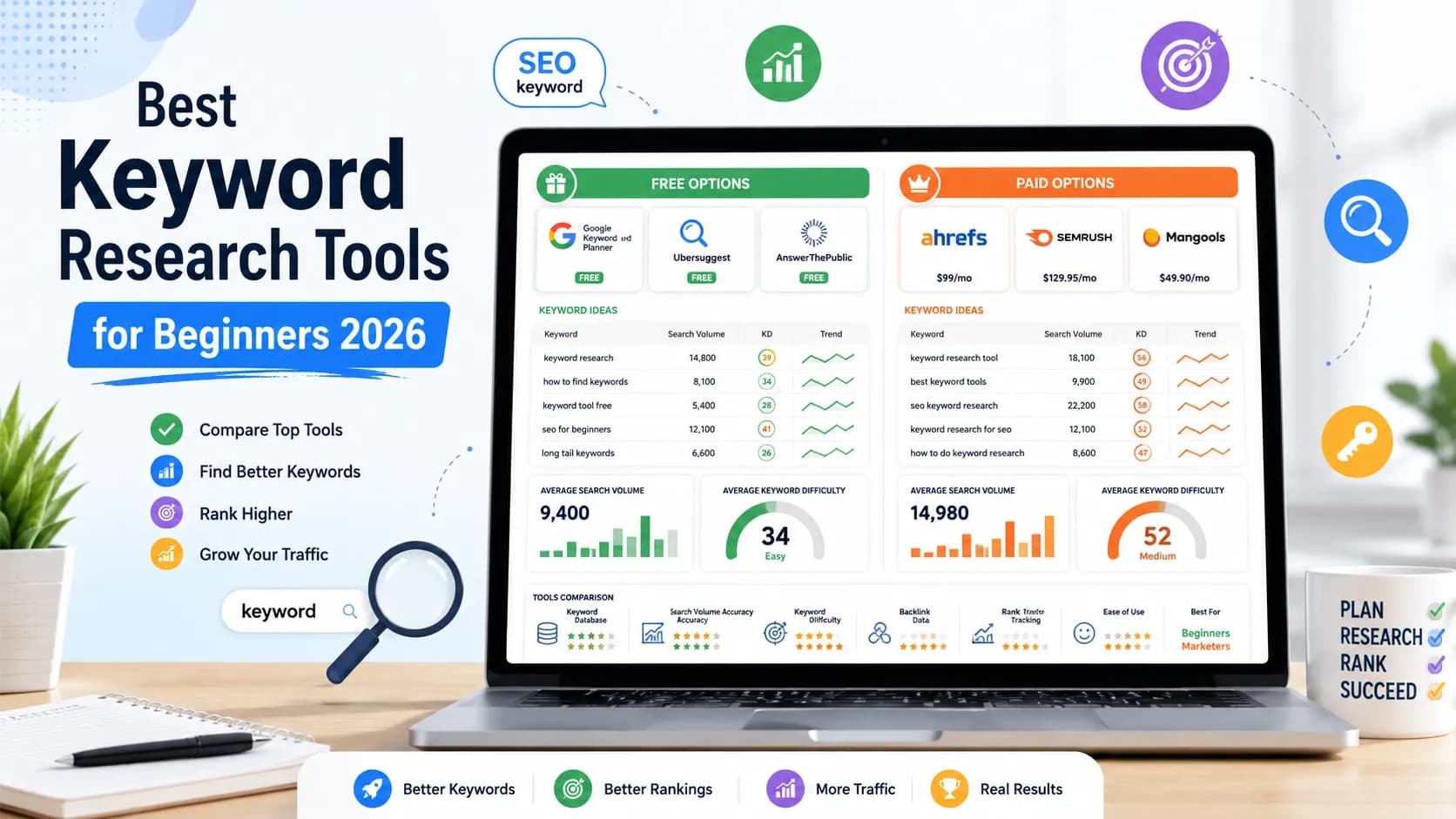
Quick Answer : The best free keyword research tool for beginners is Google Keyword Planner — it uses real Google Ads data and is completely free with a Google account. For paid tools, KWFinder by Mangools (from $29.90/month) is the most beginner-friendly option with accurate difficulty scoring and a clean interface. KeySearch ($17/month) is the best value under $20. LowFruits ($20.75/month) is the best specialist tool for finding keywords a new site can actually rank for. Semrush and Ahrefs have the largest databases but cost $129–$140/month and are better suited to experienced users with established sites.
Key Takeaways
- Beginners should start with free tools — Google Keyword Planner, Google Search Console, AlsoAsked, and Google Trends — before spending anything on a paid platform.
- KWFinder (Mangools) is consistently rated the easiest paid keyword tool to use and is particularly accurate at identifying low-competition long-tail keywords new sites can realistically rank for.
- LowFruits solves a problem standard keyword tools ignore: a keyword's difficulty score does not tell you whether the current ranking pages are weak enough for a new site to beat. LowFruits does.
- KeySearch at $17/month includes rank tracking, competitor analysis, site audit, and content tools alongside keyword research — making it the best-value all-in-one tool under $20.
- Keyword research is not a one-time task. Running a keyword check before writing every article takes 15–20 minutes and is the single highest-impact SEO habit a beginner can build.
Introduction
- Keyword research is where most beginners either make the decision that shapes their entire content strategy — or skip it entirely and wonder why their articles never rank.
- The tools available in 2026 range from completely free options built on Google's own data to $140/month professional platforms used by agencies managing hundreds of client sites. For someone just starting out, the gap between those extremes is confusing, and most comparison guides are written for people who already know what they are doing.
- This guide is different. It is written specifically for beginners — bloggers publishing their first articles, small business owners doing their own SEO, content creators building an audience from scratch. Every recommendation here is based on ease of use alongside data quality, because a tool that shows you the right answer in a way you cannot act on is not useful yet.
- By the end of this guide, you will know exactly which tools to start with (free), which to add first when you are ready to pay (KWFinder or KeySearch), and which to graduate to when SEO becomes a primary growth channel (SE Ranking, Semrush, or Ahrefs).
What Keyword Research Actually Does — and Why Beginners Get It Wrong
Keyword research answers one question: what exact words does my target reader type into Google when they are looking for what I write about?
That question sounds simple. The execution is where beginners make consistent, avoidable mistakes.
The most common beginner mistake:
targeting keywords that are too competitive. A new blog with ten articles and few or no backlinks cannot rank for "best coffee maker" — a keyword where every result on page one belongs to a major media publication or e-commerce site with thousands of referring domains. Targeting that keyword wastes the time it takes to write the article.
The second most common mistake:
ignoring keyword research entirely and writing whatever feels interesting. This produces content that may be excellent but gets no organic search traffic because it does not match what real people search for.
What keyword research actually involves:
- Finding seed keywords — the broad topics relevant to your site
- Expanding to keyword ideas — related queries your audience searches for
- Checking search volume — how many people search for each term monthly
- Evaluating keyword difficulty — how competitive the rankings are for each term
- Validating SERP competitiveness — whether the current ranking pages are weak enough for your site to beat
- Choosing what to target — picking the keywords with the best balance of volume, difficulty, and relevance
Most free tools cover steps 1–4. Paid tools add step 5. LowFruits is built specifically for step 5 — which is the step most beginners skip and then wonder why their articles do not rank despite good writing.
Quick Verdict: Best Keyword Tool by Situation
| Situation | Best Tool | Why |
|---|---|---|
| Starting from zero, no budget | Google Keyword Planner + AlsoAsked | Free, reliable, no credit card required |
| First paid tool, ease of use matters | KWFinder (Mangools Basic) | Cleanest interface, accurate keyword difficulty scoring |
| Best value under $20/month | KeySearch | Keyword research + rank tracking + site audit |
| Finding keywords a new site can rank for | LowFruits | SERP weakness analysis, not just keyword difficulty scores |
| Question and topic research | AlsoAsked | Maps People Also Ask chains visually |
| Trend and seasonal research | Google Trends | Free, shows interest over time |
| Full SEO platform under $60/month | SE Ranking | Keyword research + AI Overview detection |
| Professional-grade database | Ahrefs or Semrush | Largest indexes; justified for experienced users |
Free Keyword Research Tools for Beginners
1. Google Keyword Planner
Google Keyword Planner is the most authoritative free keyword research tool available because it is built by Google and draws on Google Ads data — the same data source that powers Google Search itself. It is free with any Google account, and you do not need to run ads to use it.
What it gives you:
- Search volume ranges for any keyword (monthly averages)
- Keyword ideas generated from a seed term or URL
- Competition level (Low / Medium / High — based on advertiser competition, which correlates with SEO competition)
- Cost-per-click estimates (useful for assessing commercial intent)
The main limitation for beginners is that Keyword Planner shows volume ranges rather than exact monthly numbers unless your Google Ads account has spent money. A keyword might show "1K–10K monthly searches" — which is not precise enough to choose between two similar terms. That gap is filled by a paid tool or by cross-referencing with Google Search Console.
How to use it as a beginner:
Enter your main topic as a seed keyword, export the results, and focus on keywords with "Low" competition and meaningful volume. These are your starting targets. Ignore the "High" competition keywords until your site has established authority.
2. Google Search Console
Google Search Console is the only tool in this guide that shows you actual ranking data from Google — not estimates. Once your site is verified, it shows you exactly which queries your pages appear for, at what average position, and with what click-through rate.
The most valuable feature for beginners is the Performance report filtered to positions 8–20. These are your "almost there" keywords — pages Google is already showing to searchers but that are not yet on page one. Improving those pages with better content, stronger internal links, or more specific targeting is the fastest route to real traffic increases.
Search Console does not help you find new keywords for articles you have not written yet. That is what the other tools in this guide do. Use Search Console alongside any keyword research tool, not instead of one.
3. AlsoAsked
AlsoAsked is the premier tool for understanding People Also Ask data. It maps the relationships between questions pulled from Google's PAA boxes, showing you the hierarchy of a topic rather than individual keywords.
For beginners, this is one of the most useful free tools available — because it reveals why people search for something, not just what they search for. When you type a seed keyword into AlsoAsked, it returns a branching tree of related questions: the first-level questions people ask, and then the follow-up questions those answers trigger.
AlsoAsked pulls directly from Google's People Also Ask boxes and maps how questions branch from each other. It is particularly useful for understanding content depth — it shows you not just what people ask first, but what they ask next.
Practical use for beginners:
Run your article topic through AlsoAsked before writing. The question map tells you which H2 and H3 headings to include, which related topics belong in the same article, and which questions deserve separate articles in your content cluster.
AlsoAsked has a free tier (limited searches per day) and a paid plan. For most beginners doing occasional research, the free tier is sufficient.
4. Google Trends
Google Trends shows the relative search interest for any keyword over time — monthly, annually, or across the past five years. It does not show exact search volumes, but it answers a question no volume-based tool can answer well: is interest in this topic growing, shrinking, or seasonal?
Why this matters for beginners:
Publishing an article about a topic at its peak popularity is significantly more valuable than publishing six months after interest has declined. Google Trends lets you identify rising topics before your competitors do and plan seasonal content far enough in advance to rank before the traffic spike arrives.
If a topic spikes every December, you know to publish in November. That timing insight alone is worth building into every content calendar.
Google Trends is completely free, requires no account, and works globally with country and region filtering.
5. Ahrefs Free Keyword Generator
Ahrefs offers a genuinely useful free keyword tool at ahrefs.com/keyword-generator. Enter a seed keyword and it returns up to 100 keyword ideas with search volume estimates and keyword difficulty scores — using real Ahrefs data, no account required.
A practical free workflow: Ahrefs Keyword Generator for initial keyword ideas → Google Keyword Planner for volume validation → AnswerThePublic for question angles → Google Search Console for existing ranking opportunities.
The limitation is ten results per search on the free tool compared to thousands in the paid platform. For a beginner building a content calendar, running five or six seed keywords through the free generator produces enough data to plan 20–30 articles without spending anything.
Best Paid Keyword Research Tools for Beginners
1. KWFinder by Mangools — Best for Ease of Use ($29.90–$129.90/month)
KWFinder is the keyword research tool inside the Mangools suite and is consistently rated the most beginner-friendly paid keyword tool available. Mangools is the best keyword research tool for 2026 if you are on a budget or new to SEO — its super-clean interface makes research intuitive without overwhelm.
The interface is built around a single workflow: enter a keyword, get a ranked list of related keywords with volume, difficulty, and trend data, then click any keyword to see the current top-ten SERP results alongside their Domain Authority, backlink counts, and page-level metrics. That SERP preview is the feature that most differentiates KWFinder from other beginner tools — it shows you not just how difficult a keyword is in the abstract, but who you would be competing against on page one.
What KWFinder does well:
- Keyword Difficulty (KD) scores that are consistently rated more accurate for long-tail keywords than Semrush or Ahrefs at lower competition levels
- SERP analysis integrated directly into the keyword view — no switching between tabs
- Clean, uncluttered interface that does not require training to navigate
- No credit limits — you pay for a usage tier and use the tools without watching a counter run down
- Filter by location, language, and search engine
Where KWFinder falls short:
- Smaller keyword database than Semrush (25B+) or Ahrefs (20B+)
- Does not analyse SERP page quality the way LowFruits does — KD score is based on link metrics, not actual content weakness
- No AI visibility tracking
- Backlink data (via LinkMiner) is limited compared to Ahrefs
Mangools Pricing:
| Plan | Annual (per month) | Monthly |
|---|---|---|
| Basic | $29.90 | $49 |
| Premium | $44.90 | $69 |
| Agency | $129.90 | $179 |
A 10-day free trial is available. The Basic plan at $29.90/month billed annually covers everything a beginner needs.
Best for: Bloggers, solo content creators, and small business owners who are new to keyword research and want a tool that makes the workflow clear without an instruction manual.
2. KeySearch — Best Value Under $20/month ($17/month)
KeySearch is one of the most underrated tools in the keyword research market. For just $17/month, you get keyword research with difficulty scoring, competitor analysis, site audit, rank tracking, content creation tools, and even some AI credits. No other tool in this guide comes close to that feature breadth at that price.
The keyword difficulty score is surprisingly accurate for the price point, and the Explorer feature helps surface low-competition opportunities. It also shows you DA and PA for ranking pages, so you can manually spot weak competitors in the SERPs.
KeySearch also includes a content assistant that suggests topics, outlines, and writing guidance — a feature set that tools costing three times as much do not always include.
What KeySearch does well:
- Most complete feature set under $20/month — keyword research, rank tracker, competitor analysis, site audit, content tools, AI credits
- Accurate keyword difficulty scoring particularly for niches with lower competition
- Bulk keyword research without complex credit limits
- Domain analysis to see what any competitor ranks for
Where KeySearch falls short:
- Interface is functional but less polished than KWFinder or Mangools
- Keyword database smaller than Semrush or Ahrefs
- Less name recognition means fewer tutorials and community resources than the larger tools
KeySearch Pricing:
| Plan | Monthly | Annual |
|---|---|---|
| Starter | $17 | ~$169/year |
| Pro | $48 | ~$480/year |
A 7-day free trial is available.
Best for: Bloggers and affiliate marketers on a strict budget who want a full SEO toolkit — not just keyword research — at the lowest monthly cost available.
3. LowFruits — Best for Finding Rankable Keywords ($20.75–$62/month or pay-as-you-go)
LowFruits solves a problem that most keyword tools ignore entirely. Standard keyword difficulty scores — from Semrush, Ahrefs, Moz, or KWFinder — calculate difficulty based on the backlink authority of the pages currently ranking. A keyword with a KD of 35 might look achievable. But if the top-ten results all belong to brands with Domain Authority 70+, a new site with DA 5 is not going to rank regardless of what the difficulty number says.
LowFruits is a specialized SERP weakness tool. A keyword with a KD of 45 might be impossible if the top ten consists of high-DA brands — or it might be achievable today if three of those results are Reddit threads and one is a thin affiliate review page with a DA of 12. Standard KD scores do not tell you this. LowFruits does.
LowFruits analyses the actual pages currently ranking for any keyword and flags "weak spots" — low-authority domains, forum threads, thin content pages, or user-generated content that a well-written article on a modest-authority site could reasonably outrank.
If a forum is ranking in the top three, it is a signal that there is a weak spot in the SERP. LowFruits automates the process of finding these low-hanging fruits, making it an efficient tool for niche site builders.
What LowFruits does well:
- SERP weakness analysis that no standard KD score provides
- Bulk SERP analysis — run hundreds of keywords at once and flag the ones with weak current rankings
- Keyword clustering by shared intent — groups related keywords to inform content structure
- Long-tail keyword generation via Google autocomplete wildcards
Where LowFruits falls short:
- Not a complete SEO platform — no rank tracking, no backlink analysis, no site audit
- Works best when you import keyword lists from another tool (like KWFinder or Google Keyword Planner) rather than using it for initial keyword discovery
LowFruits works best when importing keyword lists from other tools, as its own suggestions rely solely on Google autocomplete.
LowFruits Pricing:
| Option | Cost |
|---|---|
| Pay-as-you-go | From ~$25 (credit-based) |
| Monthly Subscription | ~$20.75–$62/month (annual billing) |
Best for: Beginners and niche site builders who want to filter a keyword list down to only the terms their site has a realistic chance of ranking for right now — not in two years when their authority has grown.
Recommended workflow: Use KWFinder or Google Keyword Planner to generate a keyword list, then import that list into LowFruits to validate which keywords have weak current competition. This two-step process costs less than $50/month combined and produces better targeting decisions than either tool alone.
4. SE Ranking — Best Mid-Range Option with AI Overview Detection (~$55/month annual)
SE Ranking is not a beginner-specific tool, but it is the best choice for a beginner who wants a single platform that grows with them. It covers keyword research, rank tracking, site audit, backlink monitoring, local SEO, and — the most important 2026 addition — AI Overview detection showing which of your target keywords trigger AI-generated answers in Google search.
SE Ranking is the best overall pick. It gives you several useful keyword research tools in one platform and has one of the largest keyword databases on the market. It is also better value for money than any other tool tested.
For keyword research specifically, SE Ranking's Keyword Research tool includes a Keyword Gap analysis that shows keywords your competitors rank for that you do not — one of the highest-value reports a beginner can run in their first month of using any SEO tool.
SE Ranking Pricing (approximate, annual billing):
| Plan | Monthly (Annual Billing) |
|---|---|
| Essential | ~$55 |
| Pro | ~$109 |
| Business | ~$239 |
A 14-day free trial is available without a credit card.
Best for: Beginners who want more than keyword research alone and are ready to invest in a full SEO platform below the Semrush and Ahrefs price point.
5. Moz Keyword Explorer — Best for Priority Score and Simplicity ($49–$299/month)
Moz Keyword Explorer is notable for one metric that no other tool offers:
Priority Score — a combined metric that weights search volume, keyword difficulty, and organic click-through rate together into a single number. Instead of manually balancing three separate metrics, Priority Score gives beginners one number to sort by when deciding which keywords to target first.
Moz is a solid all-rounder and one of the best keyword research tools for 2026 if you value simplicity and long-term reliability. The Priority Score combines volume, difficulty, and organic CTR into one number.
Moz offers three free searches per day without an account — enough to evaluate a handful of keywords before committing to a paid plan. The 30-day free trial on Standard ($99/month) is the most generous in this comparison.
Best for: Beginners who find balancing multiple metrics confusing and want one clear number to guide their keyword selection.
How to Do Keyword Research as a Beginner: Step-by-Step
Step 1: Define Your Topic Area
Before opening any tool, write down the five to ten topics your site covers. These are your seed keyword categories — the broadest terms your audience searches for. A blog about home coffee brewing might have seeds like: espresso machines, pour-over coffee, coffee grinders, coffee beans, and cold brew.
Step 2: Generate Keyword Ideas (Free Tools First)
Enter each seed keyword into Google Keyword Planner and export the results. Then run the same seed through AlsoAsked to find the question-based variants. You should now have a list of 50–200 keyword ideas per topic area.
At this stage, do not filter aggressively. Capture everything and filter later.
Step 3: Check Search Volume and Difficulty
Open your keyword list in KWFinder, KeySearch, or SE Ranking. Sort by search volume to identify terms people actually search for, then look at keyword difficulty. For a new site (under 20 published articles, few or no backlinks), focus exclusively on keywords with a difficulty score under 30 on most scales. Above that threshold, you are competing against established sites that will almost always outrank you regardless of content quality.
Step 4: Validate SERP Competitiveness
This is the step most beginners skip. For any keyword with a difficulty under 30 that you are considering targeting, look at the actual results currently ranking on page one.
If you use KWFinder, the SERP preview is built in — click any keyword and see the top ten results with their DA, PA, and backlink counts. Look for results with Domain Authority under 30, thin content, or forum threads (Reddit, Quora) ranking in the top five. These are your signal that a new site can compete.
If you use LowFruits, import your filtered list and let it run the SERP weakness check in bulk. This is faster than doing it keyword by keyword in KWFinder.
Step 5: Prioritise and Plan
From your validated list, select ten to twenty keywords you will target in your next publishing cycle. Organise them by intent:
- Informational ("how to brew espresso at home") — write how-to guides and explainers
- Commercial investigation ("best espresso machine under $500") — write comparison articles and reviews
- Transactional ("buy DeLonghi espresso machine") — write product pages or targeted landing pages
Group related keywords together — two or three per article is a reasonable target. A single article can rank for multiple related terms simultaneously without any additional work if the content covers the topic thoroughly.
Step 6: Track Your Rankings
Once articles are published, add the target keywords to a rank tracker. KWFinder's SERPWatcher, KeySearch, SE Ranking, or Google Search Console all show ranking movements over time. Check monthly at minimum. Pages that move from position 20 to position 12 are showing traction and deserve a targeted optimisation pass to push them onto page one.
Feature Comparison: All Tools Side by Side
| Tool | Keyword Database | KD Scoring | SERP Analysis | Free Option | Best Monthly Price | Best For |
|---|---|---|---|---|---|---|
| Google Keyword Planner | Google Ads data | Basic | No | Free | Free | Volume validation |
| AlsoAsked | PAA data | No | No | Free (limited) | Free | Question research |
| Google Trends | Relative interest | No | No | Free | Free | Trend/seasonal planning |
| Ahrefs Free Keyword Generator | Large | Yes | No | Free (10 results) | Free | Quick KD checks |
| KWFinder (Mangools) | Large | Excellent | Yes (built-in SERP) | 10-day trial | $29.90/mo | Beginners, ease of use |
| KeySearch | Medium | Good | Basic | 7-day trial | $17/mo | Budget all-in-one |
| LowFruits | Google Autocomplete | Via SERP weakness | SERP weakness analysis | Pay-as-you-go | ~$20.75/mo | Rankable keyword validation |
| SE Ranking | 5.4 billion+ | Good | Yes + AI Overviews | 14-day trial | ~$55/mo | Full SEO platform |
| Moz Keyword Explorer | 1.25 billion+ | Good + Priority Score | Yes | 3 free/day | $49/mo (Starter) | Simplicity, Priority Score |
| Semrush | 25 billion+ | Advanced | Advanced | 7-day trial | $139.95/mo | Professionals, agencies |
| Ahrefs | 20 billion+ | Advanced | Advanced | $29 Starter plan | $129/mo (Lite) | Link building, competitor research |
Common Mistakes Beginners Make With Keyword Research
1. Targeting high-volume keywords on a new site
The most searched keywords in any niche are almost always dominated by large media publishers, established e-commerce sites, or brands with thousands of backlinks. A new site targeting "best espresso machine" will not rank — not because the content is bad, but because the domain has no authority yet. Target volume 100–1,000 searches/month with difficulty under 30 until your site has 50+ published articles and meaningful backlinks.
2. Looking only at keyword difficulty, not at the actual SERP
Keyword difficulty scores are calculated from backlink metrics of ranking pages. They do not tell you whether the ranking content is thin, outdated, or written for a different intent than your article. Two keywords can have identical KD scores, with one dominated by high-DA authoritative content and the other by a Reddit thread from 2019. Only checking the actual SERP tells you which is which.
3. Doing keyword research once at launch and never again
Search behaviour changes. New queries emerge, search volumes shift, and competitor content changes the competitive landscape for any keyword over time. Run a keyword research session before every new article and a broader audit of your existing content every three to six months.
4. Ignoring search intent
A keyword like "espresso machine" has mixed intent — some people want to buy one, others want to compare models, others want to learn how they work. Writing a how-to guide for a keyword where the entire first page of Google shows product comparison listicles means your content mismatches what Google believes the searcher wants. Always check what type of content currently ranks for your target keyword before deciding what format to write.
5. Using keyword research to justify content you wanted to write anyway
This is the reverse of ignoring keyword research. Some beginners look up a keyword after deciding they want to write about a topic, find a version of the keyword with reasonable-looking metrics, and proceed. Effective keyword research starts with the keyword data and works backward to decide what to write — not the other way around.
Best Practices for Keyword Research as a Beginner
1. Start with long-tail keywords.
Phrases of three or more words with 100–1,000 monthly searches and difficulty under 30 are where new sites win. "Best espresso machine under $300 for beginners" is more winnable and more targeted than "best espresso machine" — and the reader who finds it is closer to making a purchase decision.
2. Match your keyword choice to your site's current authority.
A site with ten articles and no backlinks should not target keywords above difficulty 25–30. Revisit your targeting ceiling every three months as your domain authority grows.
3. Use question-based keywords for informational content.
AlsoAsked and AnswerThePublic surface questions real people are typing — "how do I know when my espresso is extracted correctly?" — that keyword volume tools often miss because they are too specific to show high search volume, but are exactly what a helpful article answers.
4. Group related keywords before writing.
Three related keywords with 200 searches each represent 600 monthly impressions if your article ranks for all three — which it can if the content covers the topic thoroughly. Plan keyword clusters, not individual terms.
5. Validate every target keyword against the current SERP before writing.
Two minutes looking at the actual top-ten results for your target keyword tells you whether the content there is strong or weak, what format works, and what you would need to produce to be genuinely better. This is the most high-value fifteen minutes in any content planning process.
Original Insight: Why Difficulty Scores Mislead Beginners More Than Anyone
After reviewing keyword research workflows across new sites, one pattern appears consistently: beginners who use only KD scores to filter keywords publish articles that get no traffic not because the content is bad but because they misread what the difficulty number means.
A KD score of 28 can mean one of two things. It can mean the ranking pages are genuinely weak — low-authority sites, outdated content, poor structure — and a well-written article from a new site has a real chance. Or it can mean the ranking pages are moderate-authority sites with average content, but there are eight of them, and page one is completely full of established publications that refresh their content annually.
Standard KD scores do not distinguish between these two scenarios. That is the gap LowFruits fills — and it is the most practically important tool choice a beginner can make after their first three months of keyword research, once they understand why some articles rank quickly and others do not move.
The single habit change that most improves beginner keyword selection: after filtering by KD, spend two minutes looking at the SERP for every keyword you plan to write about. Look for results from low-authority domains, forum threads, or thin pages with few internal links. If you see three of those in the top ten, write the article. If you see established brand after established brand, move to the next keyword — regardless of what the difficulty score says.
Tools and Resources
- Google Keyword Planner (free) — Volume validation using Google Ads data. The baseline for any keyword research workflow.
- Google Search Console (free) — Shows keywords your site already ranks for, with real click and impression data from Google.
- Google Trends (free) — Identifies whether keyword interest is rising, seasonal, or declining.
- AlsoAsked (free limited / paid) — Maps People Also Ask question chains for topic and heading research.
- Ahrefs Free Keyword Generator (free) — 100 keyword ideas per search using real Ahrefs data, no account required.
- KWFinder by Mangools (from $29.90/month) — Most beginner-friendly paid keyword tool with built-in SERP preview and accurate difficulty scoring.
- KeySearch ($17/month) — Best value all-in-one tool under $20 with rank tracking, site audit, and content tools included.
- LowFruits (~$20.75/month annual or pay-as-you-go) — SERP weakness analysis to identify keywords a new site can actually rank for.
- SE Ranking (~$55/month annual) — Full SEO platform with AI Overview detection; best mid-range option.
Conclusion
Keyword research is the foundation of every article that ranks. The tools in this guide exist to answer one question: which topics can your site rank for, with how much effort, and in what timeframe?
For beginners, the answer starts with free tools. Google Keyword Planner, AlsoAsked, Google Trends, and Google Search Console together cover the full keyword research workflow at no cost. Use them properly before paying for anything.
When you are ready for a paid tool, KWFinder at $29.90/month and KeySearch at $17/month are the two strongest starting points. KWFinder is cleaner and easier to learn. KeySearch includes more features at the lower price. Both offer free trials — run your actual site through both before committing.
Add LowFruits once you have a list of keyword targets you want to validate before writing. Its SERP weakness analysis is the fastest way to distinguish "keywords I could rank for now" from "keywords I might rank for in two years."
Graduate to SE Ranking, Semrush, or Ahrefs when keyword research and SEO become a primary time investment and the data depth justifies the cost. That point is further away than most beginners expect — and that is not a problem.
FAQs
Q1.
What is the best free keyword research tool for beginners?
Q2.
What is keyword difficulty and how should beginners use it?
Q3.
How is LowFruits different from standard keyword tools?
Q4.
How many keywords should a beginner target per article?
Q5.
Is Semrush or Ahrefs worth it for beginners?
Q6.
How often should I do keyword research?
Q7.